


 Author: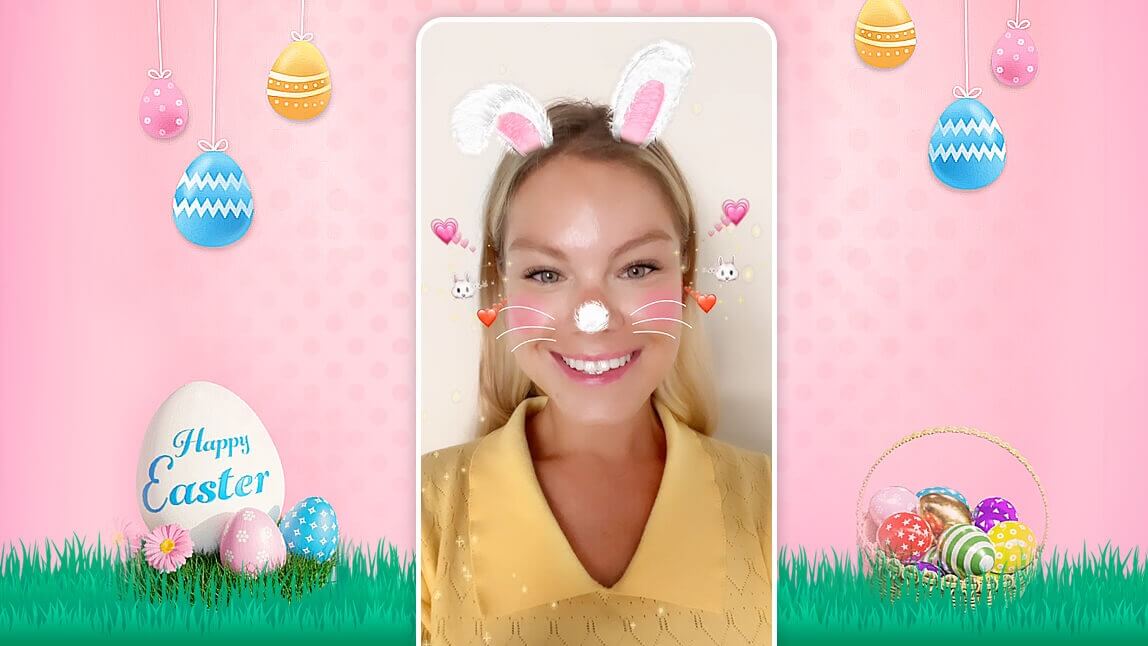
Easter 2026 is the perfect time for fun, family, and festive photos! This year, make your pictures even more adorable with a viral bunny ear filter. Whether you want to add bunny ears to a photo for a cute selfie or make your family portraits more festive by adding an Easter bunny filter to your group shots, YouCam Makeup is the best app to bring your holiday photos to life.
With just a few taps, you can try different styles to match the Easter spirit. Keep reading to discover how to use the best Easter filter app to create share-worthy photos this season!
When is Easter 2026?
Before we dive into the best ways to add bunny ears to a photo, let’s mark our calendars! This year, Easter falls on Sunday, April 5, 2026—the prime time for spring celebrations, egg hunts, and festive photography.

Try the Best Bunny Ear Filters for Cute Easter Photos
Make your Easter 2026 photos extra festive with YouCam Makeup! Whether you're snapping selfies for social media or capturing family moments, this app makes it easy to add bunny ears to a photo instantly. Transform your pictures with these top-rated effects:
1. Egg Catcher: The Interactive Bunny Ear Filter

Don't miss out on the egg-citing fun this Easter with these two adorable bunny filters!
Try the face filter called Egg Catcher for a playful twist – watch as an Easter egg appears around your face, exploding into cute bunny ears when you open your mouth.
2. Floppy Ears: Add Bunny Ears to Photo Instantly
Hop over to the Floppy Ears filter for a sweet, classic look. This bunny ear filter comes complete with soft ears, Easter eggs, and a beautiful spring background.

To find these filters, open the app, then tap Camera. Tap Looks and then go to the Animal collection. Try them now!
3. Sweet Bunny: Floral Bunny Ear Filter

Try the face filter Sweet Bunny for a sweet Easter bunny look with flower bunny ears, a cute bunny nose and whiskers, and a fun floating easter egg effect.
You'll find this filter in the Live Frame category.
4. Classic Easter Bunny: The Simple Way to Add Bunny Ears

Nothing completes the festive vibe like a classic bunny ear filter! This simple yet adorable effect lets you add bunny ears to a photo in seconds, making your Easter selfies and family pictures instantly more fun.
You’ll find this must-try Easter bunny filter in the Live Frame category of YouCam Makeup.
5. Pink Pastel: Subtle Bunny Ear Filter

The face filter Pink Pastel sets you up for spring with pastel eyeshadow and a nod to our favorite Easter character — the Easter bunny, as the filter places small bunny ears over the eye.
Find this in the Daily category under the Looks tab.
6. Soft Bunny: Tender Bunny Ear Filter
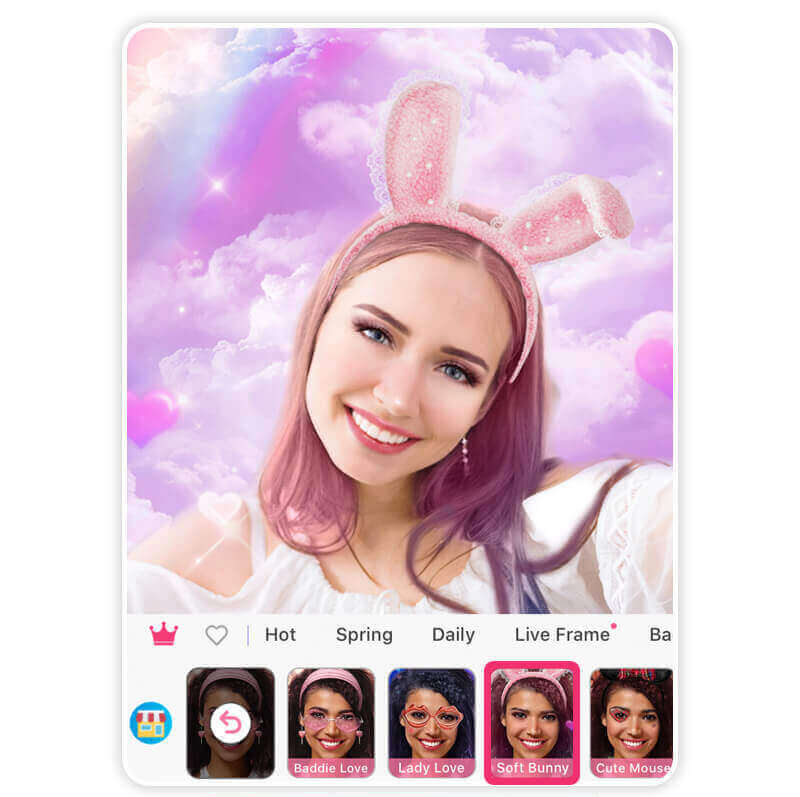
The final Easter-inspired filter features a rainbow background, an bunny headband, and a dreamy pastel pink hair color filter.
To try this look, go to the Valentine category and choose the Baddie Love collection, and try the Soft Bunny filte
Bonus: Easter Bunny Photo Effects
Make your Easter 2026 photos even more delightful with the YouCam Makeup Animation tool!
This feature lets you bring your pictures to life by adding a playful bunny ear filter with movement or vibrant, floating Easter egg effects. It’s the perfect way to add bunny ears to a photo and create a high-energy clip for your Instagram Stories or TikTok.

Bonus: Easter Bunny Photo Backgrounds

Beyond the Bunny Ear Filter, make your photos extra festive by using the background tool to transform any snapshot!
If you want to go beyond a simple bunny ear filter, you can add bunny ears to a photo and then swap the background for a pastel-colored spring scene, a field filled with Easter eggs, or a playful floral design. This tool lets you customize your festive pictures effortlessly for a complete holiday look.
Happy Easter! Try the Best Bunny Ear Filters for Photos
A high-quality bunny ear filter is the perfect way to add extra charm to your holiday memories. Whether you want to add bunny ears to a photo of your friends, try an animated effect, or enhance your portrait with a professional Easter background, these fun effects will make your content stand out for Easter 2026.
With the right bunny ear filter, your Easter memories will look more playful, festive, and absolutely adorable!

Best AI Selfie Camera
The #1 Virtual Makeover & Selfie Camera App.
Experience real-time AR makeup trials.
Add Bunny to Photo FAQs
When is Easter 2026?

This year, Easter falls on Sunday, April 5, 2026.
What app puts bunny ears on photos?
The YouCam Makeup app is perfect for adding bunny ears to photos. With its Easter bunny filter, you can easily try on bunny ears in your selfies or photos, making them extra cute for Easter celebrations. It’s a fun and simple way to get into the holiday spirit!
How can I add bunny ears on photos?
To add bunny ears to a photo, simply download the YouCam Makeup app and choose from a variety of Easter bunny filters. Upload your photo, apply the filter, and voilà – you’ll have adorable bunny ears added to your image! You can also adjust the filter to match your look and take fun Easter photos in just a few taps.
How do I add bunny ears on Instagram?
To add bunny ears on Instagram, you can use Instagram’s built-in Easter filter or a third-party app like YouCam Makeup.
If you're using Instagram, open the app, swipe to the filters section in the story camera, and search for "bunny ears" or "Easter filter." If you’re using YouCam Makeup, apply a bunny filter, save your photo, and upload it to Instagram as a story or post.



 English


