


 Author:
 Spooking season is here again, and this guide is fully updated for Halloween 2026! Looking for the perfect Halloween costume this year?
With AI Halloween Costume Generators, you can explore endless creative possibilities and find the ideal outfit effortlessly.
🧪 How I tested this: For this Halloween 2026 update, I tried every costume idea below on my own photos and re-checked each generator in the list, plus one new tool, CapCut. I used a full-length photo and a waist-up selfie so I could see how much framing matters for costume try-ons. Some costumes looked wearable straight away, while others, especially ones with masks or face paint, needed a clearer face photo to look right. I've added what I noticed under each idea so you can skip the trial and error.
Best AI Halloween Costume Generator: Let AI Turn Your Ideas Into Realistic Costumes

Looking for the ultimate AI Halloween costume generator As a frequent user, I can confidently say that YouCam Enhance is the best out there.
Its “AI Replace” feature is a game-changer, allowing you to turn your text ideas into realistic Halloween costumes seamlessly.
Just type in your costume concept, and watch as YouCam Enhance adds it to your photo with stunning accuracy, making your Halloween preparations both fun and effortless.

This tool makes it easier than ever to bring your Halloween costume ideas to life with stunning accuracy and creativity.
🧪 My test notes: The biggest lesson from my test: describe the costume the way you'd describe it to a friend, with the garment, color, and one standout accessory. Vague prompts like "scary costume" gave generic results, while specific ones felt much closer to something I could actually recreate.
7 Must-Try Halloween Costume Ideas for 2026
Explore these 7 must-try Halloween costume ideas for 2026, complete with text prompts for YouCam Enhance, so you can effortlessly try these styles on your photos and find the perfect look!
Zombie Costume: Tattered Clothes, Fake Blood, and Gory Makeup
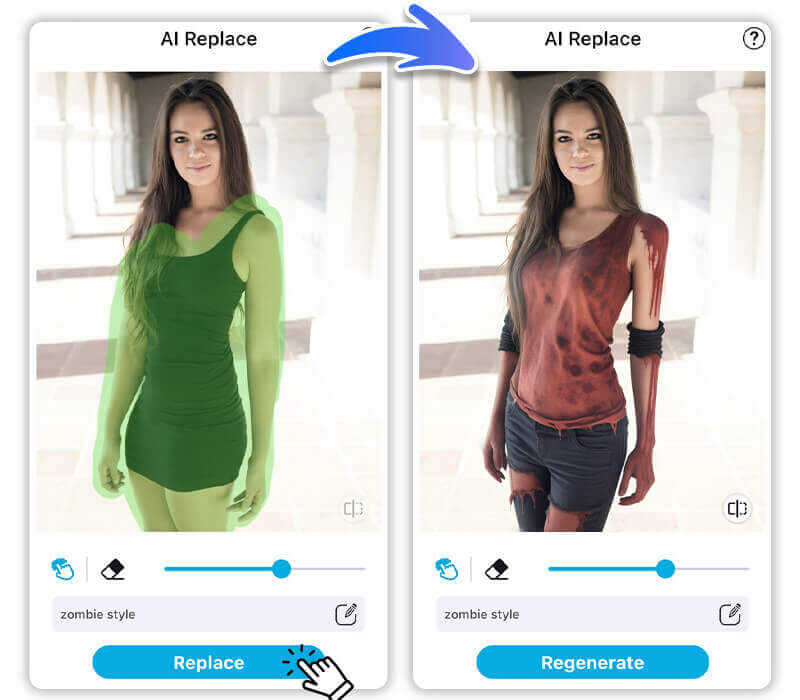
Embrace the Undead Look Transform into a terrifying zombie with tattered clothes, fake blood, and eerie makeup.
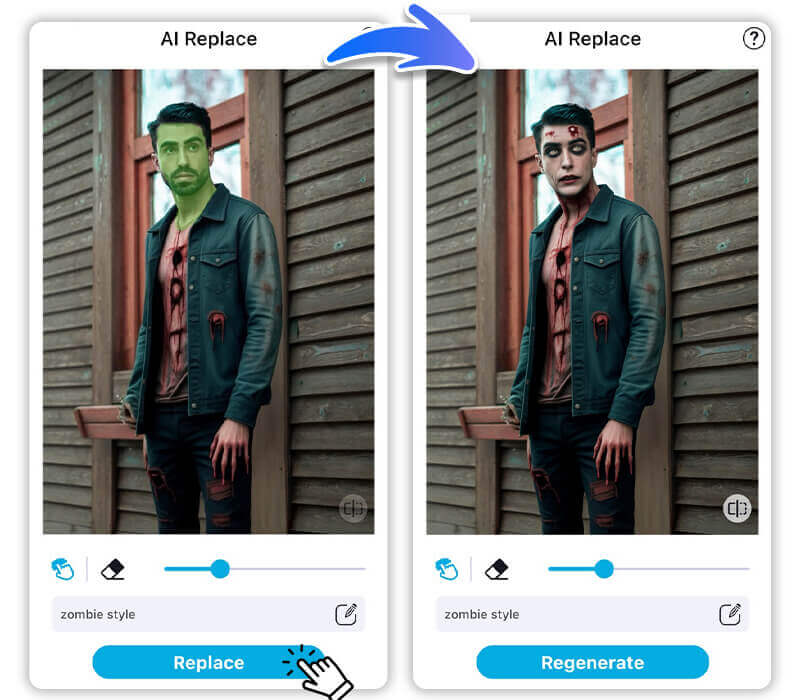
Use YouCam Enhance to add realistic wounds and decayed skin effects to your photo, making you look like you just walked out of a zombie apocalypse. This costume is perfect for those who love a bit of horror and gore.
Read more
- Best AI Zombie Filter: Turn Photos into Horror Zombie Free
- Best AI Scary Filter: Turn Photos Into Scary Faces Free Online
🧪 My test notes: The tattered clothing looked convincing, but the fake blood was easy to overdo. A lighter hand in the prompt ("a few blood splatters") looked more realistic than asking for gore everywhere.
Witch Costume: Pointy Hat, Broomstick, Mystical Accessories
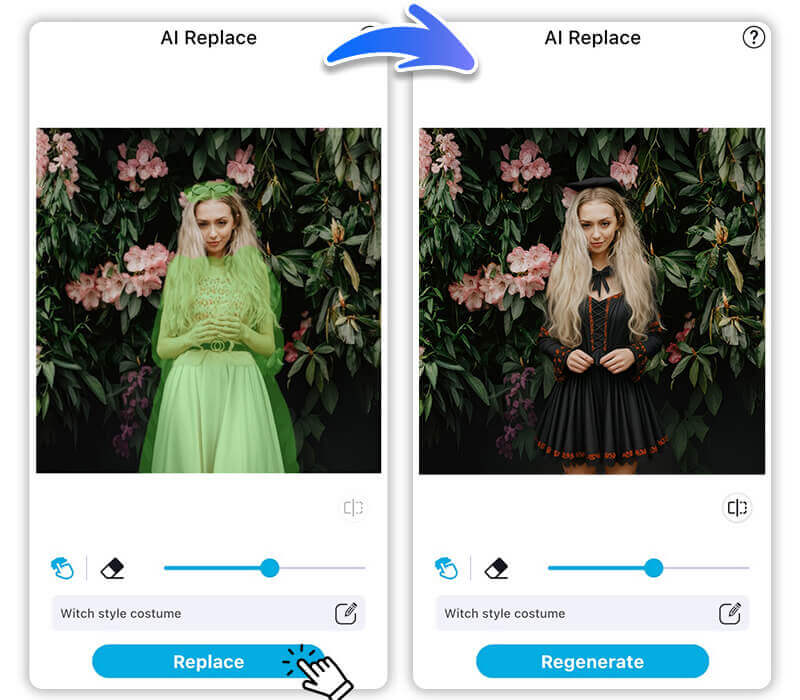
Channel Your Inner Sorceress Become a mystical witch with a classic hat, broomstick, and enchanting accessories.
YouCam Enhance can add a magical aura and mystical elements to your outfit, such as glowing potions or a spellbook.
This look is ideal for those who want to add a touch of magic to their Halloween.
Read more: Witch Filter: Turn Your Photo into a Witch or Wizard
🧪 My test notes: The pointy hat was the detail that made or broke this one. It sat most naturally on a photo with a bit of space above my head, so don't crop your photo too tightly.
Ghost Costume: Flowing White Dress and Eerie Face Paint
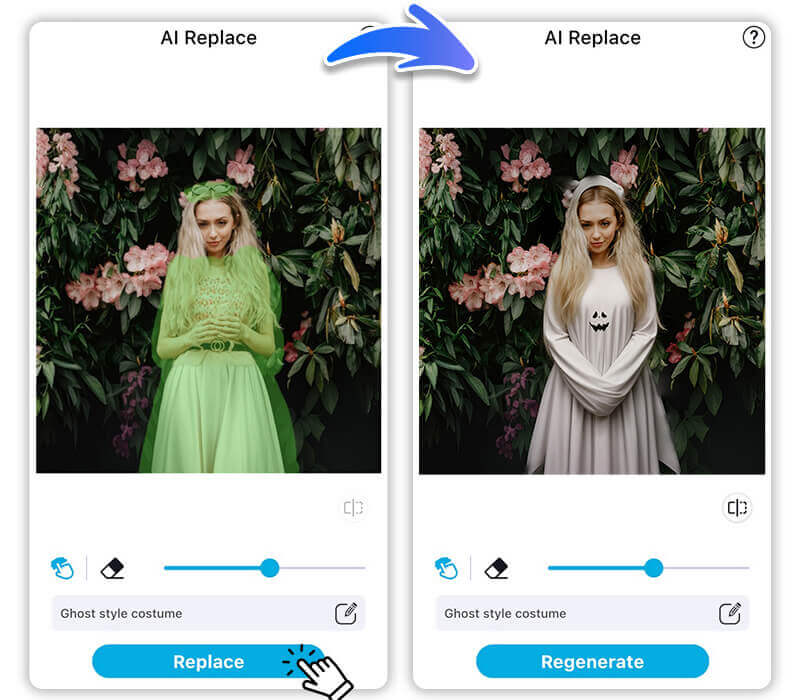
Go for a Classic Spooky Look Opt for a simple yet spooky ghost costume with a flowing white sheet and ghostly face paint.
Use YouCam Enhance to add a haunting glow and ethereal effects, making you look like a true apparition.
This classic costume is easy to create and always a hit at Halloween parties.
Read more
- Add Ghost to Photo: Ghost Pictures for Halloween for Free
- Best Ghost Filters for Scary Halloween Videos in 2024
Vampire Costume: Fangs, Cape, and Gothic Charm
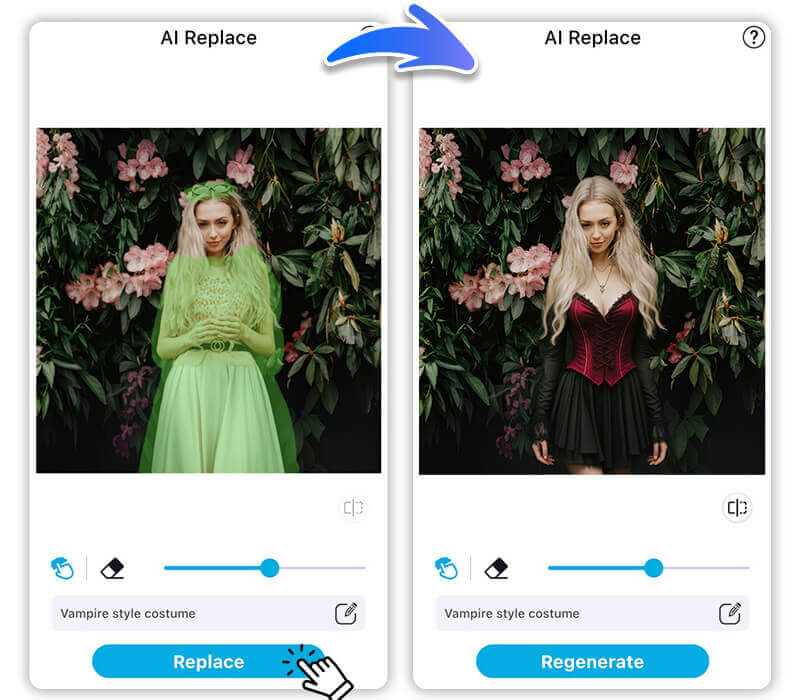
Transform into a Creature of the Night Turn into a classic vampire with fangs, a cape, and dramatic makeup.
YouCam Enhance can add realistic fangs and a dark, mysterious atmosphere to your photo, complete with blood-red eyes and a pale complexion.
This timeless costume is perfect for those who love a bit of gothic elegance.
Read more: Vampire Filter: How to Turn Yourself into a Vampire
🧪 My test notes: This was my favorite try-on overall. The cape and high collar read clearly even on a waist-up selfie, and moody indoor lighting in the original photo made it feel instantly gothic.
Clown Costume: Colorful Clothes and Painted Smile
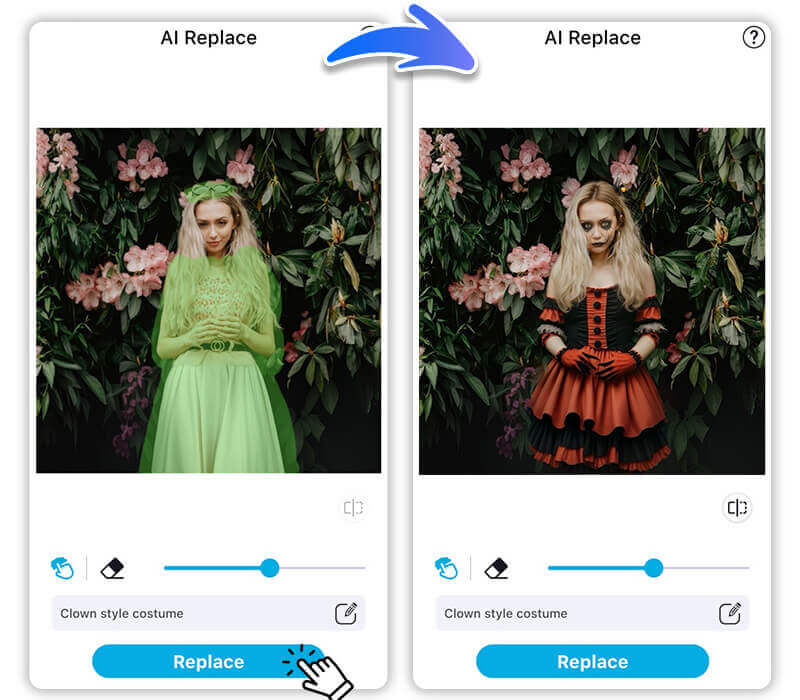
Add a Touch of Whimsy or Horror Whether you want a whimsical or creepy clown look, use colorful clothes, oversized shoes, and face paint.
YouCam Enhance can help you perfect the clown makeup and add fun or eerie elements, such as balloons or a sinister smile.

This versatile costume can be as playful or as frightening as you like.
Read More: Free AI Clown Filter: Turn Your Photo Into Hilarious Clown Online
🧪 My test notes: Clown looks swing between cute and creepy depending on one word. Adding "vintage circus" or "horror" to the prompt changed the mood more than changing the colors did.
Pumpkin Costume: Orange Outfit and Carved Pumpkin Mask
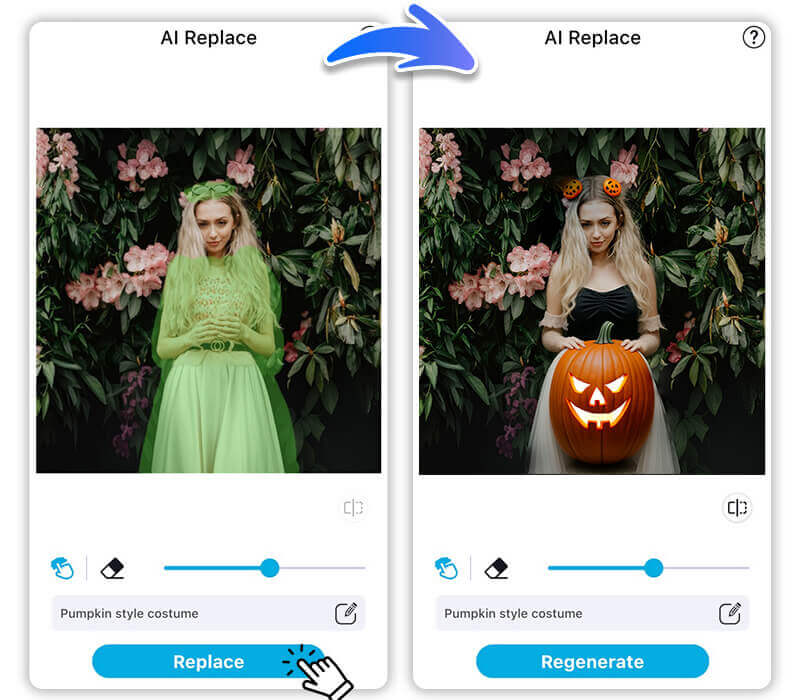
Celebrate the Halloween Spirit Dress up as a festive pumpkin with a bright orange outfit and a carved pumpkin mask.
Use YouCam Enhance to add a glowing jack-o’-lantern effect to your costume, making you the embodiment of Halloween cheer.
This costume is great for those who want to embrace the holiday’s traditional symbols.
Read more: 15 Pumpkin Patch Photo Ideas & How To Enhance Your Pics
🧪 My test notes: The orange outfit looked fun, but the carved pumpkin mask hid my face completely, which isn't ideal if you want a profile picture. I preferred a version with pumpkin face paint instead of a full mask.
Venom Costume: Black Suit, White Spider Emblem, and Menacing Teeth
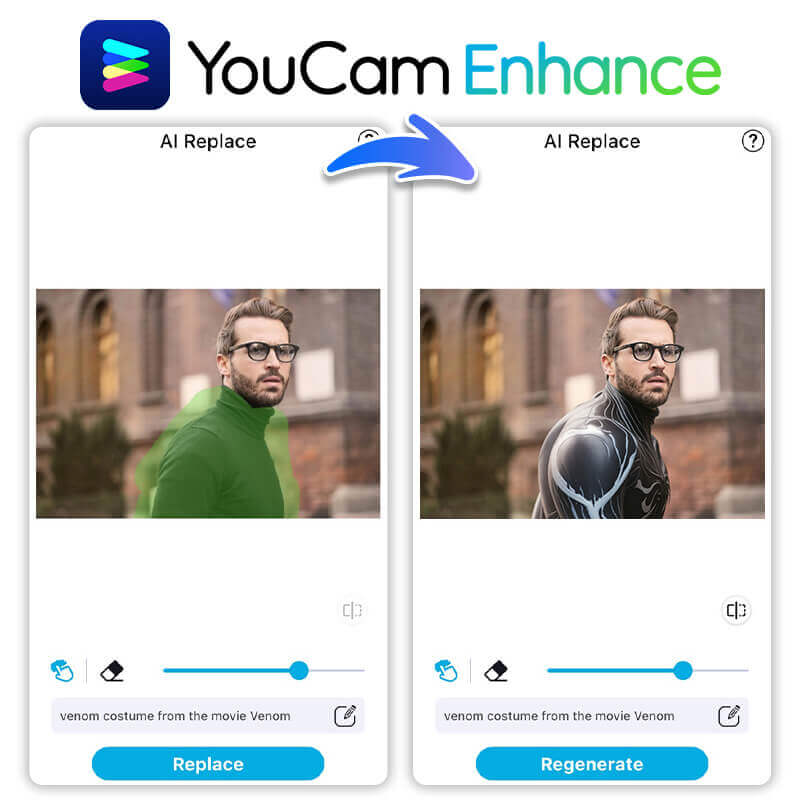
Become the Iconic Anti-Hero Transform into the menacing Venom with a sleek black suit and menacing face paint.
YouCam Enhance can add the iconic Venom symbiote effects to your photo, making you look like the fearsome anti-hero from the comics.
This costume is perfect for fans of the Marvel universe who want a powerful and striking look.
Read More: Venom Filter: Turn Your Photo into Venom With AI Online Free
🧪 My test notes: The black suit and spider emblem came through well, but the teeth were the hardest detail to get right. Treat this one as inspiration for a DIY costume rather than a perfect preview.
20+ More AI Halloween Costume Ideas
1. Rumi from KPop Demon Hunters – Embrace the supernatural K-pop fusion.
2. Zoey from KPop Demon Hunters – full of vibrant energy and style.
3. Mira from KPop Demon Hunters – a fierce persona and fashion choices.
4. Jinu from KPop Demon Hunters – a distinctive attire and attitude.
5. Derpy the Tiger from KPop Demon Hunters – a charming blue tiger.
6. Harry Potter – The iconic wizard hero with robes, wand, and round glasses.
7. Hermione Granger from Harry Potter– Intelligent and brave protagonist.
8. Elphaba from Wicked – a green-skinned witch with a black ensemble.
9. Glinda from Wicked – Radiate positivity with a sparkling pink dress.
10. Pyramid Head from Silent Hill – terrifying main antagonist/anti-hero with a metal pyramid helmet and blood-stained butcher’s outfit.
11. Nurse from Silent Hill – Dive into horror with the eerie nurse.
12. Wednesday Addams from Wednesday – Dark goth dress, pale skin, braided hair and stoic expression.
13. Enid Sinclair from Wednesday – Rainbow pastel outfit with fun accessories.
14. Edward Cullen from Twlight – Pale skin and classic brooding vampire style.
15. Bella Swan (Vampire) from Twlight – a gothic look with subtle sparkle makeup.
16. Mavis Dracula from Hotel Transylvania – Black-and-purple outfit, a youthful vampire vibe.
17. Wayne the Werewolf from Hotel Transylvania – Fun werewolf full of humor.
18. Frankenstein from Hotel Transylvania – character with stitched Frankenstein details.
19. Griffin the Invisible Man from Hotel Transylvania – choose any part of your body to be invisible.
20. Dracula from Hotel Transylvania – Classic vampire look with a sharp black cape, red-lined collar.
🧪 My test notes: Character costumes with a signature color or silhouette, like Elphaba's green or Wednesday Addams' collar, were the easiest for AI to recognize. Characters defined mostly by small props were harder to read at a glance.
Why Use AI Halloween Costume Generator: Top 4 Benefits
Discover the top 4 benefits of using YouCam Enhance as an AI Halloween costume generator, and see how it can make your costume planning easier, more creative, and incredibly fun!
Virtual Halloween Costume Try-On Before Choosing Your Outfit
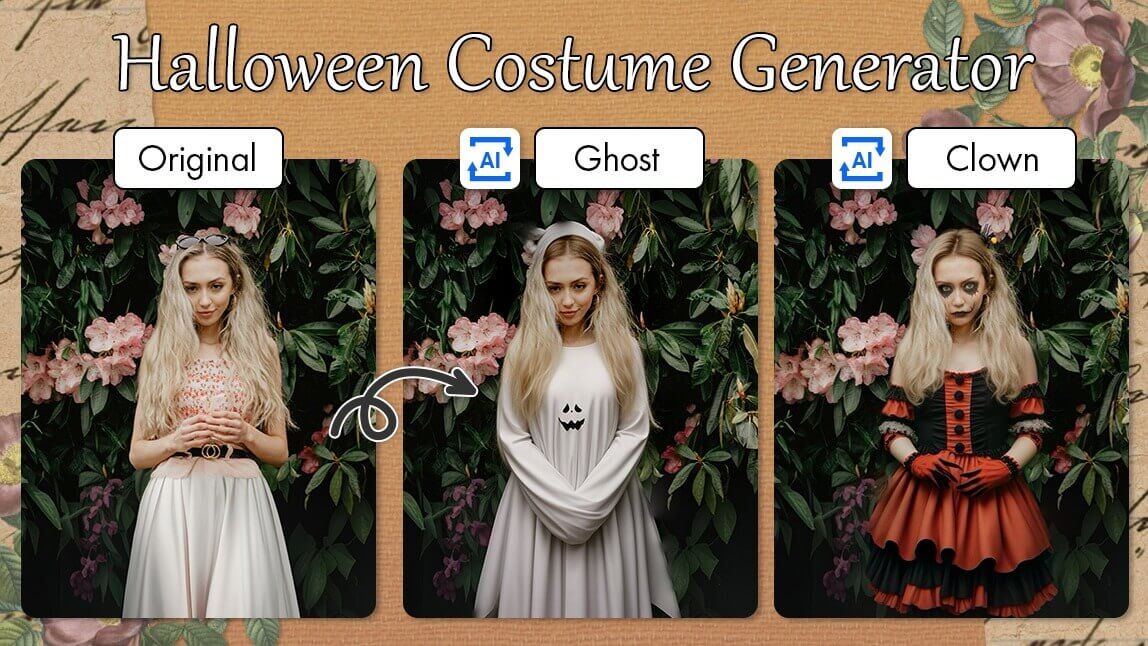
One of the best features of YouCam Enhance is the AI Replace, which lets you virtually try on Halloween costumes before making a decision.
I love how I can see myself in different outfits and make adjustments until I find the perfect look.
It saves so much time and ensures I’m happy with my costume choice.
🧪 My test notes: This is where AI saves the most money. Trying a few costumes on my own photo quickly showed me which colors worked with my skin tone and which silhouettes I'd actually feel comfortable wearing.
Halloween Background Generator: Create Unique Backgrounds for Photos Using Text

The AI Background Generator is a game-changer for creating unique Halloween photos.
I can simply type in my desired background, and YouCam Enhance adds it to my photo seamlessly.
It’s perfect for adding that extra spooky touch to my Halloween pictures without any hassle.
Read more: Best Free Online AI Halloween Photo Editor & Maker in 2024
AI Halloween Photo Generator: Create Your Halloween Aesthetic PFPs With AI
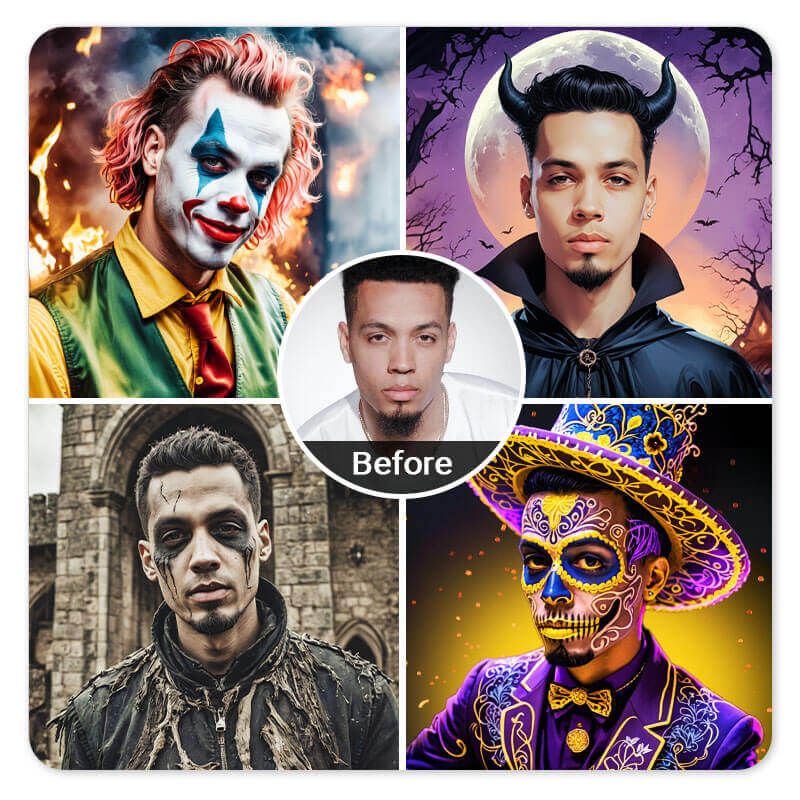
With the AI Avatar Generator, I can create amazing Halloween-themed profile pictures.
It’s so easy to use – I just choose some styles I want, and the tool generates a variety of aesthetic options.
This feature helps me stand out on social media with a personalized and festive look.
Read More: AI Halloween Photo Maker: Customize Your PFPs With AI
Random Halloween Costume Idea Generator
Let AI randomly generate Halloween costume ideas to spark your creativity!
With YouCam Enhance’s AI Replace feature, you can also enjoy a variety of randomly generated results.
Try different options and see which one suits you best for a fun and unique Halloween look!
6 Best Halloween Costume Generators in 2026: More User-Friendly Tools You Can Use
Discover the top 6 Halloween costume generators of 2026 that are not only innovative but also incredibly user-friendly, making it easier than ever to find the perfect costume for your spooky celebrations.
YouCam Online Halloween Costume Generator
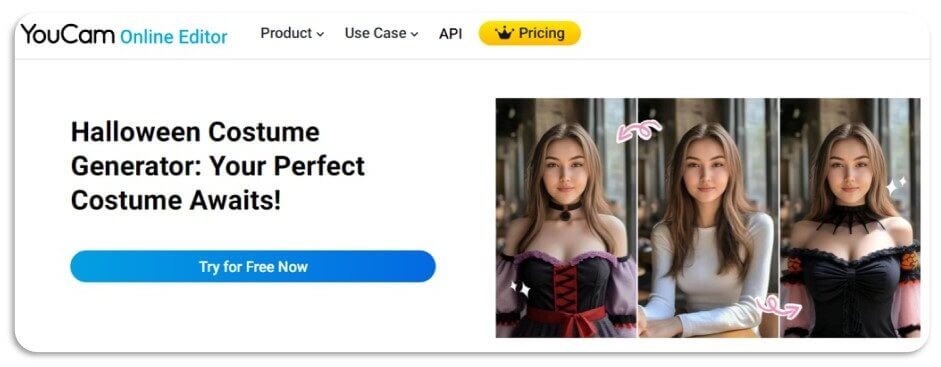
YouCam’s Halloween Costume Generator leverages advanced AI technology to help you create the perfect costume with just a few clicks.
You can personalize every aspect of your costume, from colors to accessories, ensuring a unique look with its "AI Replace" feautre.
The Face Swap feature allows you to see how you’d look in various costumes, making it fun and engaging.
🧪 My test notes: What I liked most is that the result still looked like me, with the costume adjusted to my body shape. A clear, front-facing photo made a noticeable difference in how natural the outfit looked.
Fotor Halloween Costume Generator
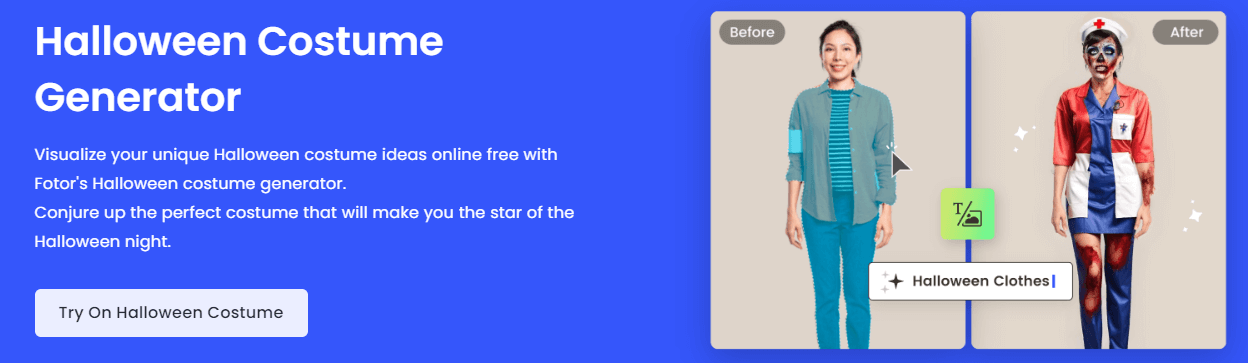
Fotor’s Halloween Costume Generator lets you visualize your costume ideas online for free.
You can upload your photo and use the face swap feature to see yourself in different costumes. The tool also allows for customization, enabling you to adjust colors and add accessories to create a truly unique costume.
OpenArt Costume AI Generator
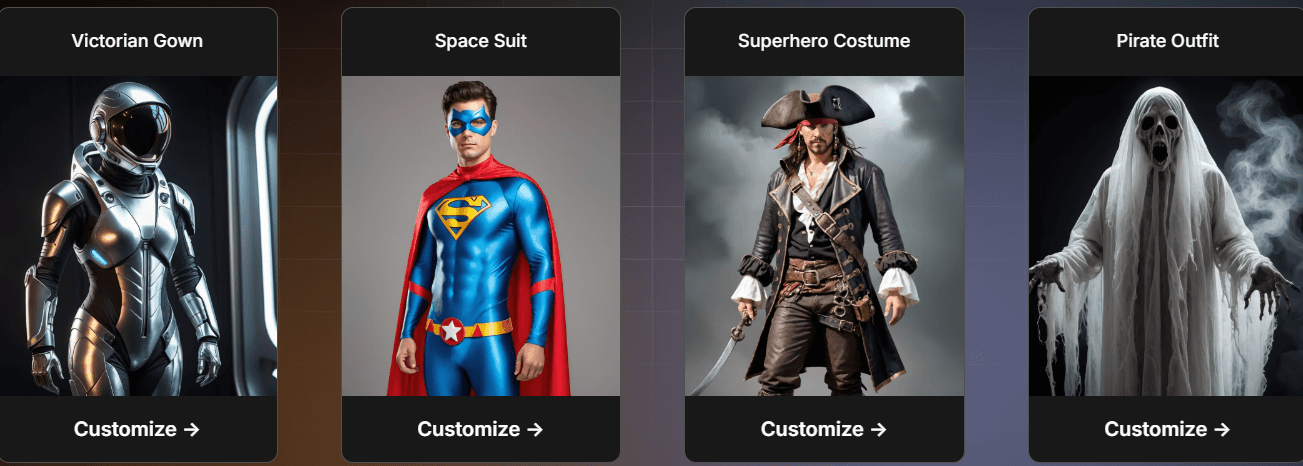
OpenArt Costume AI Generator uses advanced algorithms to generate realistic costume ideas based on your preferences.
Simply input your interests, and the tool will provide a variety of costume options, complete with detailed visuals.
It’s perfect for those who want a personalized and creative Halloween look.
Halloween Costumes Decision Maker: Best Halloween Costume Randomizer
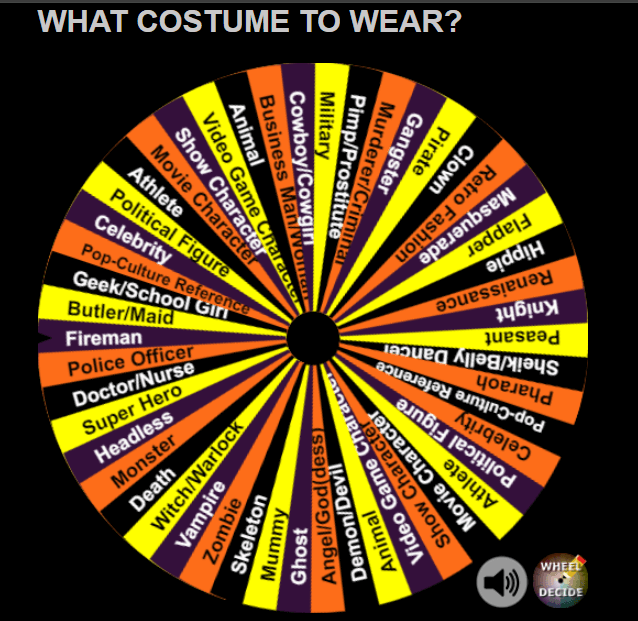
The Halloween Costumes Decision Maker by Wheel Decide offers a fun and interactive way to choose your costume.
Simply spin the wheel to get a random costume idea, perfect for those who are indecisive or looking for inspiration.
It’s a quick and easy tool that adds an element of surprise to your costume planning.
Kira Halloween Costume Generator: Best Costume Idea Generator
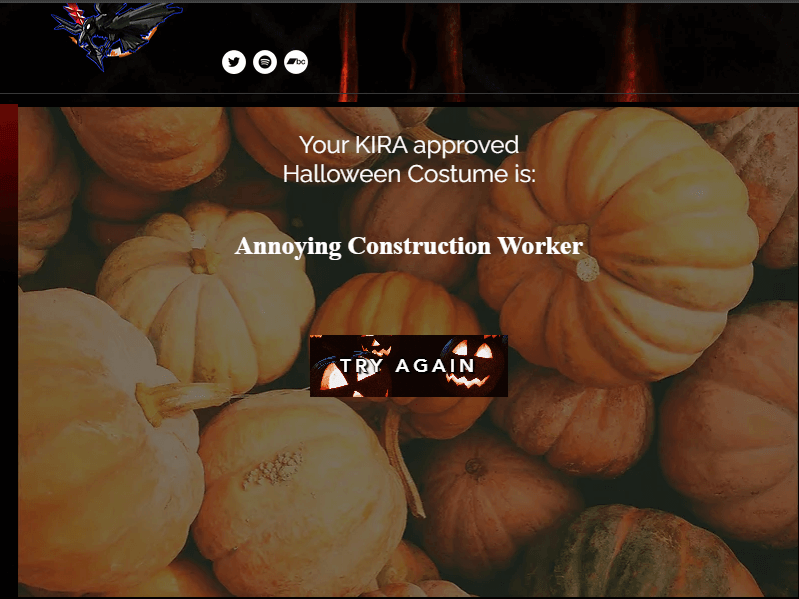
Kira’s Halloween Costume Generator provides a straightforward and user-friendly experience.
It offers a variety of costume ideas and allows you to try again until you find the perfect one.
This tool is great for those who want a simple yet effective way to decide on their Halloween attire.
CapCut AI Halloween Costume Generator
CapCut's web-based AI Halloween Costume Generator lets you either describe a costume with a text prompt or upload a photo for a virtual try-on, then refine the result with CapCut's built-in editing tools and download it as a JPEG or PNG. It runs in CapCut Web, so there's nothing to install, though you do need to sign up to use it. It's a good option if you already edit your Halloween videos in CapCut and want your costume images in the same place.
Start Using the Best AI Halloween Costume Generator in 2026

Looking for a way to make your Halloween costume planning easier and more fun?
Start using the best AI Halloween costume generator in 2026 and discover a world of creative possibilities at your fingertips.
With advanced features like virtual try-ons, unique background creation, and personalized avatars, you’ll be ready to impress at any Halloween event!
More Halloween Costume Generator Ideas
- Try Gothic Halloween Costumes With the Best Clothes Changer App 2024
- 14 Halloween Makeup Filters For Cute Halloween PFPs in 2024
- How to Create Aesthetic Halloween Collage & Phone Wallpaper
AI Halloween Costume Generators Compared: Which Option Is Best?
Each tool in this list does a slightly different job, so here is how they compare based on what you need.
| Option | Best For | My Verdict |
|---|---|---|
| YouCam Online Halloween Costume Generator | Trying costumes on your own photo, including couple, group, plus-size, and pet ideas | My top pick for seeing how a costume looks on you before you buy |
| Fotor Halloween Costume Generator | Visualizing costume ideas online from an uploaded photo | A solid alternative for quick online try-ons |
| OpenArt Costume AI Generator | Generating costume concepts based on your interests | Better for inspiration than for a personal preview |
| CapCut AI Halloween Costume Generator | Creators who already edit in CapCut Web | Handy if you want images and video edits in one place |
| Halloween Costumes Decision Maker / Kira | Random ideas when you have no idea where to start | Fun for brainstorming; pair with a try-on tool to decide |
| DIY costume (no AI) | Hands-on crafters with time before Halloween | Most personal, but you only see the result once it's made |
Verdict: Use a randomizer if you're stuck for ideas, then preview your shortlist on your own photo with the YouCam online costume generator before you spend money on a costume.
Pro Tips for Better Results
- Use a waist-up or full-length photo: Costumes need space to render; tight face crops leave the AI guessing about your outfit.
- Stand against a plain background: A clean wall keeps the costume edges crisp and makes it easier to swap in a spooky background afterward.
- Light from the front: Even, soft light from a window keeps fabrics and face paint looking realistic instead of muddy.
- Be specific in prompts: Name the garment, color, fabric, and one accessory, for example "black velvet cape with a high red collar".
- Compare two or three versions: Save a few variations side by side before deciding, since small prompt changes can shift the whole mood.
- Screenshot your favorite for shopping: Keep the final preview on your phone so you can match colors and accessories when buying or making the real costume.
New for Halloween 2026: Trending Pop-Culture Costumes
Searches for Halloween costume ideas are climbing this season, and this year's trending picks lean heavily on pop culture, including Miranda Priestly from The Devil Wears Prada, Rob and Maura from The Traitors, Spider-Man and MJ, the Scooby-Doo gang, Bad Bunny, and looks inspired by Christopher Nolan's The Odyssey (Source: Yahoo Shopping, September 28, 2026). Any of these make great prompts for an AI try-on before you commit to the real thing.
Want to go further? Try the YouCam Halloween Filter to turn a text prompt into a costume on your own photo, or browse these free scary Halloween backgrounds to finish your look.
Halloween Costume Generator FAQ
What is a Halloween costume generator?
A Halloween costume generator is an online tool that uses AI to help you create and visualize different Halloween costume ideas.
It can provide suggestions based on your preferences and even show you how you would look in various costumes.
How do I decide what to wear for Halloween in 2026?
To decide what to wear for Halloween, you can use a Halloween Costumes Decision Maker to randomly generate a costume idea.
Once you have a suggestion, use YouCam Enhance’s AI Replace feature to virtually try on the costume by replacing your outfit in a photo from text.
This way, you can see how the costume looks on you before making a final decision.
How does a Halloween costume generator work?
Most Halloween costume generators use AI and machine learning algorithms to analyze your inputs, such as text descriptions or photos.
They then generate costume ideas and visualizations based on these inputs, allowing you to see a preview of your potential costume.
Can I try on costumes virtually with a Halloween costume generator?
Yes, many Halloween costume generators, like YouCam Enhance, offer virtual try-on features. You can upload your photo and see how different costumes look on you before making a decision.
Are Halloween costume generators free to use?
Some Halloween costume generators are free, while others may offer premium features for a fee. It’s best to check the specific tool you’re interested in to see what options are available.
How do I get started with a Halloween costume generator?
To get started, choose a Halloween costume generator that suits your needs, such as YouCam Enhance.
Follow the instructions to input your preferences or upload a photo, and let the AI generate costume ideas for you.
Where can I find a good Halloween costume generator?
You can find Halloween costume generators online by searching for tools like YouCam Enhance, OpenArt Costume AI Generator, and others mentioned in our guide. These tools offer a variety of features to help you create the perfect Halloween look.



 English


