


 Author: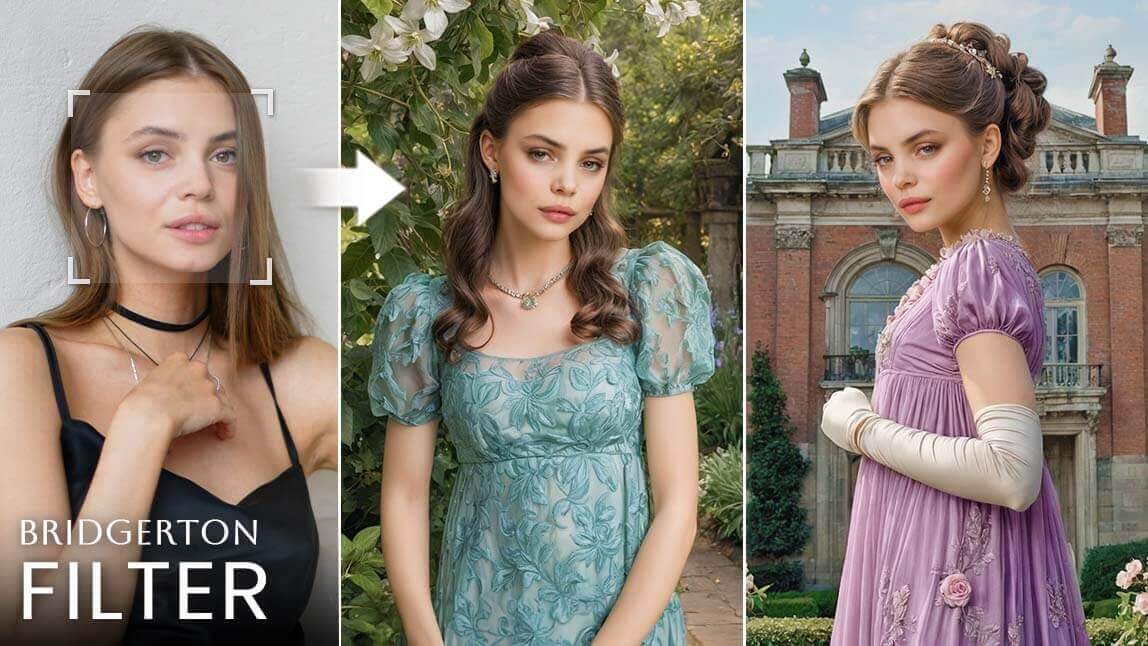
If waiting for the next chapter has you dreaming of Regency-era elegance, why not step into the world of Bridgerton yourself?
We’ve rounded up the best Bridgerton filters that let you transform into a character from England’s high-society past—think refined portraits, period costumes, and main-character energy. Honestly, who could resist?
Is Season 4 of Bridgerton Coming Out?
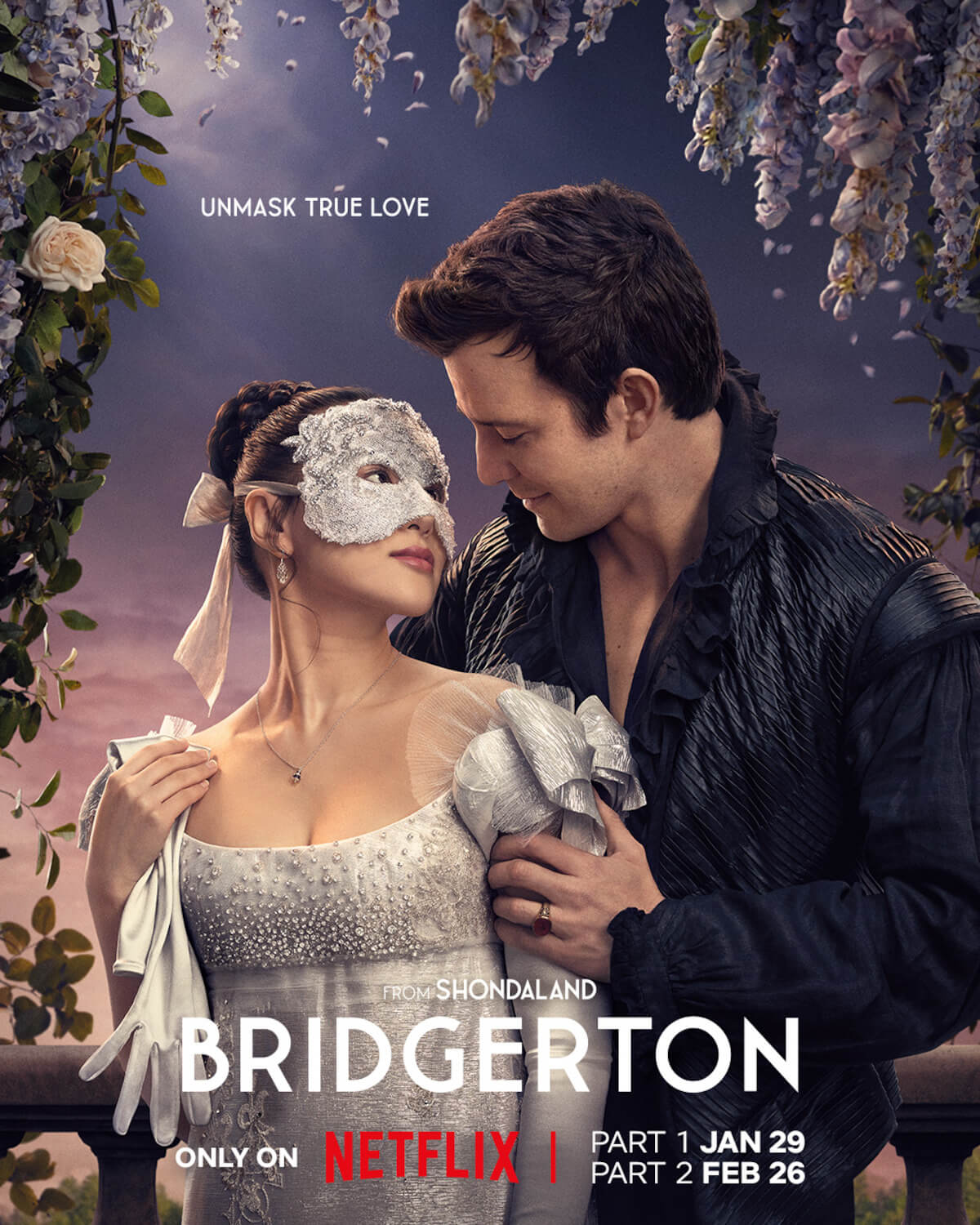
Yes. Bridgerton Season 4 is officially underway. Part 1 is now streaming on Netflix, kicking off Benedict Bridgerton and Sophie’s highly anticipated love story.
Fans won’t have to wait long for more—Part 2 is set to premiere on February 26, continuing the romance and drama of the season.
How to Get the Bridgerton Filter?

Best AI Photo Editor
The Best AI Photo Editor & Selfie Camera.
Remove objects, apply filters & more.
#1 Turn Yourself into a Bridgerton Character
 Try It Now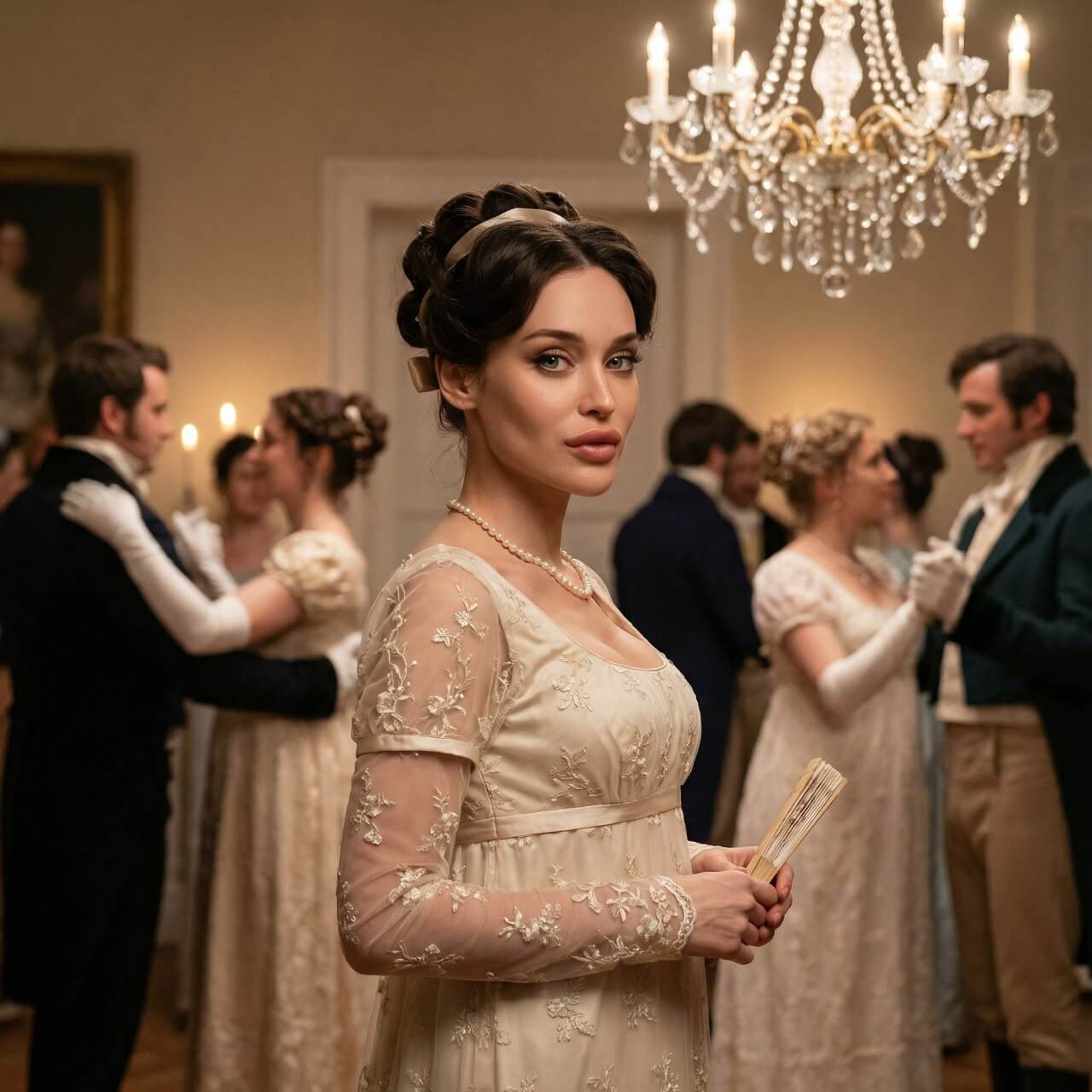
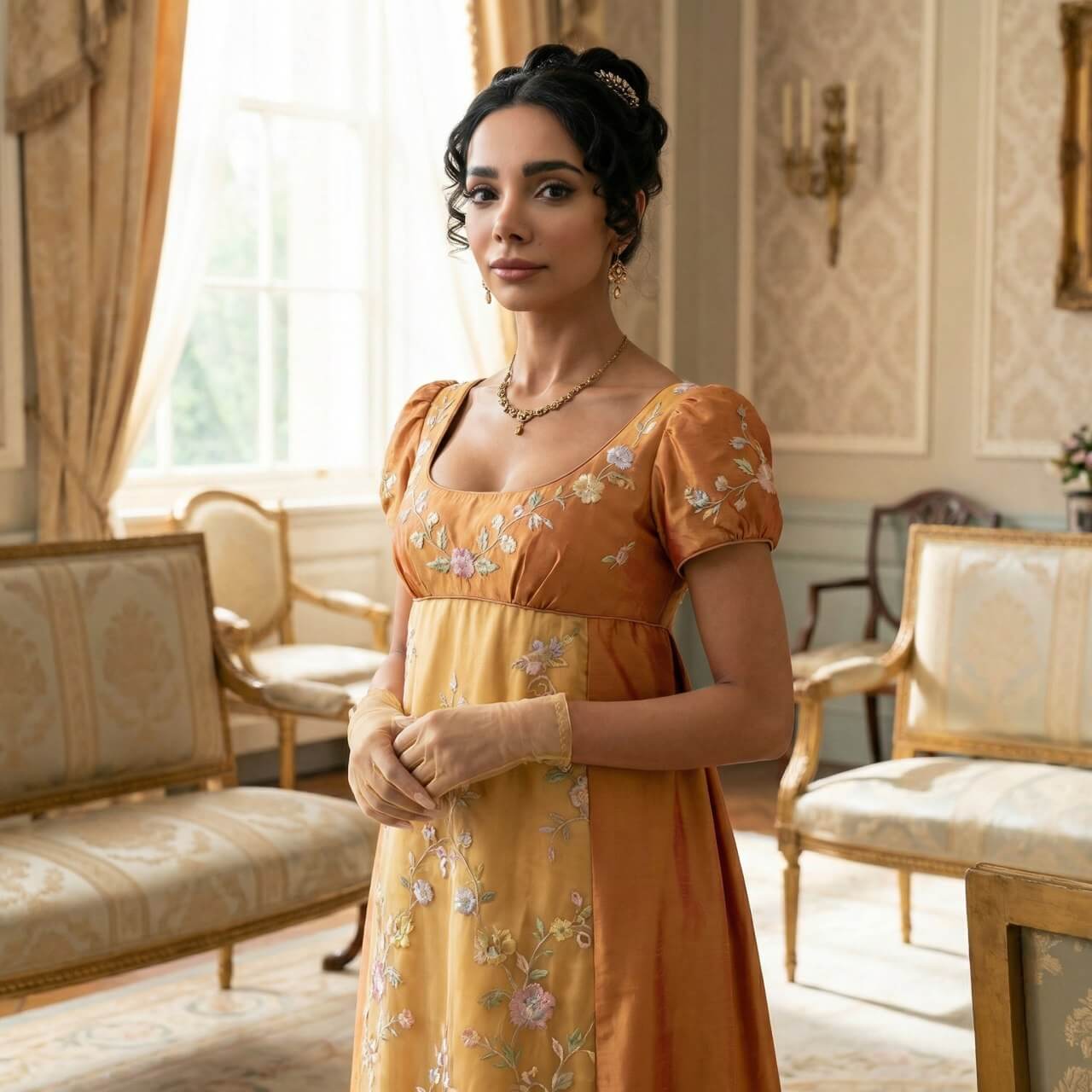
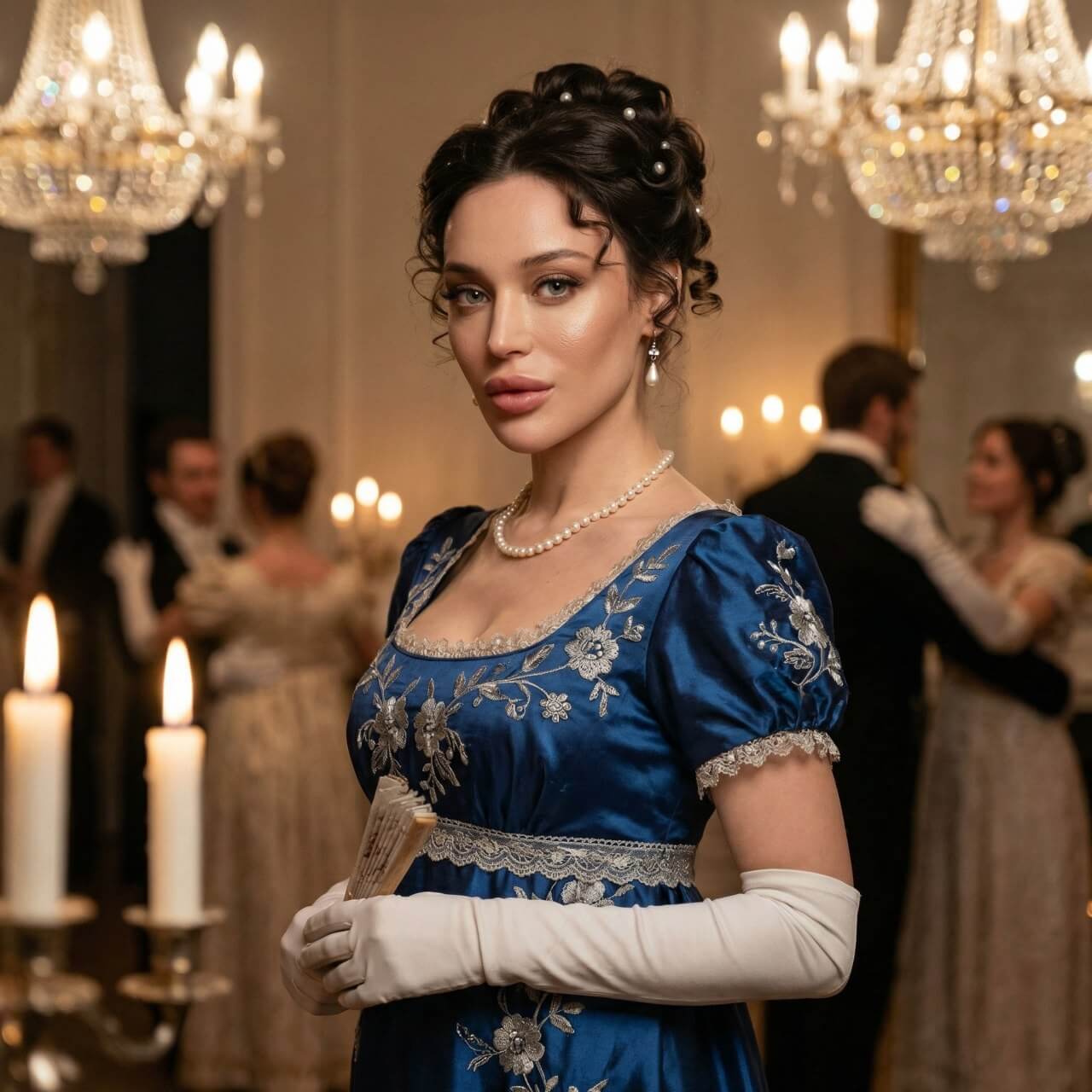
Ever wondered how you’d look stepping out of a Bridgerton ballroom? With AI-powered tools, you can transform your portrait into a Regency-era masterpiece with a simple prompt.
Step 1. Select an AI agent
Choose an AI Agent to turn yourself into a Bridgerton character
Step 2. Upload your portrait
Use a clear photo with your full face visible for the best results.
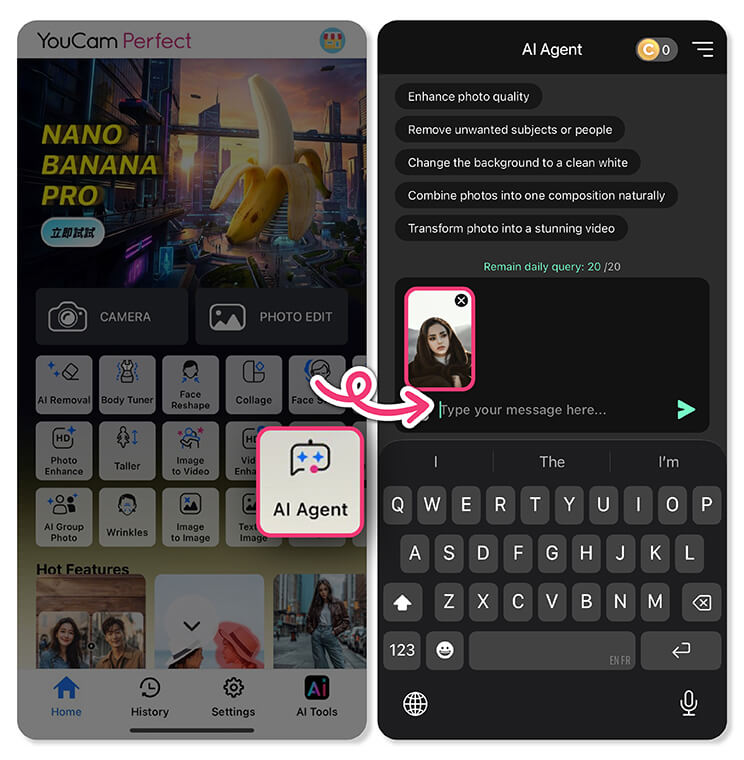
Describe the Bridgerton look you want—think elegant Regency attire, soft lighting, and aristocratic vibes. Here's a prompt you can use directly:
- Transform the person in the uploaded photo into a full-body, photorealistic Regency-era aristocratic portrait. Preserve the original facial features, identity, age, proportions, and expression exactly as in the uploaded photo. No face reshaping, beautification, or AI-smoothed skin; maintain natural skin texture. Only change hairstyle, clothing, accessories, and atmosphere. The subject wears an authentic empire-waist Regency gown in warm amber and golden-yellow tones with delicate pastel floral embroidery, square neckline, short puff sleeves, sheer gloves, and period jewelry.
Step 4. Generate and save
Let the AI work its magic, then save your favorite Bridgerton-style result.
That’s it! In minutes, you’ll have your own Bridgerton-inspired portrait—perfect for sharing or just living out your period-drama fantasy 👑✨
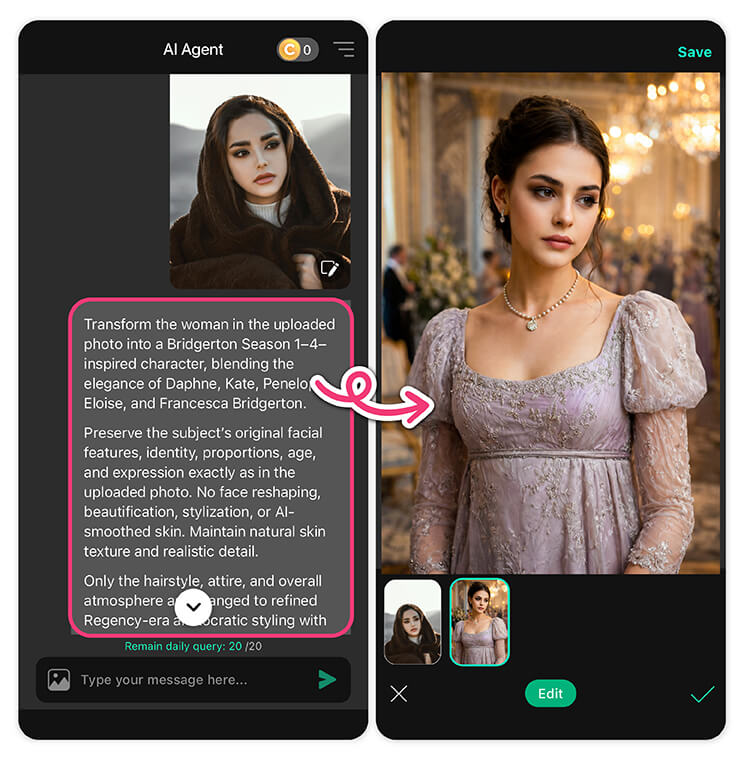
#2 Apply Bridgerton Filter
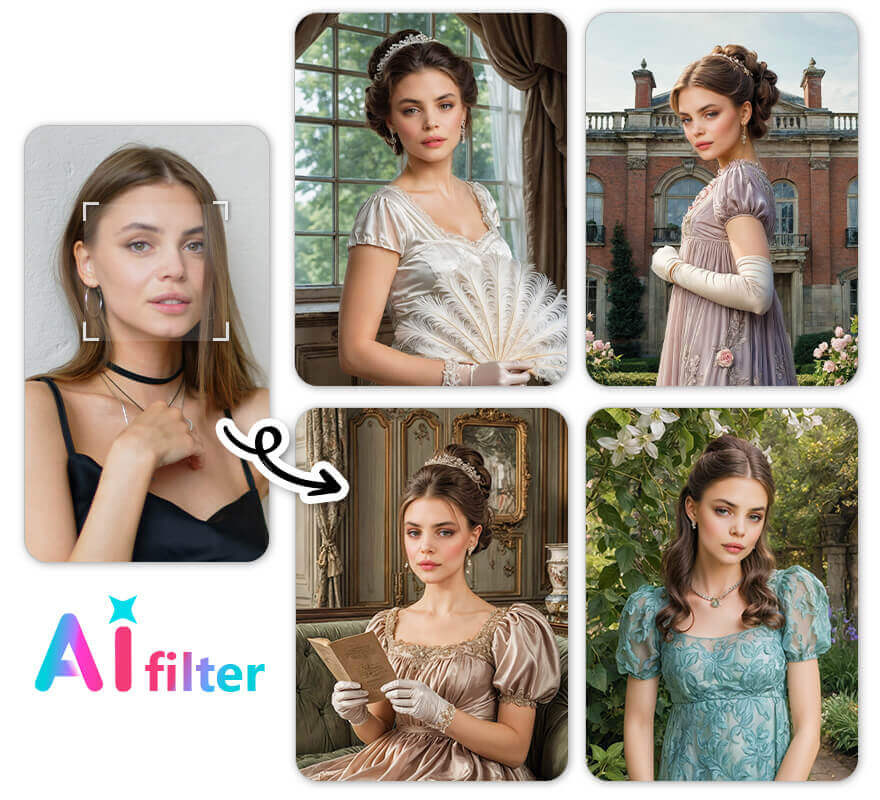
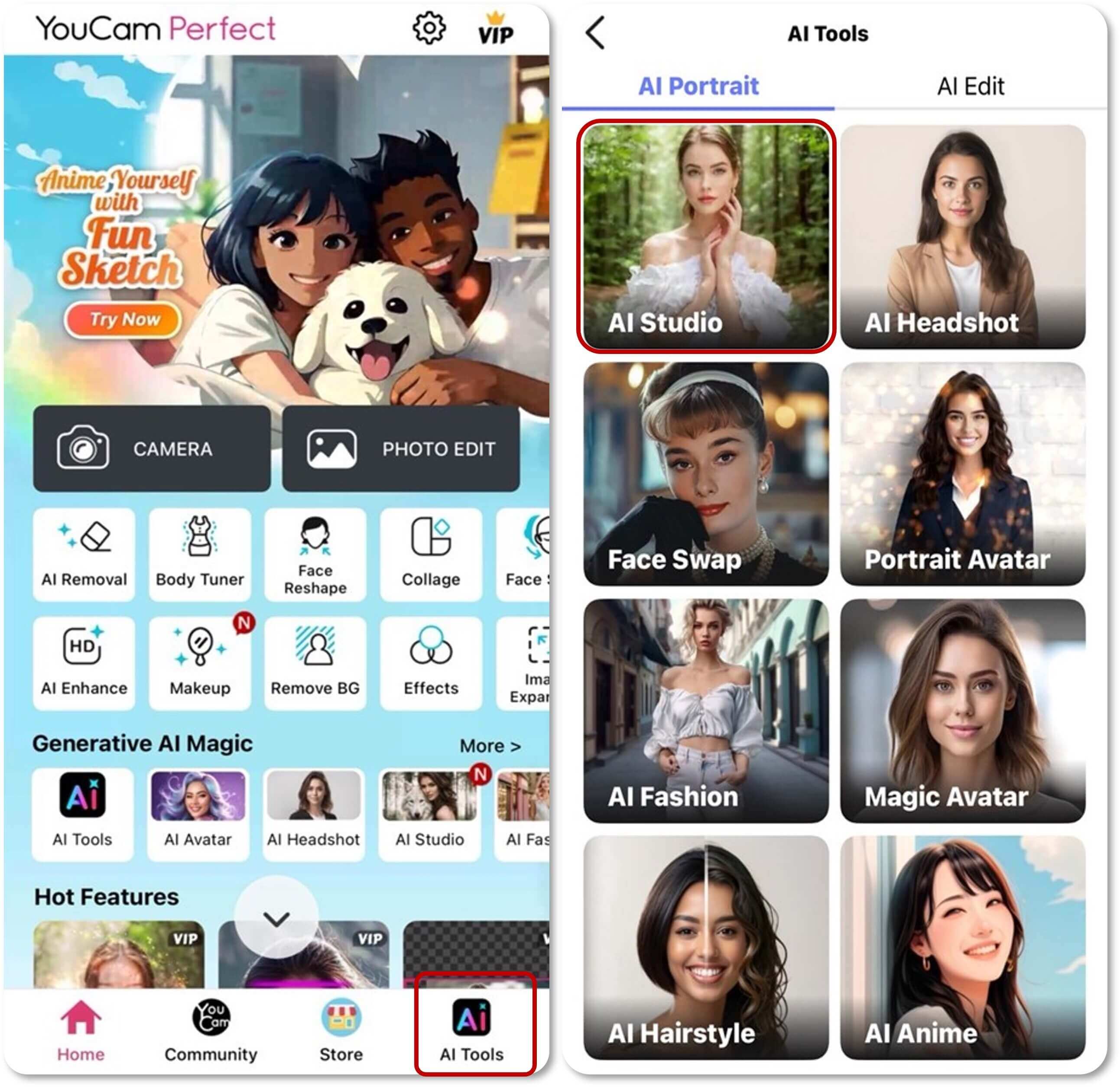
You can find 4 beautiful Bridgerton filters in YouCam Perfect, under an AI feature called "AI Studio".
Here's how you can try them with your photo:
- Find AI Studio under "AI Tools" at YouCam Perfect home page
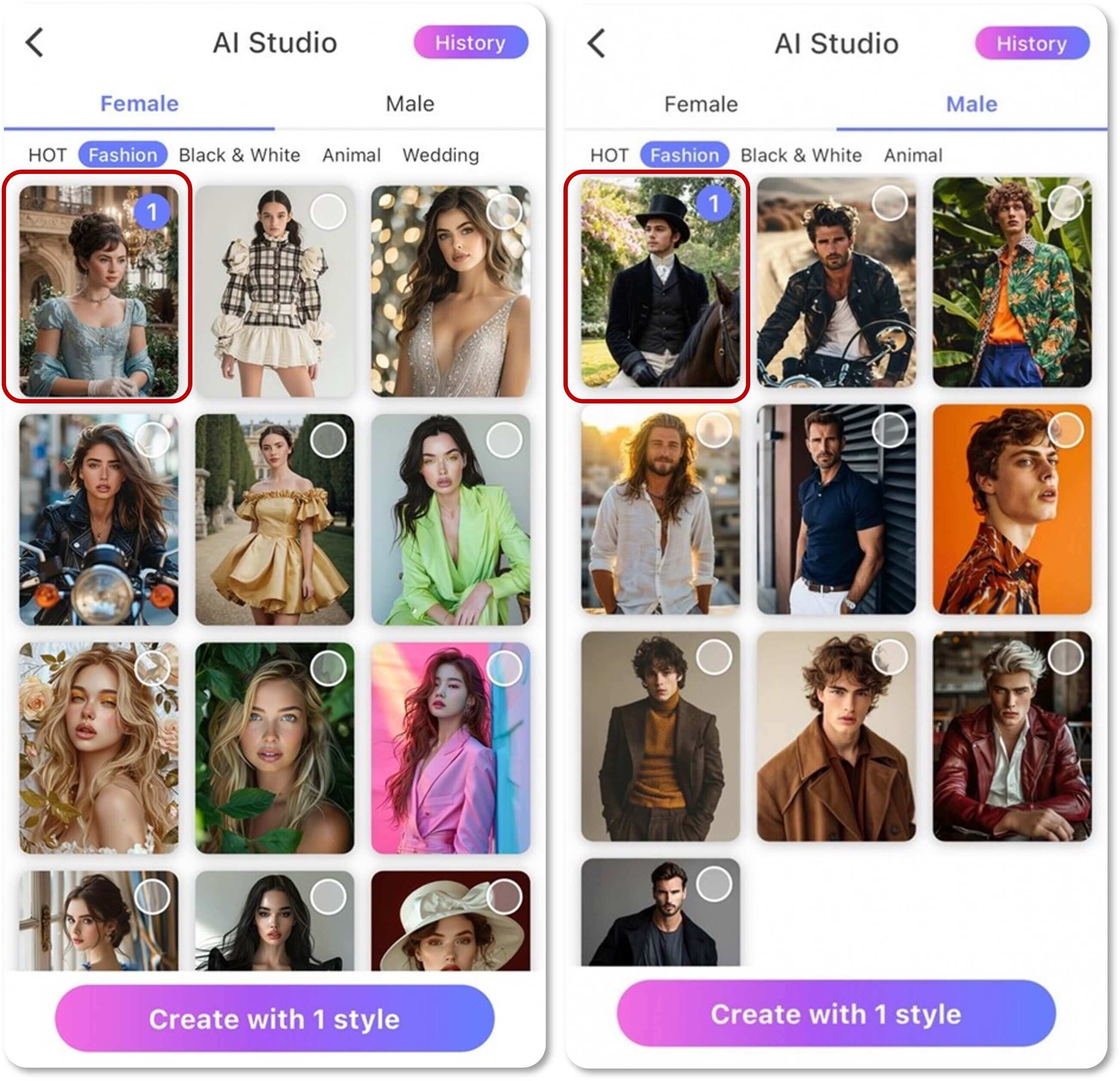
- Pick "Female" or "Male" and then click on the Bridgerton Filter
- Upload one picture of yourself, preferrably one with your full face and upper body
- Wait for a few moments for AI to generate your Bridgerton looks
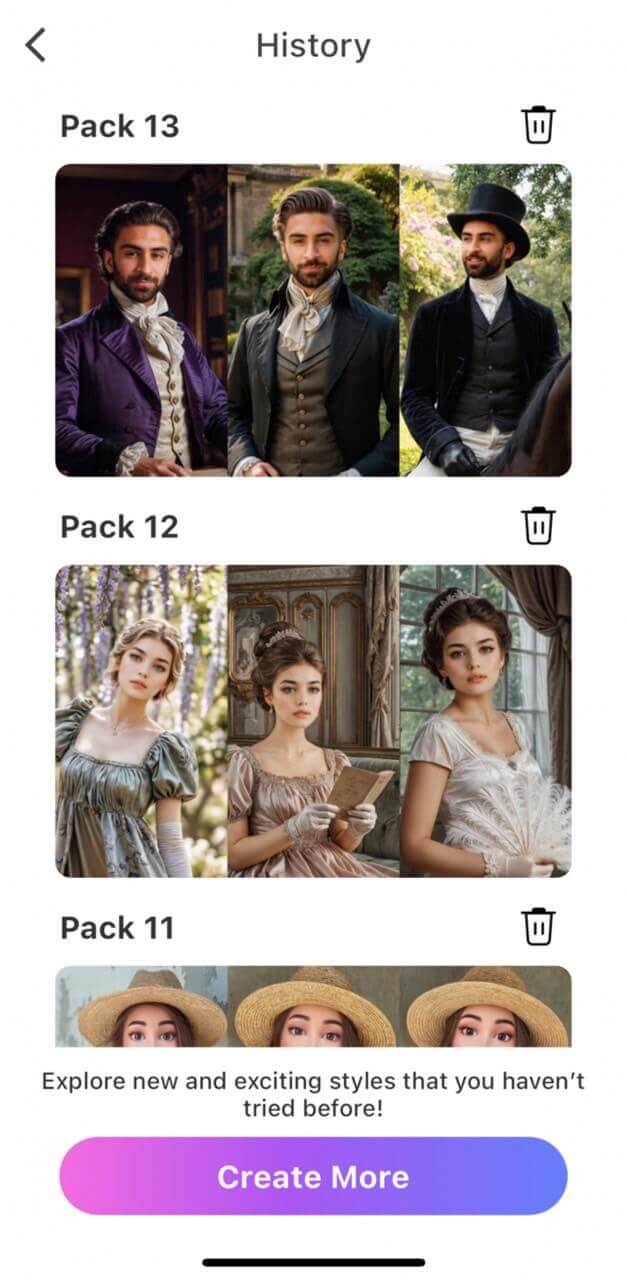
- And that's it! You can scroll through all the Bridgerton styles and decide which picture you want to save
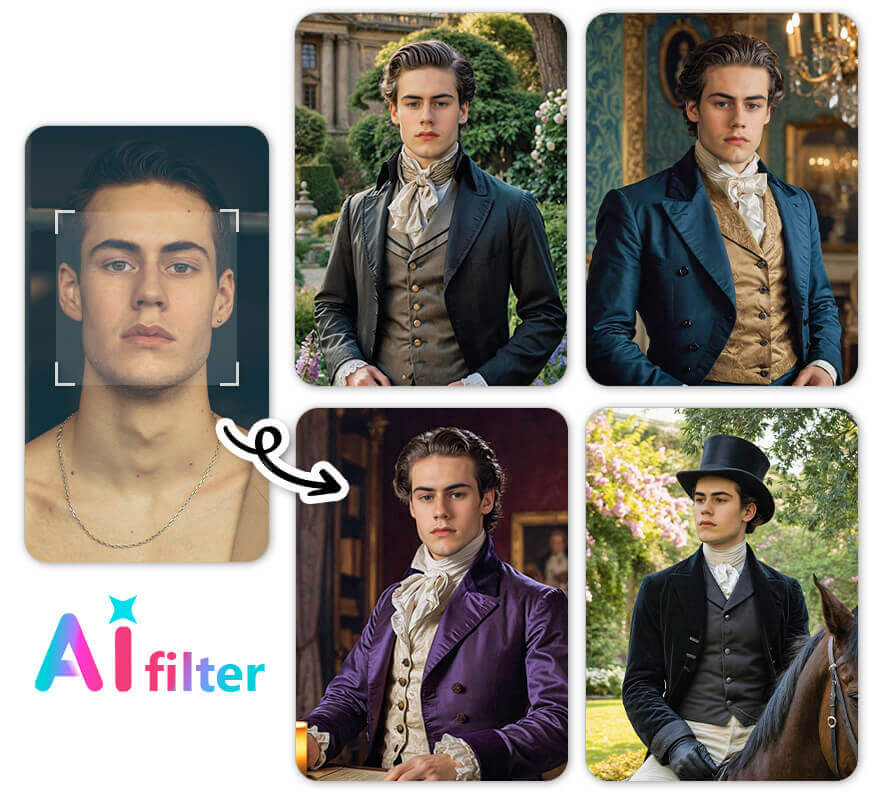
Want to see what you would look like in Bridgerton men or women styles? YouCam Perfect also supports that. Feel free to explore all kinds of possibilities!
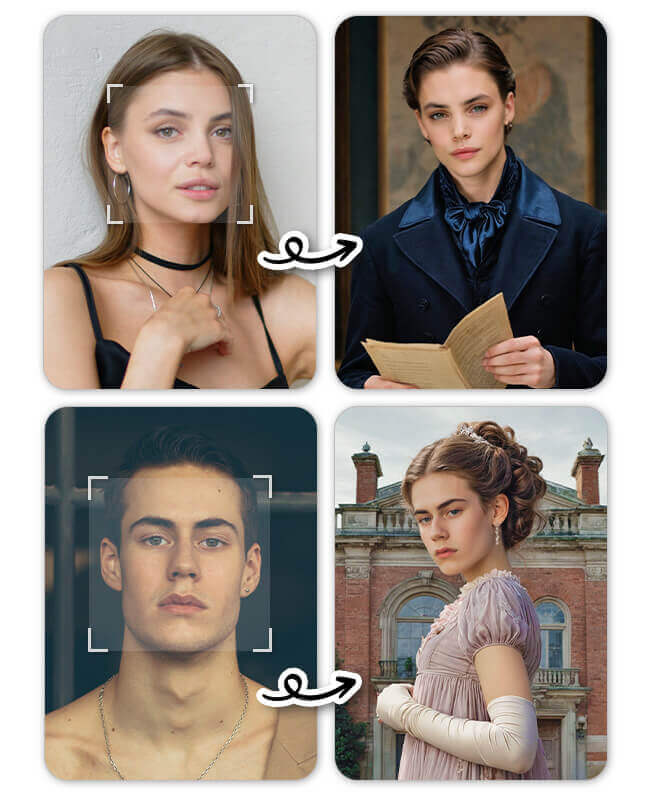
More Ways to Turn Yourself into a Bridgerton Character
If you want to experience more Bridgerton vibe, here’s something else you can try.
#1 How to Apply Bridgerton Filter on TikTok
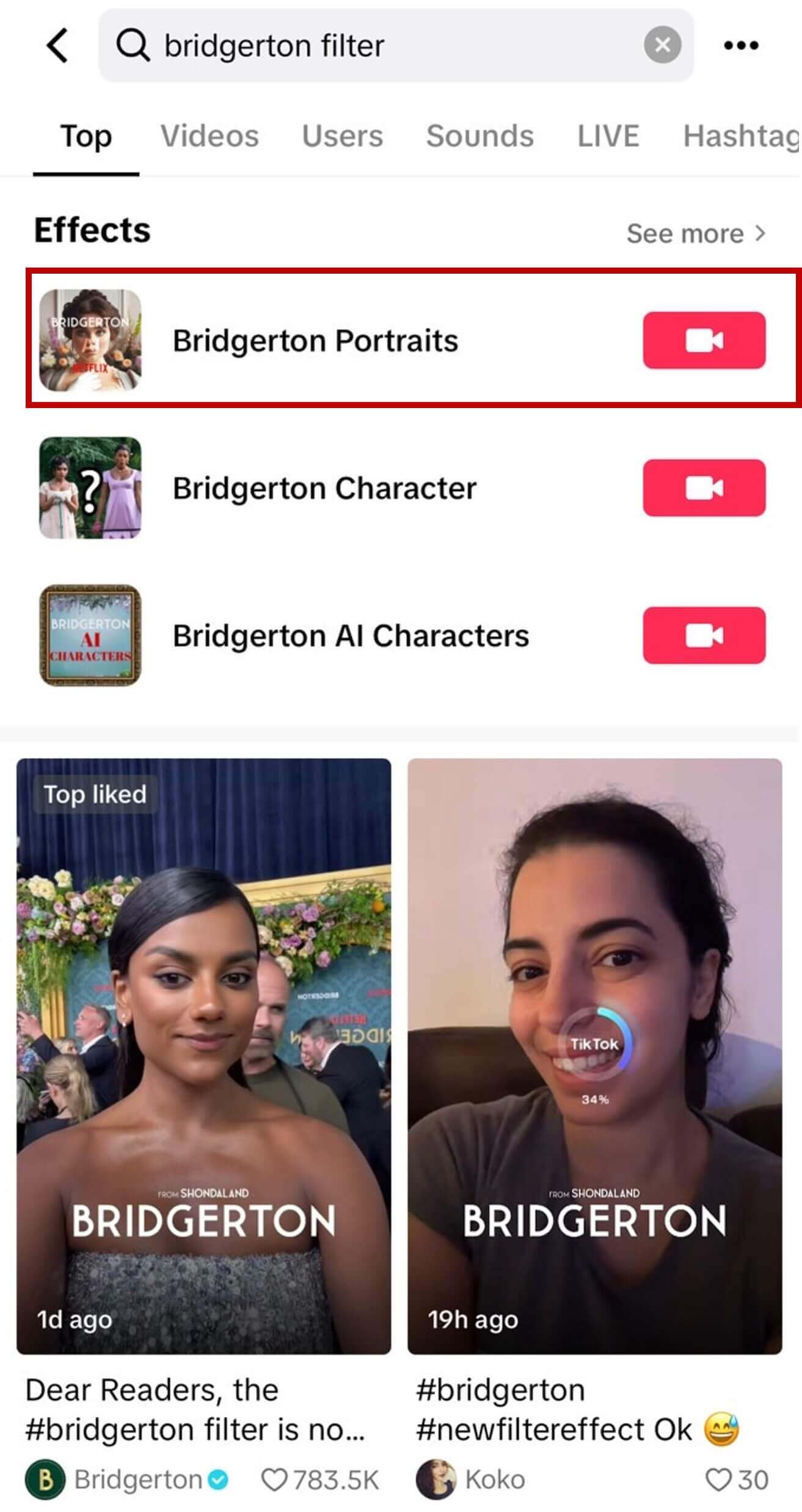
Source: TikTok @bridgertonnetflix, @koko_smiri
You can type keywords like “Bridgerton Filter” and choose the first effect that comes up. This filter is called “Bridgerton Portraits”.
Or you can just click into one of the shorts, and then tap on the effect at the left hand corner.
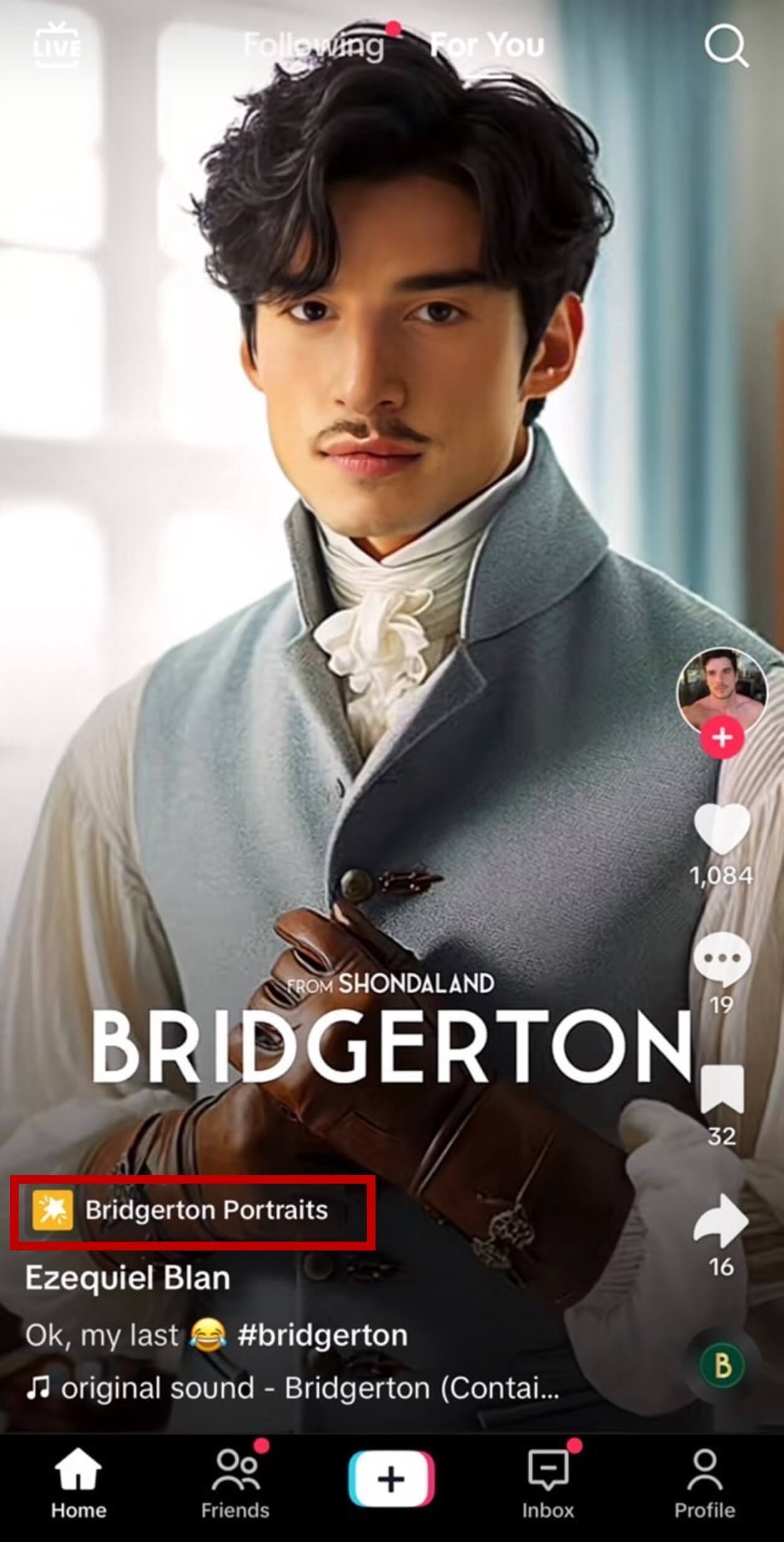
Source: TikTok @ezeblann
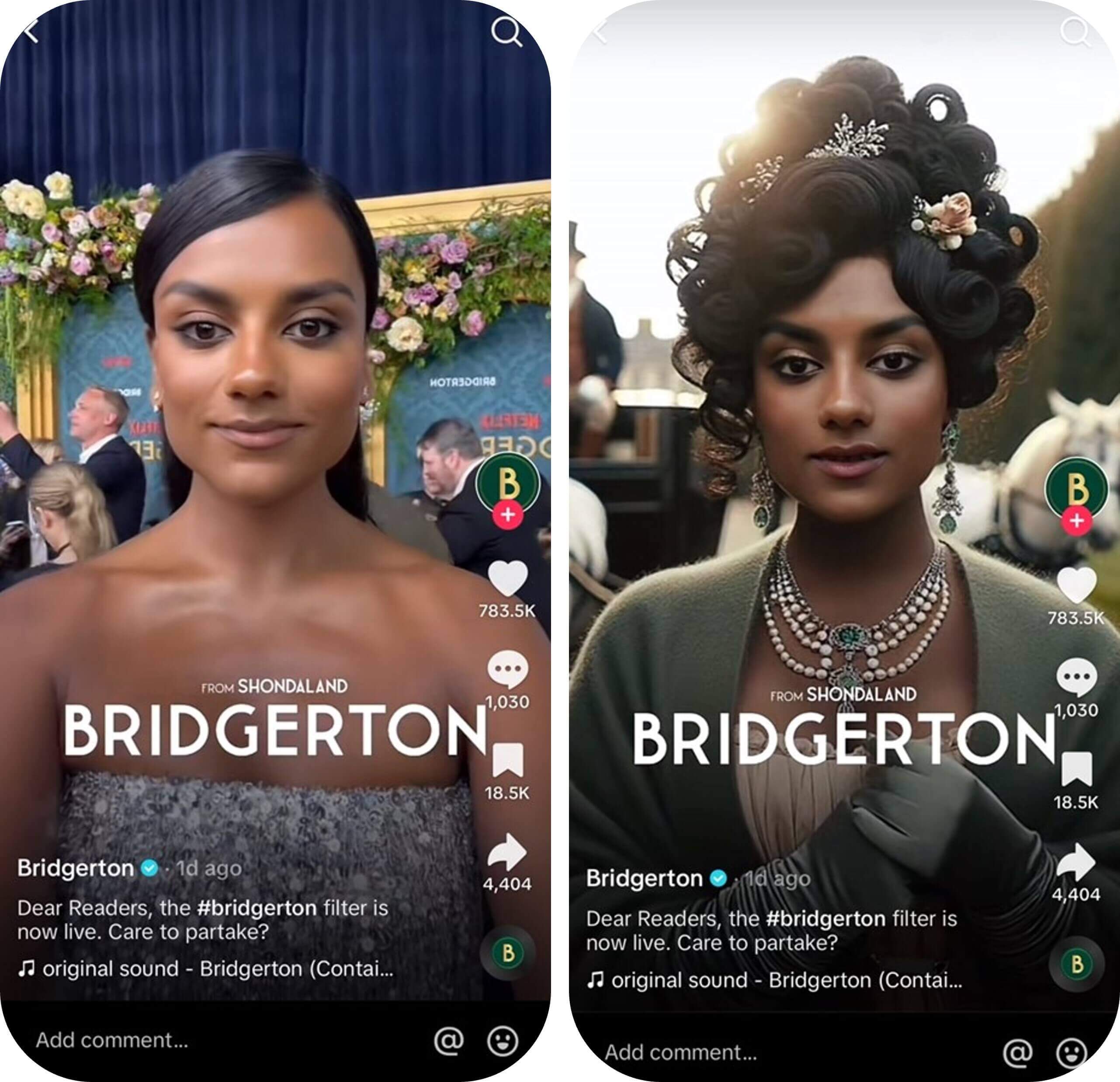
Source: TikTok @bridgertonnetflix
After entering this effect, you can tap on the screen with your face showing on the camera. This filter will automatically turn you into one of the Bridgerton characters.
You can try several more by tapping on the screen. There are more than 10 portraits you can explore, including men and women ones.
#2 1800s Bridgerton Filter

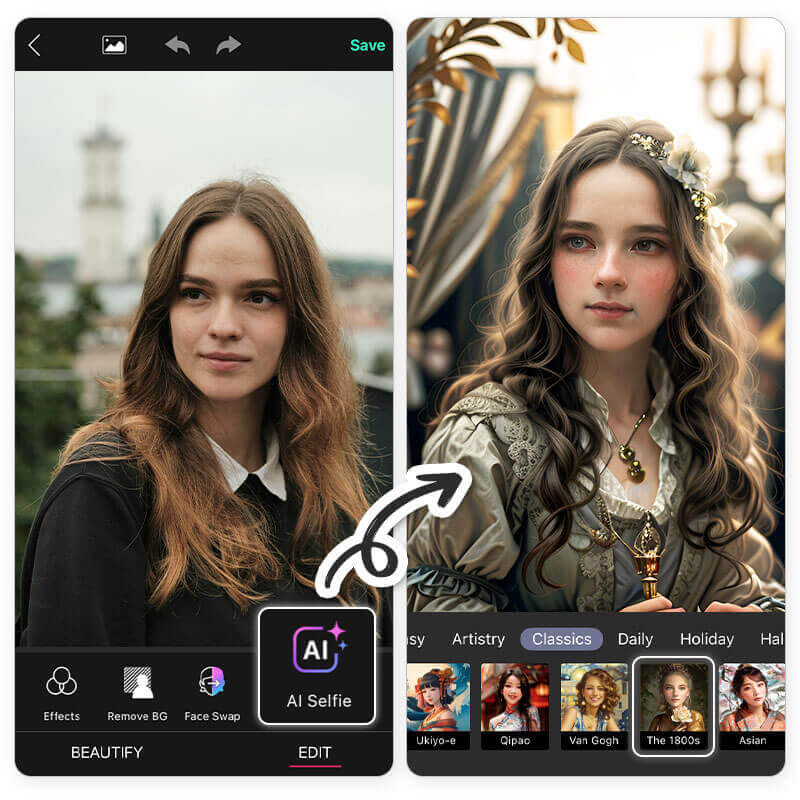
In YouCam Perfect, you can find an AI Selfie style that is similar to Bridgerton filter. All you need to do is:
- Upload your picture
- Go to 'AI Selfie' > 'Classics', and click on 'The 1800s' filter
- If you don't like the results, you can always tap on the filter again to do another generation!
#3 Swap Your Face with A Bridgerton Character
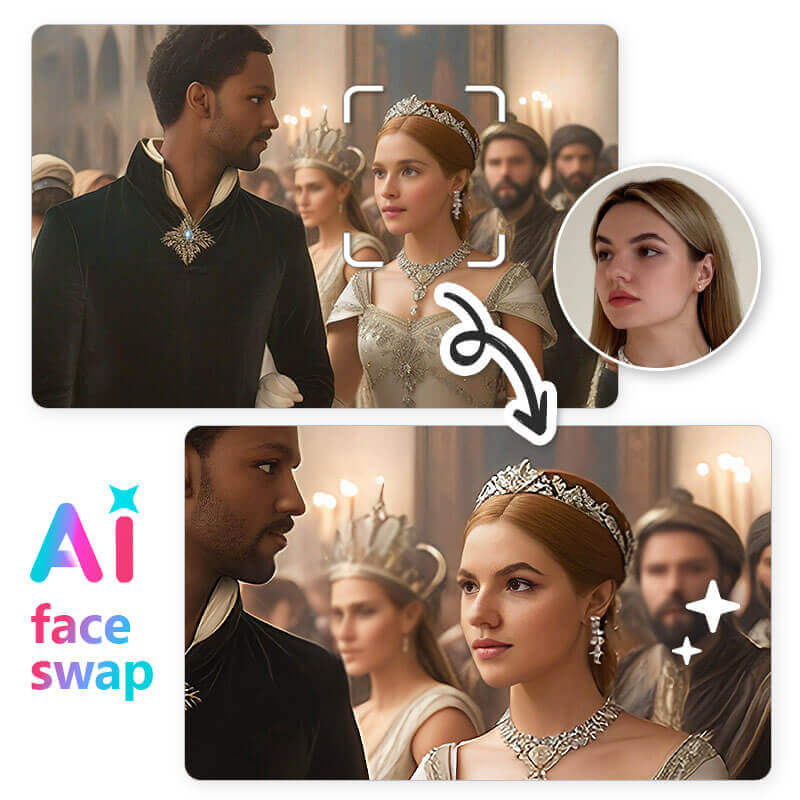
With YouCam Perfect’s face swap feature, you get to put your face on your favorite character. You can even choose one of your favorite scenes!
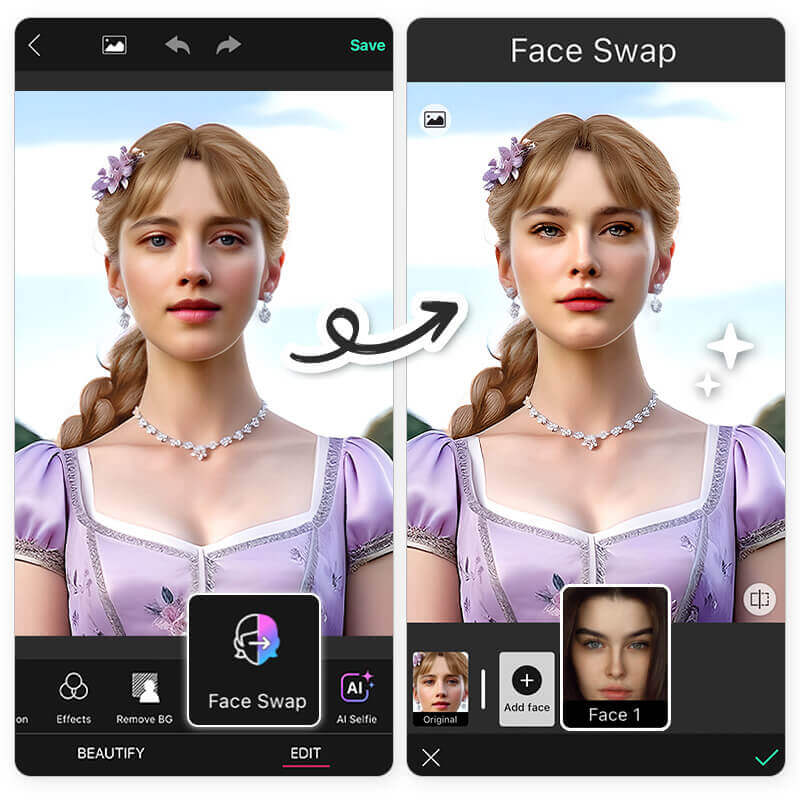
Here’s how it works:
- Click on the 'Face Swap' icon in YouCam Perfect homepage
- Find a photo of the Bridgerton character you like (and at your favorite scene) to import it into YouCam Perfect
- Tap on ‘Add face’ to select a photo of yours to do the face swap
- Your face will automatically be placed on that picture
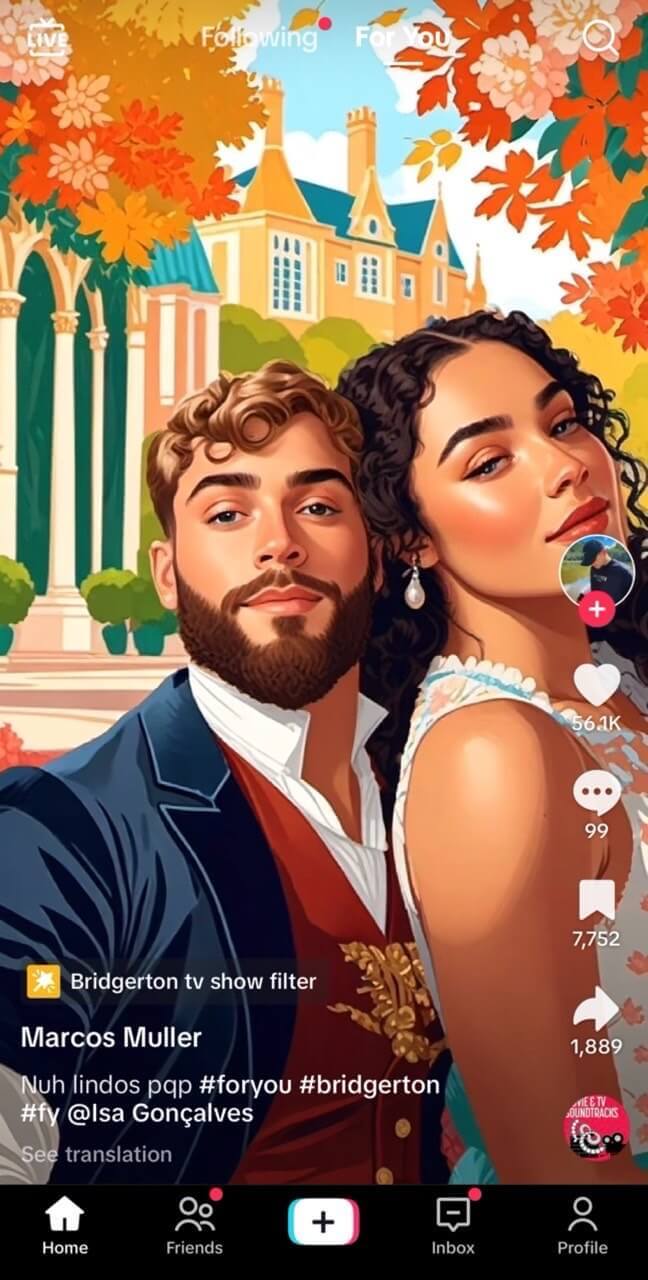
#4 Bridgerton TV Show Filter
There's also another Bridgerton filter you can try on TikTok called the 'Bridgerton TV Show Filter.' This effect looks pretty cute too! It comes with different aesthetic backgrounds and a slight cartoon vibe.
Source: TikTok @itzmarcos.tk
👉 Read more: AI Bridgerton: Best Bridgerton Image Generator
#5 Bridgerton AI Filter on CapCut
CapCut also published an AI filter for Bridgerton called, "If I was in the Netflix show Bridgerton". It can turn your picture into a Bridgerton style.
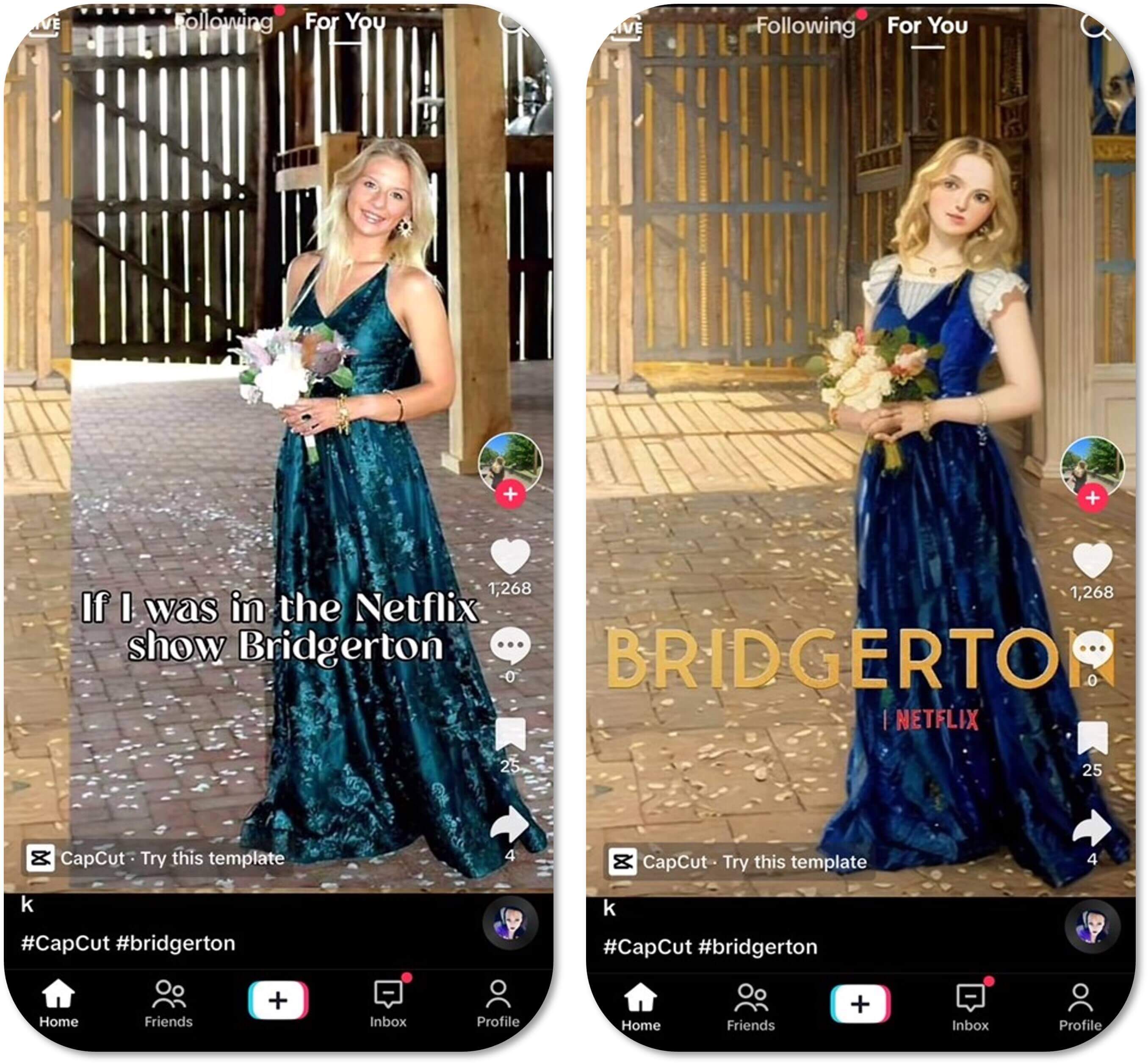
Source: TikTok @k
[BONUS] Royal Family Photoshoot: Transform Your Family Photo into Regal Elegance
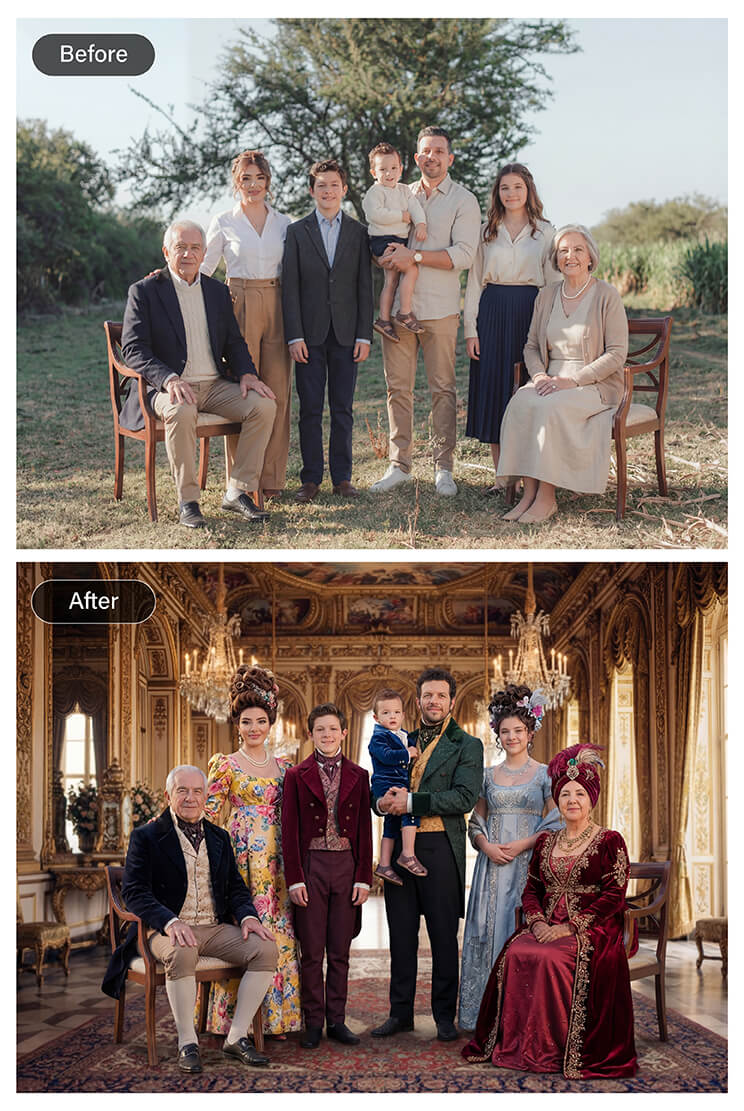
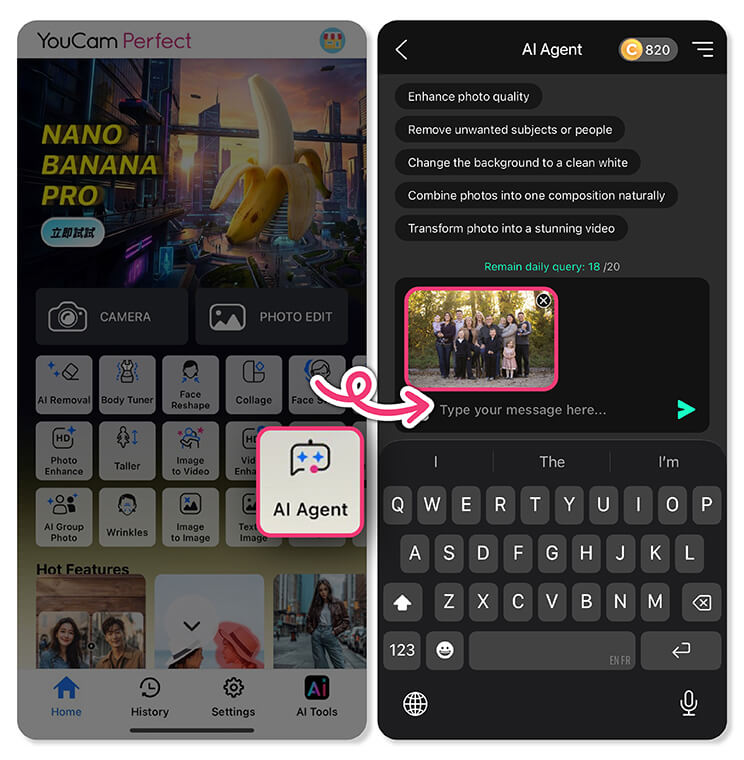
Step 1. Select an AI agent
Choose an AI tool designed for portrait generation or style transformation.
Step 2. Upload your family photo
Use a clear photo showing your full face and upper body for the best results.
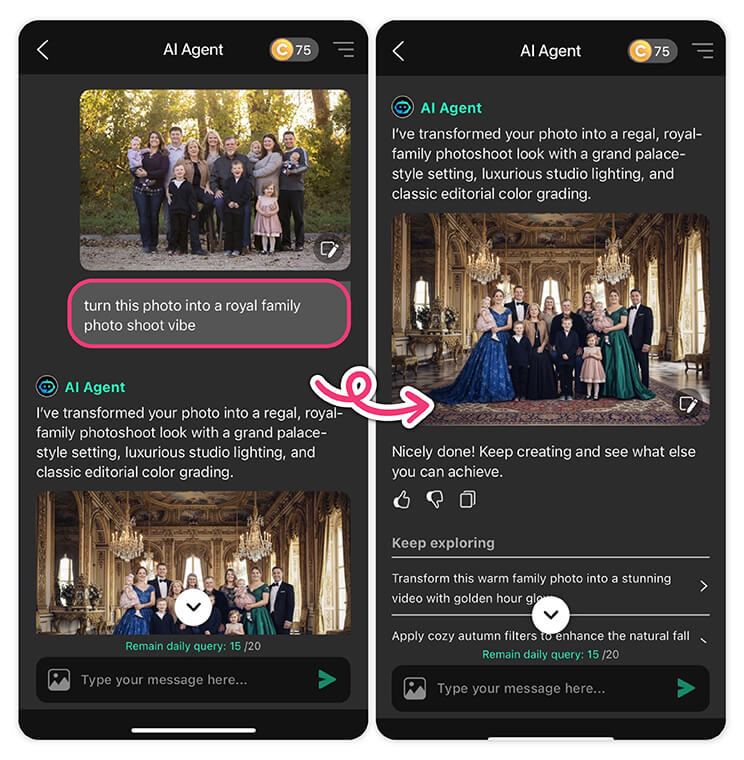
Describe the look you want: classic royal attire, luxurious palace background, regal posture, and soft cinematic lighting.
Step 4. Generate and save
Let the AI create your royal family image. You can then browse different variations and save your favorite regal portrait.
Final Thoughts
Best AI Photo Editor
The Best AI Photo Editor & Selfie Camera.
Remove objects, apply filters & more.
The AI features in YouCam Perfect make it incredibly easy to step into the world of Bridgerton or a royal family portrait. From solo Bridgerton transformations to full family royal photoshoots, the AI creates realistic, high-quality results that feel like you’ve stepped onto a Regency-era set or into a grand palace.
With realistic effects, cinematic lighting, and elegant details, turning yourself or your family into a Bridgerton character or royal portrait has never been this fun and easy. 👑✨
Bridgerton Filter FAQs
What is Bridgerton style?

Yes. Bridgerton Season 4 Part 1 is already streaming on Netflix, focusing on Benedict Bridgerton and Sophie Baek’s romance. Fans can catch up on the new episodes now, and Part 2 is set to premiere on February 26, continuing the love story and Regency-era drama.
Is Season 4 of Bridgerton coming out?
Yes. Bridgerton Season 4 Part 1 is already streaming on Netflix, focusing on Benedict Bridgerton and Sophie Baek’s romance. Fans can catch up on the new episodes now, and Part 2 is set to premiere on February 26, continuing the love story and Regency-era drama.
How to get Bridgerton filter?
You can try Bridgerton-inspired filters using AI apps or TikTok. On YouCam Perfect, go to AI Agent, upload your portrait, enter the prompt, and let the AI generate your Regency-style look. On TikTok, search for keywords like “Bridgerton Filter” or “Bridgerton Portraits” and apply the effect to turn yourself into a Bridgerton character. Other apps like CapCut also offer Bridgerton-style AI templates.
What Are Some Bridgerton Apps I Can Use?
Here are 3 apps you can use to bridgerton yourself:
- YouCam Perfect: Use "AI Agent"or"AI Studio" to try Bridgerton Filters
- CapCut: "If I was in the Netflix show Bridgerton" template
- TikTok: The official Bridgerton filter released by Netflix & Bridgerton TV Show Filter



 English


