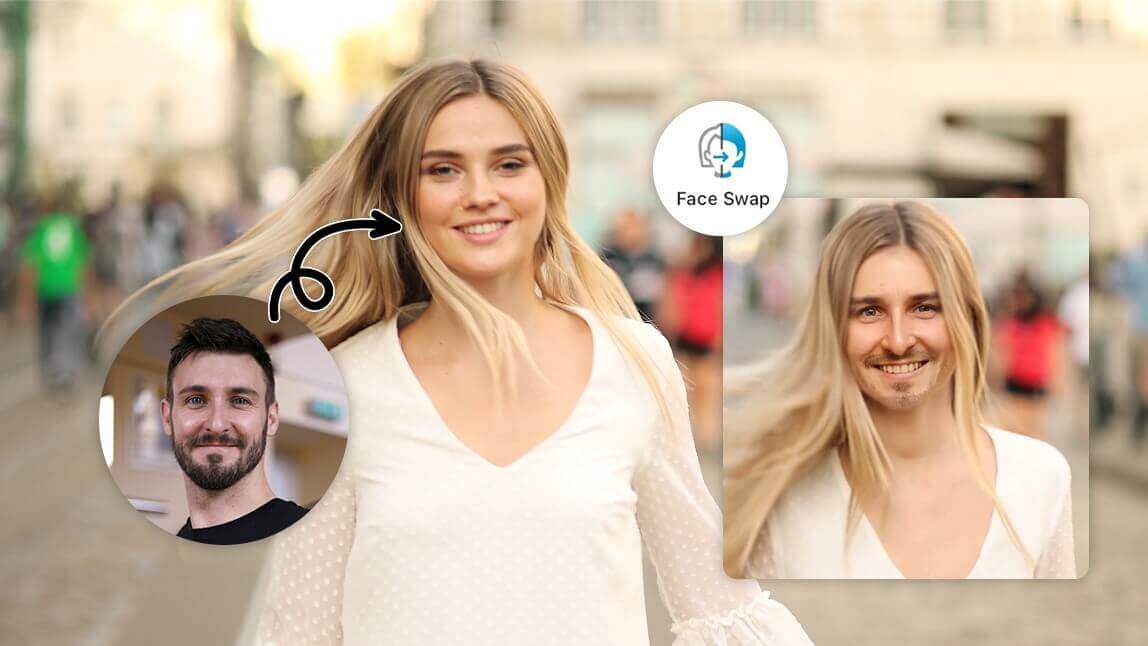
 Author:


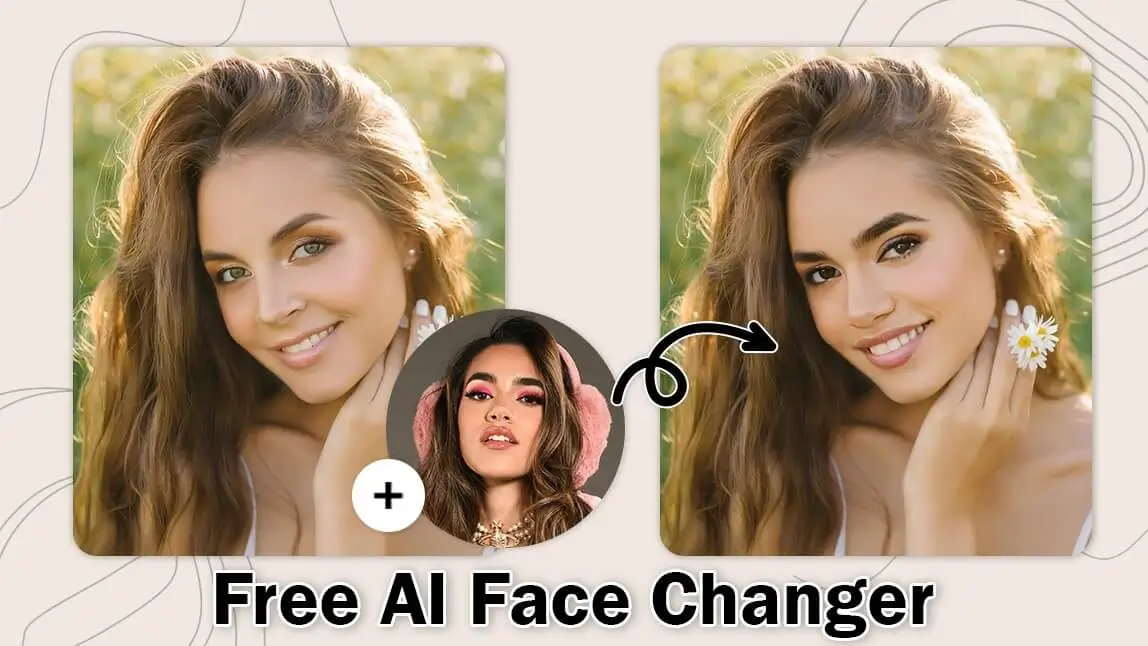
Ever wondered how you’d look with a different face in your photos?
With the best free AI face changer tools available online, you can easily swap faces and create fun, realistic images in just a few clicks.
In this guide, I’ll introduce a free and easy-to-use AI face changer and teach you how to easily swap faces in photos with this awesome tool.
What Is the Best Face Changer App?
The best face changer app should offer realistic results, fast processing, and easy-to-use editing tools. Whether you're swapping faces with friends, creating funny memes, or enhancing content for social media, accuracy and natural-looking results are essential.
YouCam Enhance is widely recognized as one of the best free face changer apps thanks to its AI-powered face swap technology, intuitive interface, and ability to create realistic face transformations in seconds. Users can swap faces in photos online or on mobile devices without requiring advanced editing skills.
Change Your Face in a Photo Online for Free With the Best AI Face Changer

Change your face in a photo online for free with YouCam Enhance’s latest AI Face Swap feature.
This innovative tool uses advanced AI technology to seamlessly swap faces, ensuring realistic and natural-looking results.
Whether you’re looking to have fun with friends or create unique images, YouCam’s AI Face Swap makes the process enjoyable.

Simply upload your photo, select the face you want to swap, and let YouCam’s AI handle the rest.
What We Like About This App
YouCam Enhance's "Photo Face Swap" and "Video Face Swap" features are incredibly fun and easy to use.
The AI technology ensures that the face swaps look natural and realistic, whether you're editing photos or videos.
It's perfect for creating hilarious and memorable content to share with friends and family.
How to Change Face in a Photo Using a Free AI Face Changer
Ready to have some fun with face swapping?
Here’s a simple guide on how to change a face in a photo using a free AI face changer.
Step 1. Open YouCam AI Face Changer
Start by opening the YouCam AI Face Swap tool on your preferred device.
You can access it through the YouCam Online Editor’s website.
Make sure you have a stable internet connection for a smooth experience.
Step 2. Upload a Target Photo

Next, upload the photo in which you want to change the face. This is your target photo.
Simply click on the upload button and select the image from your device.
Step 3. Upload a Face Photo

Now, upload the photo of the face you want to swap into the target photo.
This can be a photo of yourself or someone else. Ensure the face is clear and well-lit for the best results.
Step 4. Click “Face Swap Now” Start AI Face Changing

Once both photos are uploaded, click the “Face Swap Now” button to initiate the AI face-changing process.
The AI will automatically analyze and swap the faces, creating a seamless and realistic result.
This process usually takes just a few seconds.
Step 5. Save Your Face-Swapped Photo
Finally, review the face-swapped photo to ensure it meets your expectations.
If you’re satisfied with the result, click the save button to download the image to your device.
You can now share your fun and unique photo with friends and family!
Why Use YouCam AI Face Swap to Change Faces in Photos: Top 3 Benefits
Discover the top 3 benefits of using YouCam AI Face Swap to effortlessly change faces in your photos and elevate your creativity.
1. Swap Your Face With Your Favorite Portrait Photo
YouCam AI Face Swap allows you to seamlessly swap your face with your favorite portrait photo.
Whether it’s a celebrity, a historical figure, or a character you admire, you can see yourself in a whole new light. This feature is perfect for creating fun and imaginative images.
2. Replace the Faces in a Picture

If you find that your face in a group photo didn’t turn out well, YouCam AI Face Swap can help.
You can easily replace your face with a better one from another photo, ensuring you look your best in every picture.
This tool is great for salvaging otherwise perfect photos.
Read more: Let AI Change Your Facial Expression Online for Free
3. Put Your Face on a Picture
YouCam AI Face Swap also lets you put your face on any picture, whether it’s a famous painting, a movie poster, or a friend’s photo.
This feature opens up endless creative possibilities, allowing you to create unique and entertaining images.
It’s a fun way to express yourself and share laughs with friends.
Meet the 5 Best Face Swap Apps
If you're looking to create fun edits, viral memes, or realistic face swaps for videos and photos, these five apps offer the best mix of AI accuracy, ease of use, and creative options. Here are the top 5 face swap apps worth trying:
1. YouCam Video — Best for Realistic Video Face Swaps

YouCam Video delivers some of the most natural-looking face swaps, and its online editor makes the process even easier. You can upload a clip directly in your browser, apply a face swap with AI-powered blending, and get smooth, realistic results that match lighting and expressions. Moreover, supporting multi-face swaps for group clips. With built-in editing tools and popular formats for TikTok, Reels, and YouTube.
2. YouCam Perfect — Best for Precise Manual Face Cutouts

YouCam Perfect is ideal for detailed photo face swaps. Its Smart Brush and AI detection help you refine cutouts for cleaner, more accurate results. Whether swapping faces in group photos or creating celebrity edits, it’s perfect for users who want more control and creative styles like AI Illustration and Anime.
3. Reface — Best for Animated & Meme-Style Face Swaps

- Available on: iOS / Android
Reface is a fan favorite for GIFs, memes, and fast, entertaining swaps. Its deepfake technology works well across photos, videos, and animated templates, giving you instantly shareable, viral-ready content. With a huge library of celebrity faces and trending memes, it’s great for quick, fun edits.
4. Pica AI — Best for Multi-Face Swaps in One Image

- Available on: iOS / Online
Pica AI makes it easy to swap multiple faces—up to five at a time—without needing an account. It’s perfect for group photos and creative social posts, and its built-in enhancement tools and artistic styles help elevate your final result across both mobile and web.
5. FaceApp — Best for Fine-Tuned Facial Feature Adjustments

- Available on: iOS / Android
FaceApp combines face swapping with powerful facial editing features like age, gender, and expression adjustments. It delivers realistic results and is highly customizable, making it a great option for users who want more control over the final look in both photos and videos.
5 Must-Try Funny AI Face Change Ideas
Looking to add some humor to your photos and videos?
Here are 5 must-try funny AI face change ideas that will have you and your friends laughing out loud!
- Celebrity Swap: Swap faces with your favorite celebrity and see what it’s like to walk in their shoes for a day.
- Baby Face: Transform your face into a baby version of yourself for some adorable and hilarious results.
- Animal Face: Merge your face with an animal's to create a funny and unique hybrid creature.
- Gender Swap: Switch genders and get a glimpse of what you might look like as the opposite sex.
- Historical Figure: Place your face on a famous historical figure's portrait and imagine yourself in a different era.
Start Changing Your Faces in Photos With the Best AI Face Changer

Ready to transform your photos with a fun and easy face swap?
Start using the best AI face changer to create unique and entertaining images effortlessly. Dive into the world of AI face swapping and see how it can bring your photos to life!
More AI Face Changing Ideas
- AI Video Face Swap: 7 Best Free Apps to Replace Face in Video [2024]
- AI Head Swap: How to Swap Heads in Photos
- How to Replace a Face in a Photo in a Photo App
AI Face Changer FAQ
What is the best face changer app?
The best face changer app is one that offers realistic AI face swaps, fast processing, and easy editing tools. YouCam is considered one of the best free face changer apps because it allows users to swap faces in photos online or on mobile devices with natural-looking results.
What is the most realistic face changer app?
AI-powered tools such as YouCam use advanced face detection and blending technology to create natural-looking face swaps while preserving lighting, facial structure, and image quality.
How to change face in photo using ai?
To change a face in a photo using AI, start by selecting a reliable AI face swap tool, such as YouCam AI Face Swap.
Upload the target photo and the face photo you want to swap in.
The AI will automatically analyze and seamlessly swap the faces, giving you a realistic and natural-looking result.
How to change face in video with ai?
Changing a face in a video with AI involves using an app like YouCam Video.
Upload the video you want to edit and select the face you want to swap in.
The AI will process the video, ensuring smooth and accurate face swaps throughout the entire footage, making it look natural and seamless.
What is the AI that can change faces?
YouCam AI Face Swap is a free online AI tool that allows you to easily change faces in photos.
All you need to do is upload your photo, and the AI will seamlessly swap the faces for you.
This tool is popular for its user-friendly interface and high-quality results.
Can AI change face in photo?
Yes, AI can change faces in photos using advanced algorithms to seamlessly swap one face with another.
Tools like YouCam AI Face Swap make this process easy and accessible, allowing users to upload their photos and get high-quality results quickly.
This technology is widely used for fun, creative edits, and even professional purposes.
Is there a free AI face swap?
Yes, there are free AI face swap tools available.
YouCam AI Face Swap is one such tool that allows users to swap faces in photos without any cost.
It offers a user-friendly interface and delivers impressive results, making it a popular choice among users.