


 Author: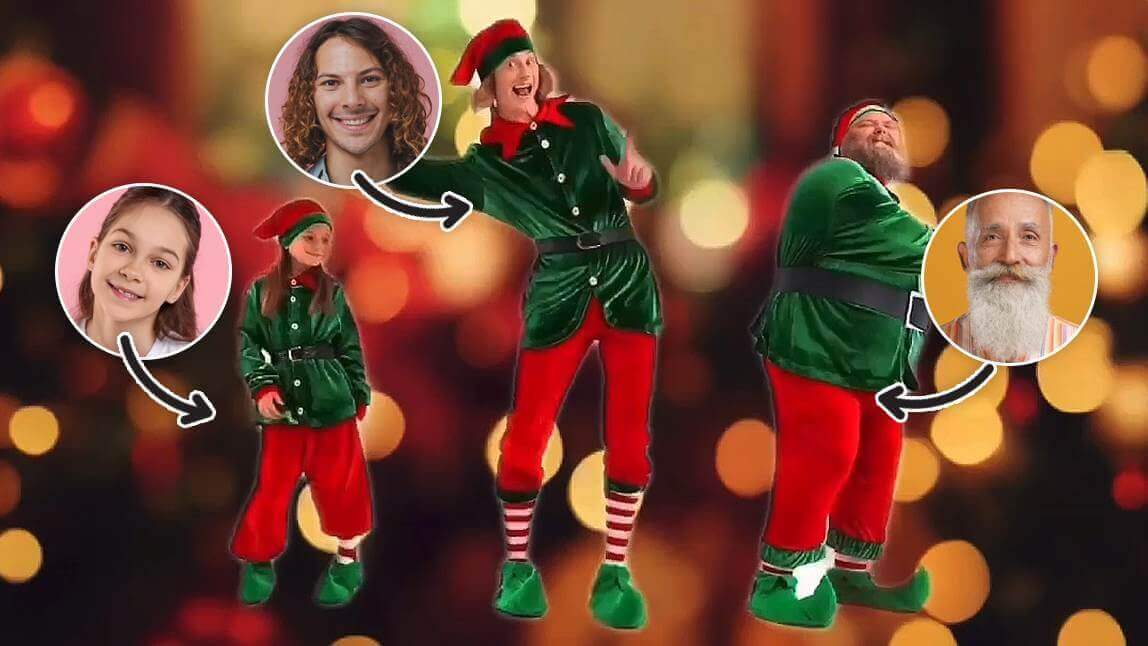
To Elf Yourself and create a dancing elf video with your face, use the AI Face Swap feature in YouCam Video. Simply upload a video of dancing elves, then upload your photo to instantly swap your face onto the elf's body.
It's almost that time of year again! This Christmas, if you want to "Elf Yourself" by creating a hilarious video of dancing elves featuring your face, you're in the right place. With modern AI tools, you no longer need the original website to join in on the fun.
Read on to see how the YouCam Video app can turn you into a happy, dancing elf for free this holiday season!
What Does "Elf Yourself" Mean?
Let's start by explaining what is "Elf Yourself".
It is a fun, playful phrase that became popular from a viral website and holiday campaign. The phrase refers to a website where you can upload photos of yourself and your friends', and the site then "elves" you by placing you and your friends' faces on animated elf bodies.
You can pick different dances which automatically turn into a personalized holiday video with you dancing as happy elves. You can also add holiday greetings to the video. It's a lighthearted way to create personalized holiday content and is often used for fun or to spread festive cheer during the holiday season.
In a broader sense, "elf yourself" can also be used as a humorous or silly expression, encouraging someone to take part in something playful, silly, or holiday-themed.
How to Elf Yourself with YouCam Video
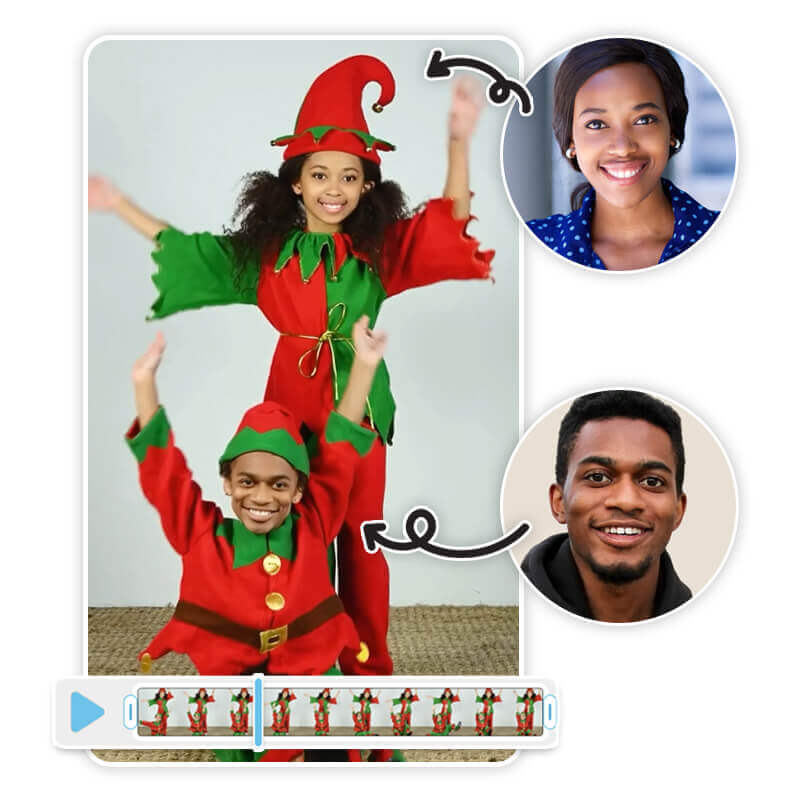
In YouCam Video, you can also use the Face Swap feature to turn yourself into a happy dancing elf! Here's how to do it:
Step 1: Download YouCam Video
Get YouCam Video from either the Google Play Store or the App Store.

Step 2. Upload a Video
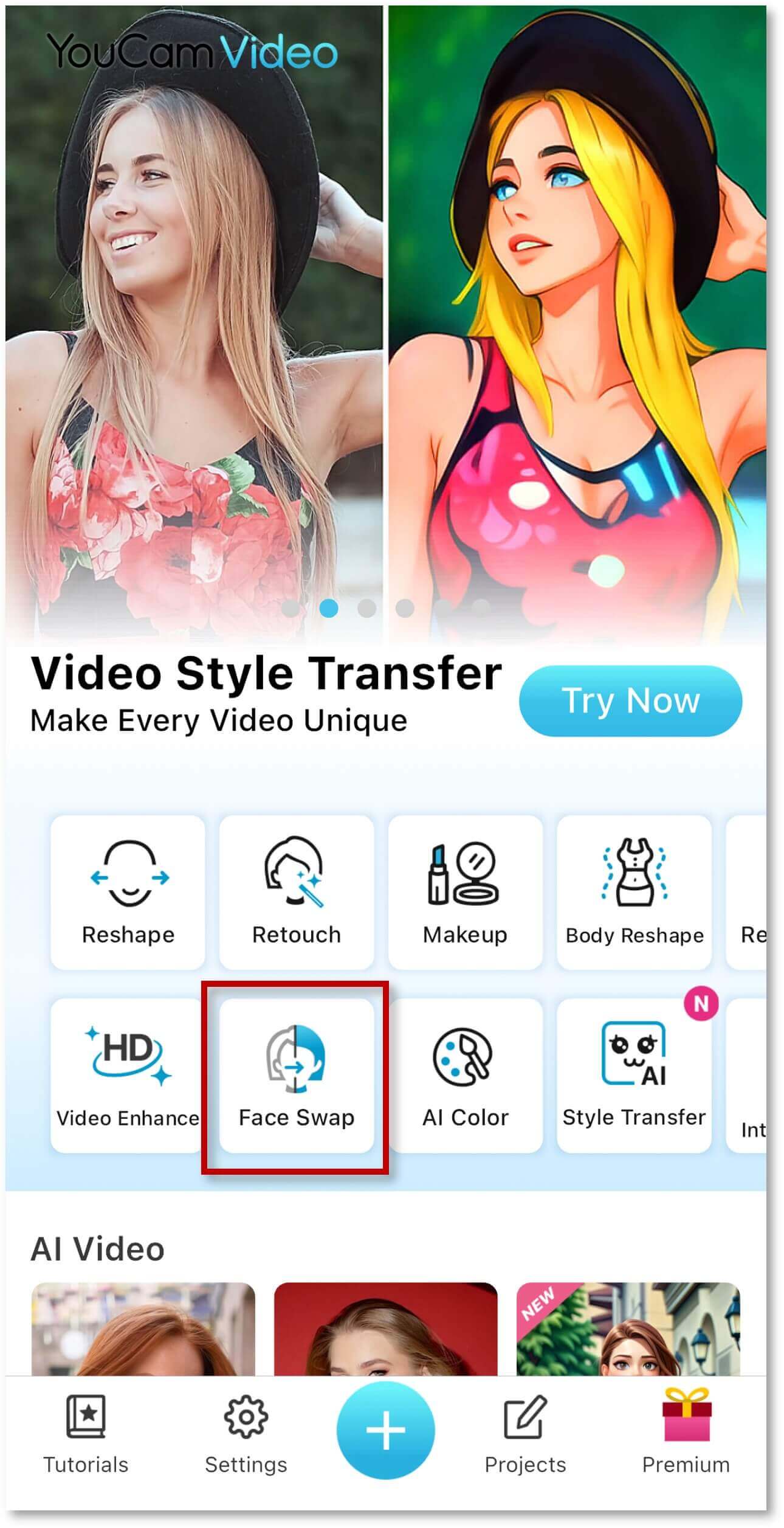
After downloading, open the YouCam Video app and go to the homepage. Tap on the "Face Swap" tool, then select "Try on Your Video."
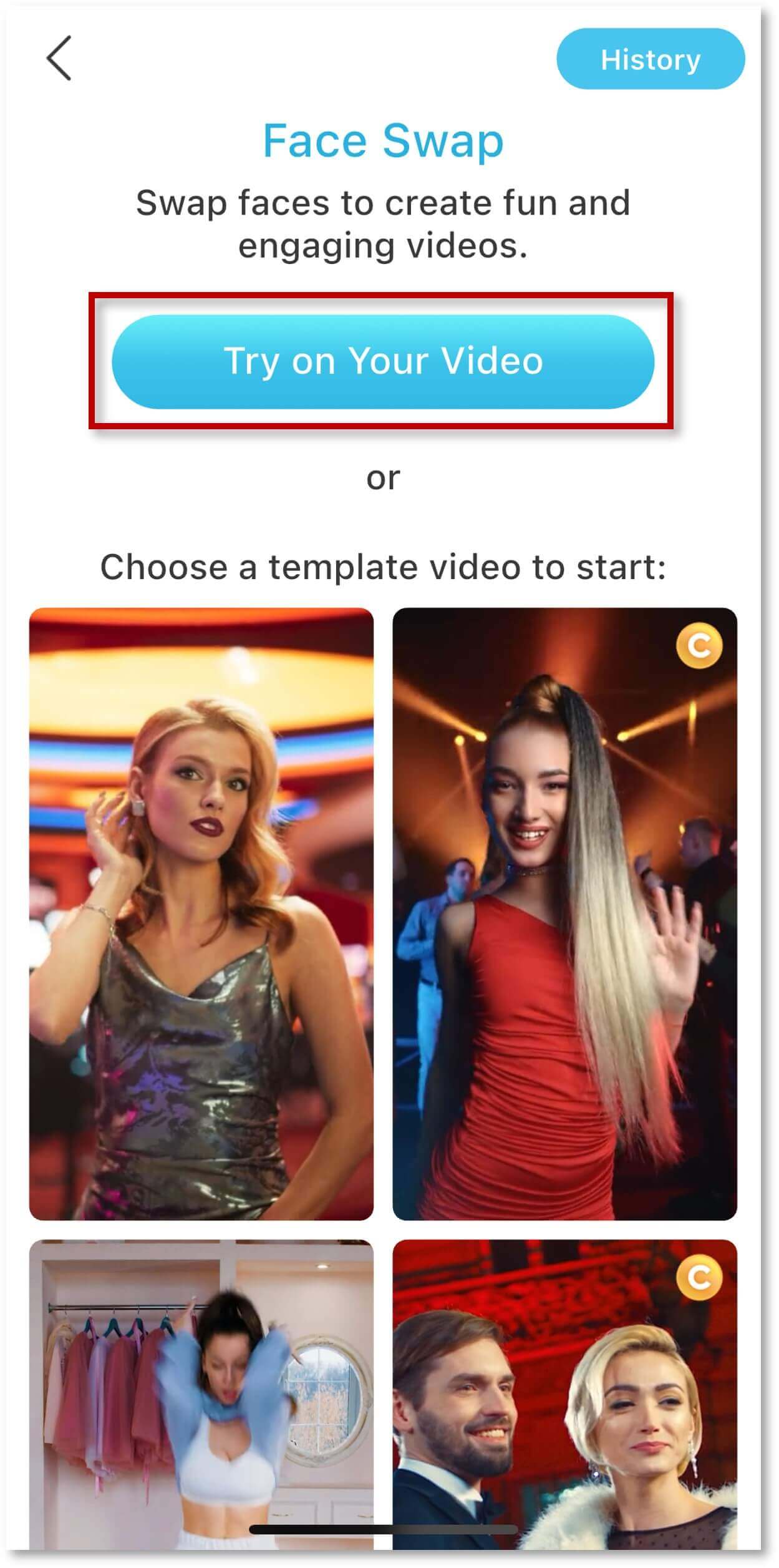
You can upload any elf dancing video you like—whether from TikTok, YouTube, or even movie clips from Elf.
Once you've selected the video, tap "Use Video." YouCam Video will start detecting all the faces in the clip, which may take a minute or two.
Step 3. Elf Yourself!
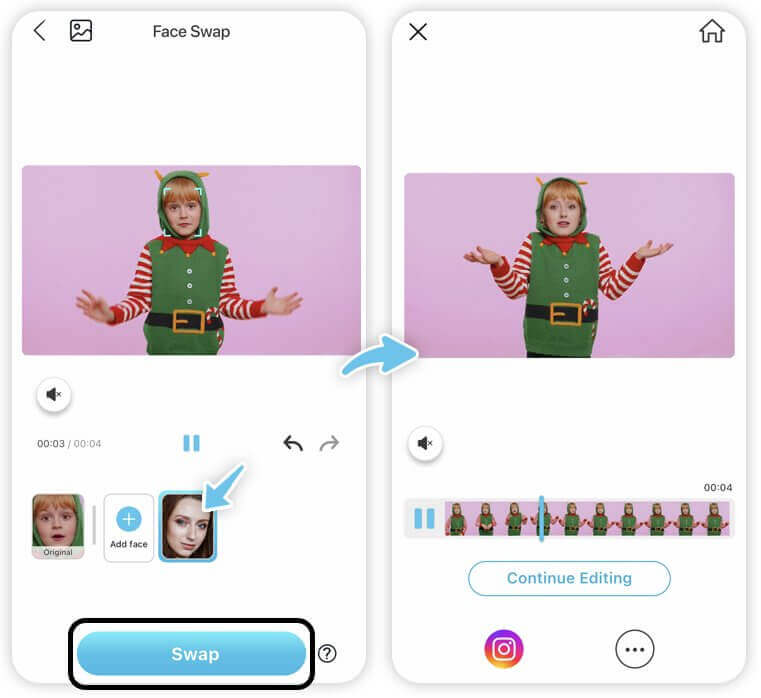
Once the faces are detected, YouCam Video will highlight the faces available for swapping. All you need to do is upload a photo of yourself (or a friend's photo) to swap faces with the dancing elves.
Note: You will need credits to use the face swap feature. 1 credit allows you to process 5 seconds of a single face video. Alternatively, you can use the free trial.
Step 4. Save & Share the Video
And that's it! You can preview the final video to see how it looks. If you're not satisfied, you can also change the background to something more festive for an extra holiday touch. Once you're happy with the result, save and share your elf dance video with friends and family!
Why Use YouCam Video to Elf Yourself
#1 Try Christmas Video Style Transfer
Style Transfer is the latest feature in YouCam Video. It allows you to transform your video into different art styles, including Anime, Illustration, Retro, and Romantic.
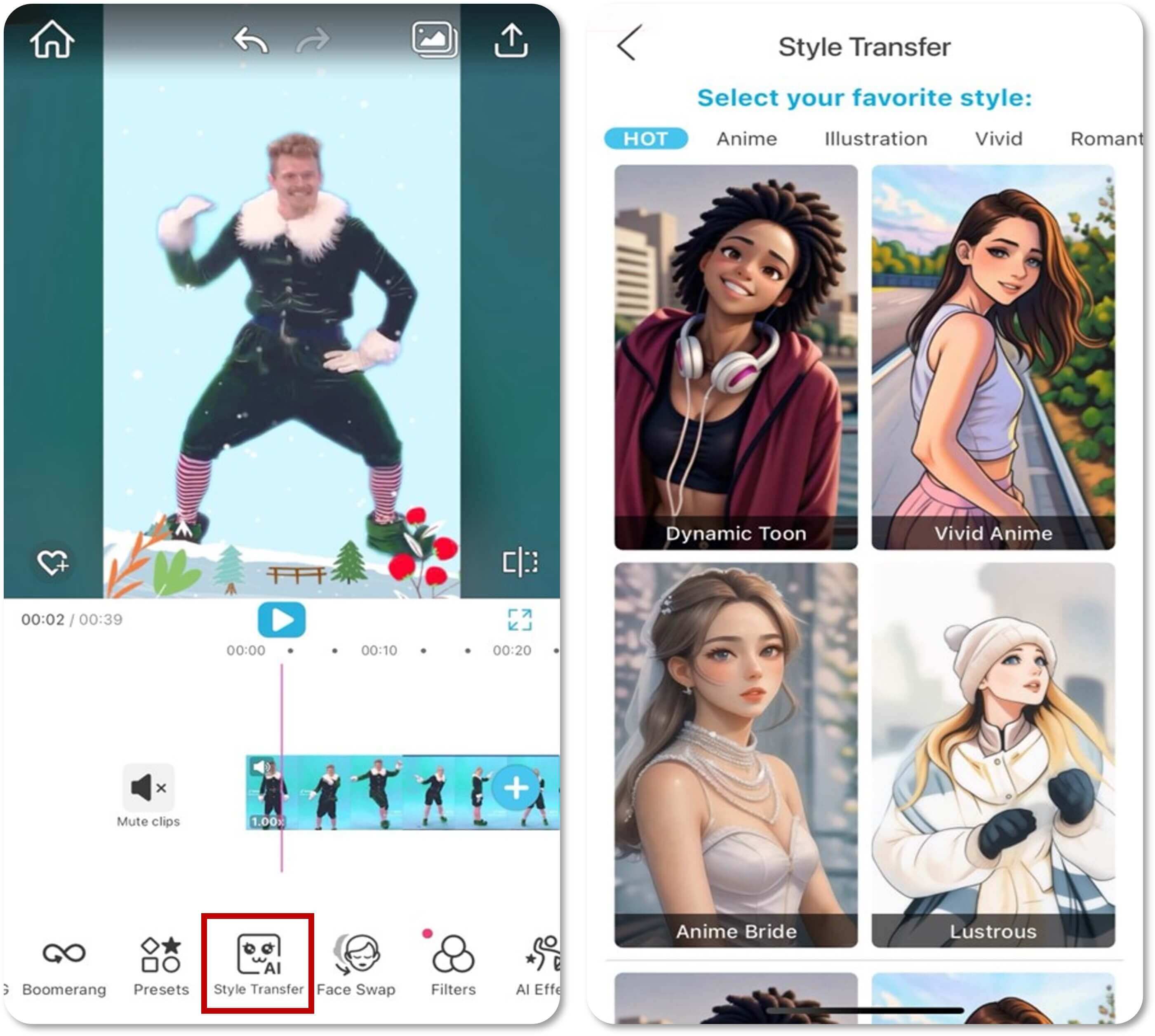
Our personal favorite is definitely the Anime style. Try turning your Elf video into a fun cartoon look!
#2 Make the Background More Christmassy
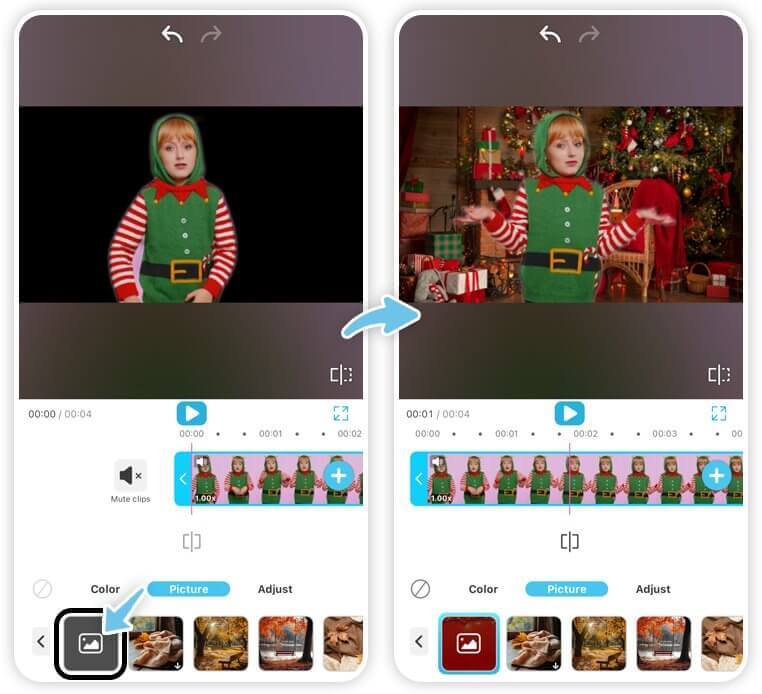
Don't like the current background of your video? You can upload a custom image to replace it!
The background replacement feature helps you create a more festive atmosphere for your video. You can also add cute AI Effects that make your Elf video more unique.
#3 Add Holiday Music
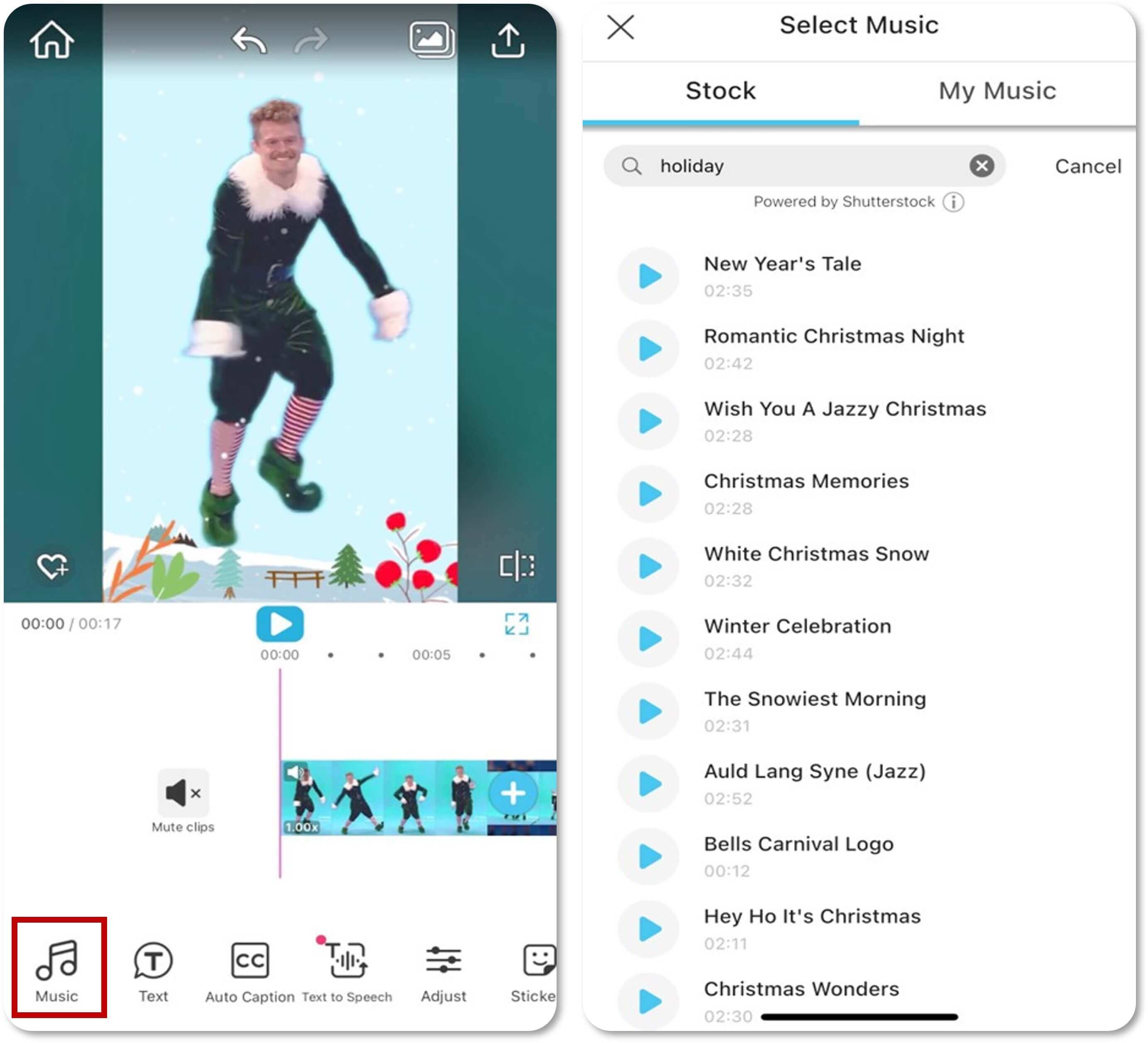
Add your favorite holiday tunes to your video. We offer a built-in Christmas music playlist for you to choose from. Feel free to give it a try and make your video even more festive!
Elf Yourself Free with YouCam Online Editor
If you prefer not to download an app, you can still Elf Yourself online using YouCam Online Editor’s AI Image to Video feature. This tool lets you turn a single photo into a fun, animated elf style video in just a few clicks.
Instead of swapping faces in an existing video, AI Image to Video animates your photo directly, making it perfect for quick holiday content or festive posts.
How to Elf Yourself with AI Video Generator Online
Step 1: Open YouCam Online Editor
Go to YouCam Online Editor and select the AI Image to Video feature.
Step 2: Upload Your Photo
Choose a clear photo of yourself or a group friends and family. Front facing selfies work best for smooth animation.
Step 3: Choose Your AI Model
Choose the AI model you want to use. YouCam Online Editor supports multiple models such as Seedance, Google Veo 3, Kling, and more!
Step 3: Enter a Prompt to Elf Yourself
Enter a holiday themed prompt such as “cute dancing Christmas elf,” “happy elf dancing in a winter village,” or “cartoon elf dancing with holiday lights.”
The AI will use your image and prompt to generate a short animated video.
Step 4: Generate and Download
Let the AI do its magic, then preview your elf video. Once you’re happy with the result, download and share it on social media or send it to friends and family.
Elf Yourself FAQs
What are the apps that provide Elf Yourself feature?

Want to turn yourself into a happy dancing elf with holiday music?
- Elf Yourself – Choose from different dance styles and crop your face to fit into the video.
- YouCam Video – Use features like face swap, background replacement, and style transfer to make your Elf Yourself video even better.
- Christmas Yourself – Offers new holiday dance templates, along with Christmassy themes to choose from.
How to make Elf Yourself pictures?
For those who want to create an elf yourself photo, we recommend using YouCam Perfect, a popular photo editing app. This app also offers a face swap feature, allowing you to choose an elf picture you like and swap your face into the photo.
Read more: Face in Hole - How to Put Your Face on Another Picture
Is Elf Yourself free?
You can download the Elf Yourself app for free. Alternatively, use the free trial of YouCam Video for Android and iOS to create your own Elf Yourself video. With the app's Face Swap feature, you can transform yourself into a Christmas elf in any video you choose.
How can I get Elf Yourself for free?
- Elf Yourself: Use the free app and choose from various dance styles. Upload a photo of yourself, crop your face, and insert it into the video. Enjoy your dance as a hilarious elf!
- YouCam Video: Transform your Elf Yourself video with free features like Face Swap, background changes, and Style Transfer to make it truly unique.
- Christmas Yourself: Explore new, free dance templates with festive holiday themes and create cheerful videos without spending a dime.



 English


