


 Author:
 ![I Tested 10+ AI Video Generators and Here’s My Favorite [2026]](https://plugins-media.makeupar.com/smb/blog/post/2026-01-30/webp_c090d5a3-5398-4f02-b2d5-3c2649c68318.jpg)
The “ma po po filter” trend is exploding across TikTok and Reels, and creators are turning simple photos into energetic cute clips that look fully animated. Instead of filming the video yourself, you can now recreate the trend instantly using an AI video editor that applies dance motion automatically.
With YouCam Video, you can transform a still image into a moving sequence in seconds — no filming, no editing skills required.
What Is the “Ma Po Po Filter” Trend?
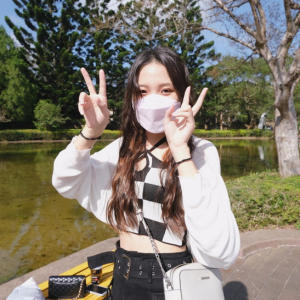
The ma po po filter trend is a viral style where characters appear to bounce, groove, and sync perfectly to upbeat music. It blends playful motion with exaggerated body movement, making even static photos feel alive.
Creators are using the effect on:
- selfies
- anime-style avatars
- couples photos
- memes
- pets
The fun comes from watching an image suddenly burst into rhythmic motion.
How to join the trend with AI Dance Motion
YouCam Video uses multi-model generative AI motion technology to animate photos realistically. Here’s how to recreate the trend:
Step 1: Open the AI Video Editor
Launch YouCam Video, click on AI Video Editor.

Step 2: Apply Dance Motion
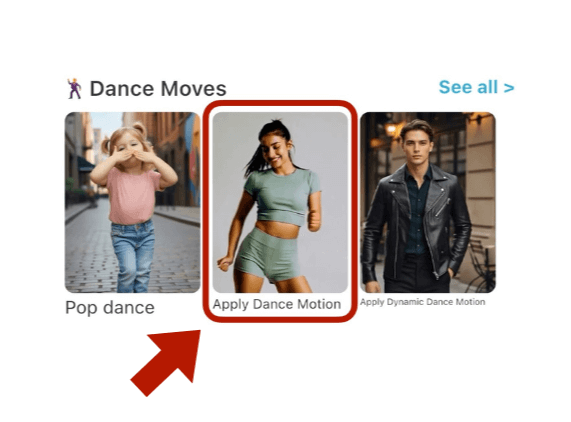
Step 3: Upload Your Photo & Reference Photo
Choose a selfie, portrait, or character image you want to animate.
Upload your reference video to join the Ma Po Po challenge!
Step 4: Export & Share
Download your animated dance video and post directly to TikTok, Instagram, or Shorts.

Why Creators Love AI Dance Filters
The appeal of AI dance animation is speed and creativity. You don’t need choreography, filming space, or advanced editing. The AI handles motion tracking and animation for you.
Benefits include:
✅ Instant viral-style videos
✅ No filming required
✅ Works with any photo
✅ Beginner-friendly editing
✅ Social-ready export formats
It’s one of the fastest ways to join trending challenges without extra effort.

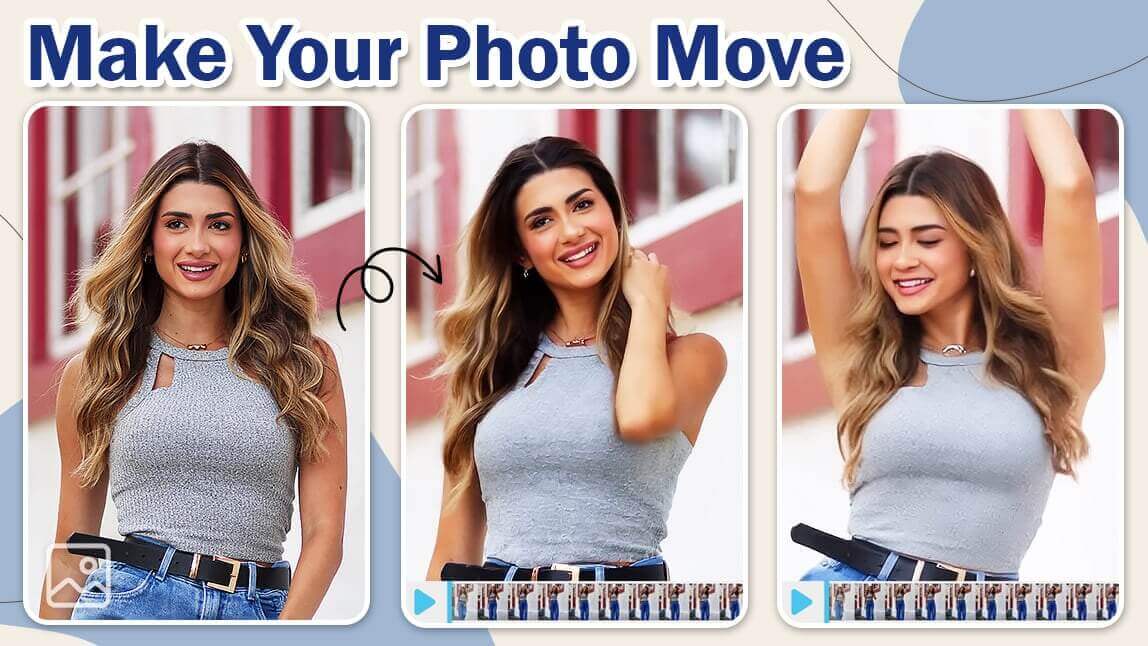
Join the Ma Po Po Trend in Seconds
If you want to ride the next wave of viral dance edits, an AI-powered video editor like YouCam Video makes it effortless.
Upload a photo, apply dance motion, and let AI turn it into a shareable animation.
The ma po po filter trend proves one thing: in 2026, creativity moves at AI speed.
Ready to Create More Amazing AI Videos in 2026?
2026 offers powerful AI video generators for every creator, from free tools to professional platforms. If you want a fast, intuitive way to create AI videos on mobile, YouCam Video stands out with Text-to-Video, Image-to-Video, and smart AI editing features.

Download YouCam Video now and unlock its impressive AI features to create your video masterpiece with just a few taps!
About the Editors

The PERFECT Corp. Editorial Team
We are a team of creators and AI editing experts focused on viral social media trends, turning the latest TikTok and Reels moments into easy-to-follow AI photo and video tutorials. From trending filters to eye-catching AI video effects, we help creators ride the wave of what’s hot and grow their digital identity with confidence.



 English


