


 Author:
Yes, you can virtually try on prom dresses online with AI. By combining a photo of yourself with a prom dress reference image, you can preview different silhouettes, colors, necklines, and overall styles before narrowing down what you want to shop for.
A prom dress virtual try-on is best used as a style visualization tool. It can help you compare looks quickly, but it does not replace measurements, a retailer's size guide, or an in-person fitting. This guide covers how virtual prom dress try-on works, what to compare, and how fashion brands can offer the same experience to their customers.
Table of Contents
- How to Virtually Try On a Prom Dress
- Prom Dress Styles to Try With Virtual Try-On
- Compare Prom Dress Colors Before Choosing
- What Can You Compare With a Prom Dress Virtual Try-On?
- How to Get Better Prom Dress Try-On Results
- Prom Dress Virtual Try-On Ideas
- How Fashion Brands Can Offer Prom Dress Virtual Try-On
- Prom Dress Virtual Try-On FAQ
- Conclusion
How to Virtually Try On a Prom Dress
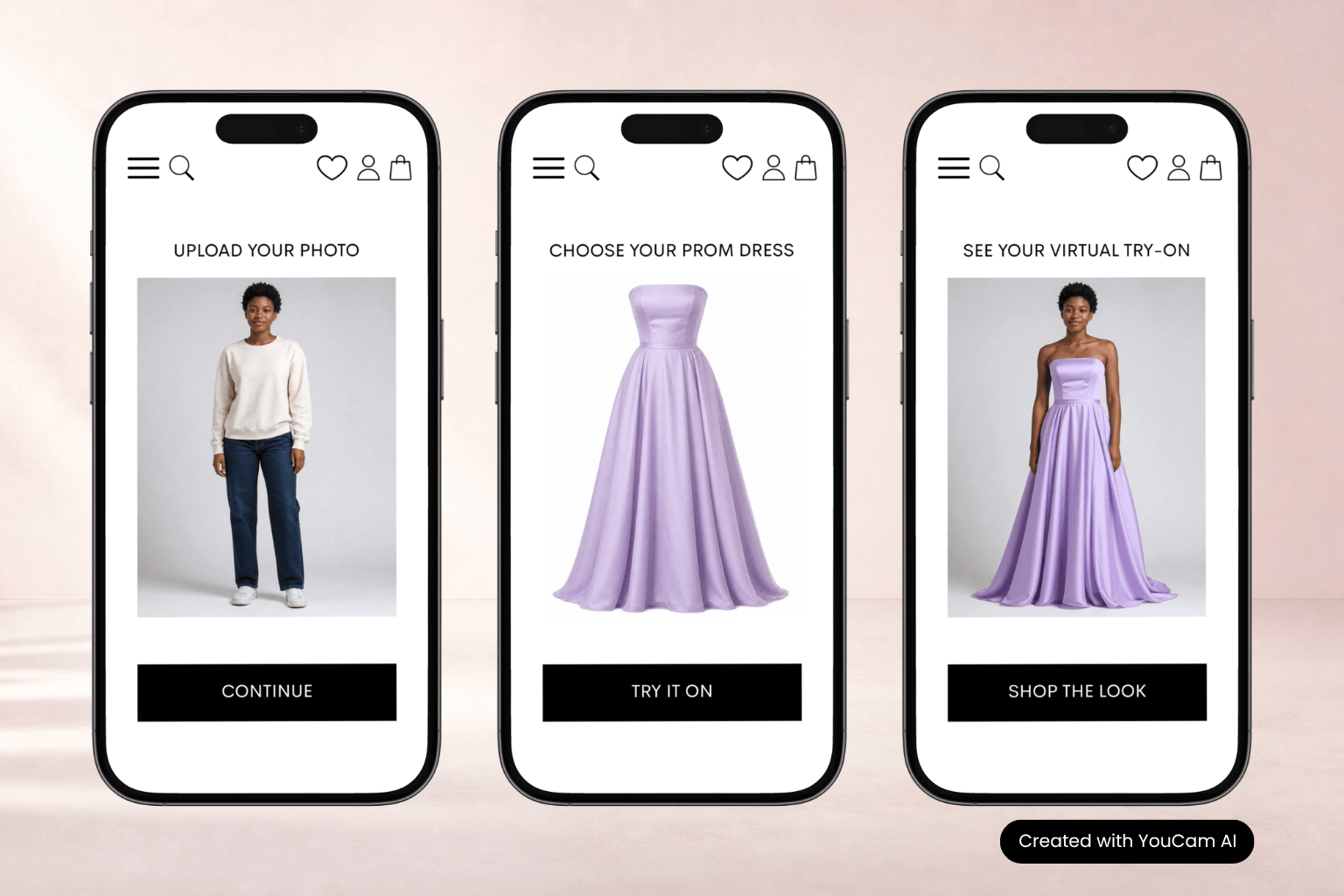
Virtual prom dress try-on makes it easier to compare styles without relying only on model photos. The basic workflow is simple:
- Choose a clear photo of yourself. For a long prom gown, a full-body image is usually the most useful because it shows the complete silhouette.
- Choose a prom dress reference. Use a clear image of the gown or style you want to visualize.
- Generate the virtual try-on. The AI processes the person image and garment reference to create a new outfit preview.
- Compare your options. Repeat the process with other dresses and review the results side by side.
Perfect Corp.'s AI Clothes Changer supports photo-based outfit changes using preset styles or clothing reference images. For a broader look at dress visualization across occasions, see our guide to AI dress try-on.
Prom Dress Styles to Try With Virtual Try-On
Prom dresses can create very different looks even when the color is similar. Virtual try-on is especially useful when you are deciding between silhouettes.
A-Line and Ball Gown Prom Dresses
A-line dresses gradually widen toward the hem, while ball gowns create a fuller, more dramatic shape. Comparing both on the same photo can quickly show whether you prefer a softer classic silhouette or a more statement-making look.
Mermaid and Fitted Prom Dresses
Mermaid and fitted dresses create a more defined outline. Previewing several references can help you compare different necklines, skirt shapes, and levels of structure before deciding which styles you want to explore further.
Slip and Minimal Prom Dresses
Minimal dresses rely more on shape, fabric, and small design details than volume. A virtual preview can help you decide whether a clean, understated direction feels right or whether you prefer something more elaborate.
Strapless, Halter, and Long-Sleeve Prom Dresses
Necklines and sleeves can change the entire impression of a prom look. Try comparing a strapless gown with halter, one-shoulder, or long-sleeve references using the same photo.
If you are also researching formal gowns for other occasions, our summer wedding guest dresses try-on guide shows how the same comparison approach can be applied to guest styles for weddings.
Compare Prom Dress Colors Before Choosing
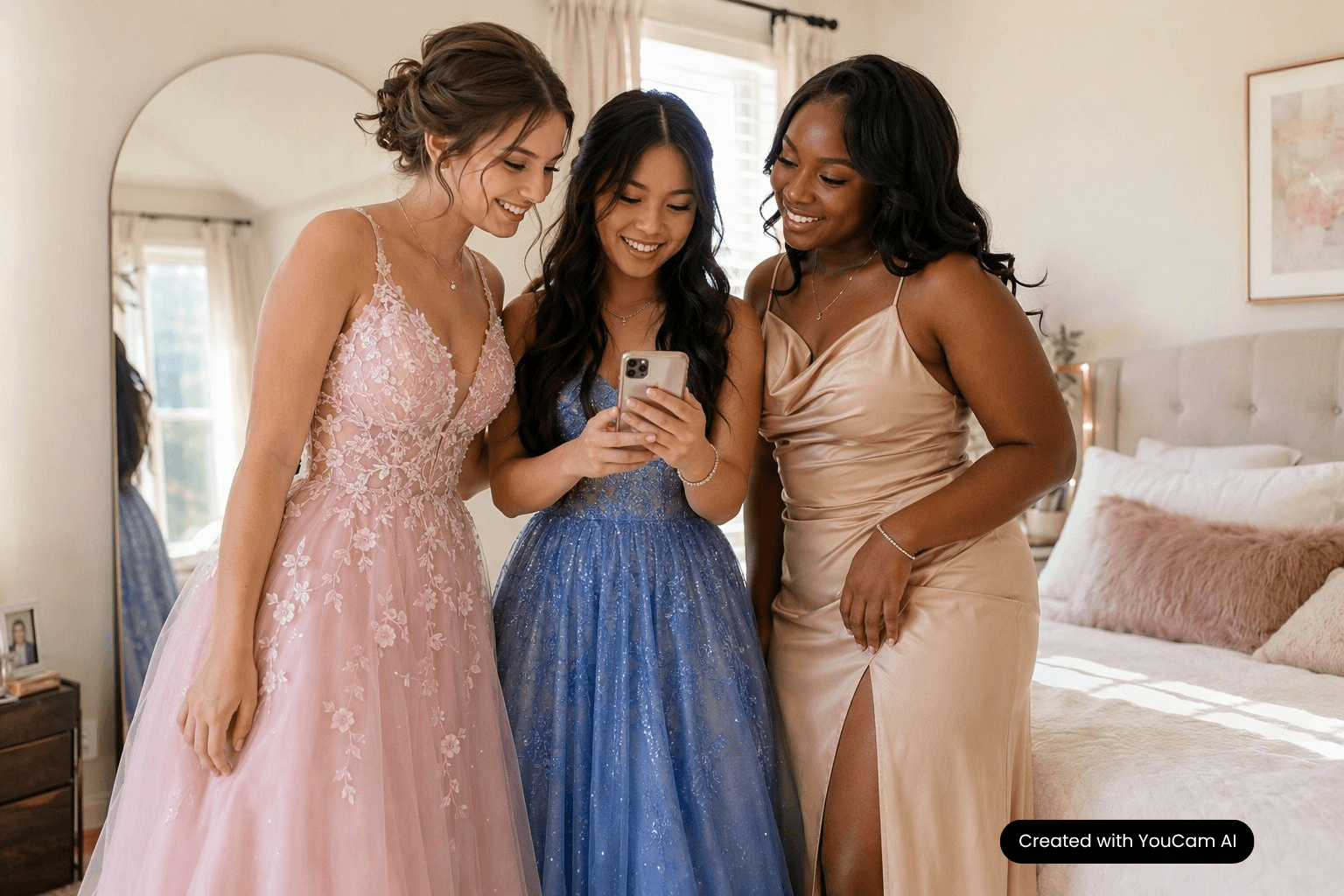
Color can completely change the mood of a prom dress. Black, red, pink, blue, green, champagne, metallic, and pastel tones can make the same general silhouette feel very different.
Virtual prom dress try-on lets you compare separate dress references in different colors and see which direction better matches the look you want. You might compare a black fitted gown with a red one, a pale blue ball gown with navy, or soft pastel references with metallic and embellished options.
The preview should remain a visual reference. Lighting, screen settings, product photography, and the actual fabric can all affect how a color appears in real life.
What Can You Compare With a Prom Dress Virtual Try-On?
The most useful approach is to compare specific design choices rather than generate random looks.
| What to Compare | What to Look At |
|---|---|
| Silhouette | A-line, fitted, mermaid, slip, or ball gown shapes. |
| Color | How different color directions change the overall mood. |
| Length | Full-length, shorter, or high-low styles where relevant. |
| Neckline | Strapless, halter, V-neck, square-neck, or one-shoulder options. |
| Sleeves | Sleeveless, short-sleeve, or long-sleeve formal looks. |
| Overall Style | Classic, minimal, romantic, glamorous, or statement looks. |
The goal is not to replace the real garment. It is to make the early decision process more visual so you can narrow down which prom dresses are worth investigating further.
How to Get Better Prom Dress Try-On Results
- Use a clear photo. Good lighting and a visible body position give the system better visual information to work with.
- Use a full-body image for long gowns. It is more useful for evaluating the complete prom dress silhouette than a tightly cropped portrait.
- Choose a clear garment reference. Avoid images where most of the dress is hidden or cropped.
- Keep comparisons consistent. Use the same person photo when comparing several dresses so the garment is the main variable changing.
- Use the result for styling inspiration. Check the retailer's real product photos, measurements, size guide, fabric description, and return policy before buying.
For more detail on the photo-based outfit workflow, see our AI Clothes Changer guide.
Prom Dress Virtual Try-On Ideas
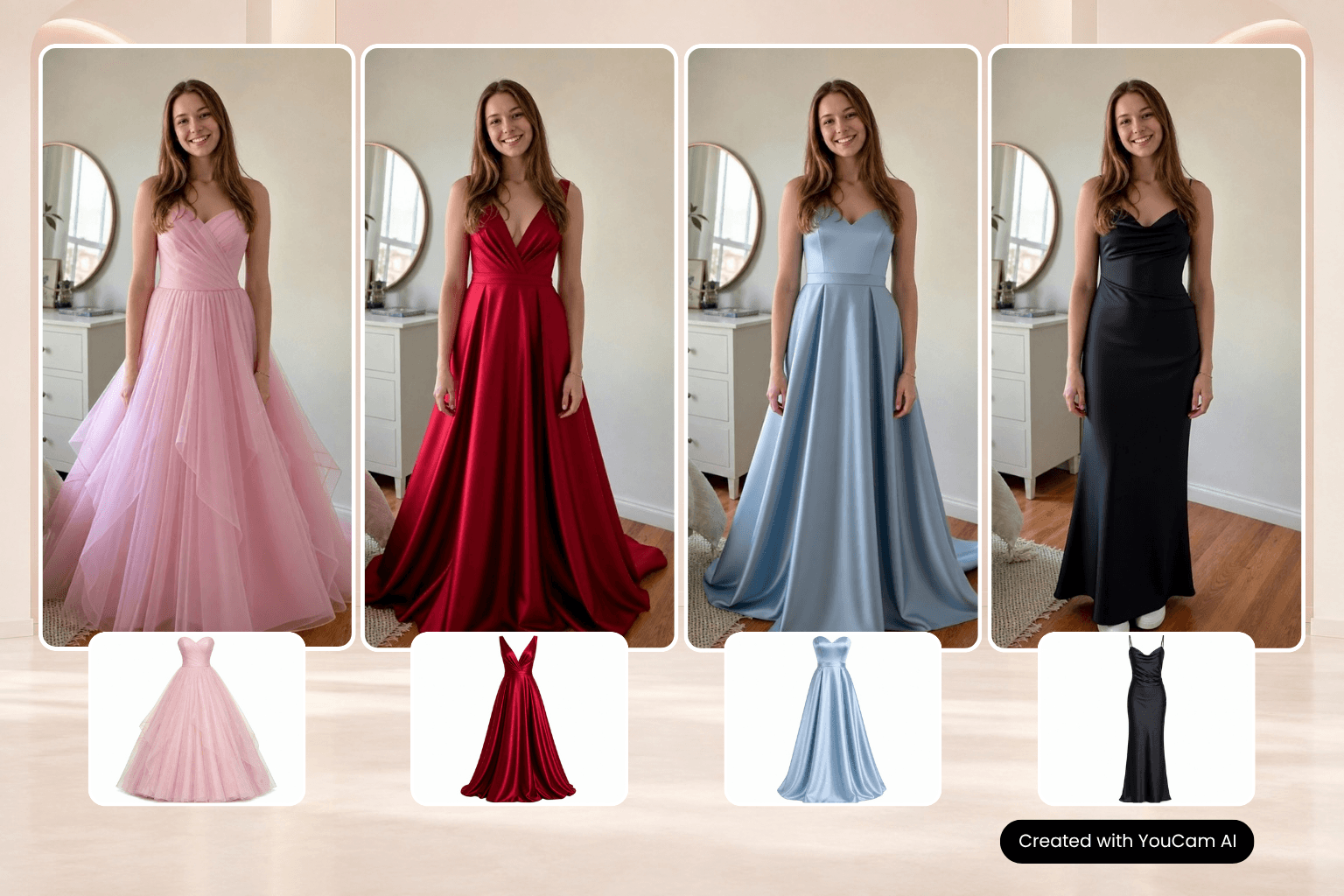
- Compare two very different silhouettes. Try a fitted gown and a ball gown to decide which direction feels closer to your prom look.
- Explore color families. Compare separate dress references in dark, bright, neutral, pastel, or metallic tones.
- Compare levels of formality. Put a minimal slip-style dress next to a more embellished or structured gown.
- Build a shorter shopping list. Use the previews to identify which styles you want to prioritize when browsing retailers or visiting stores.
- Create a prom mood board. Save your strongest dress directions alongside hairstyle, makeup, accessory, and shoe inspiration.
Virtual try-on becomes more useful when it helps answer a specific question: “Do I prefer this type of gown or that one?”
How Fashion Brands Can Offer Prom Dress Virtual Try-On
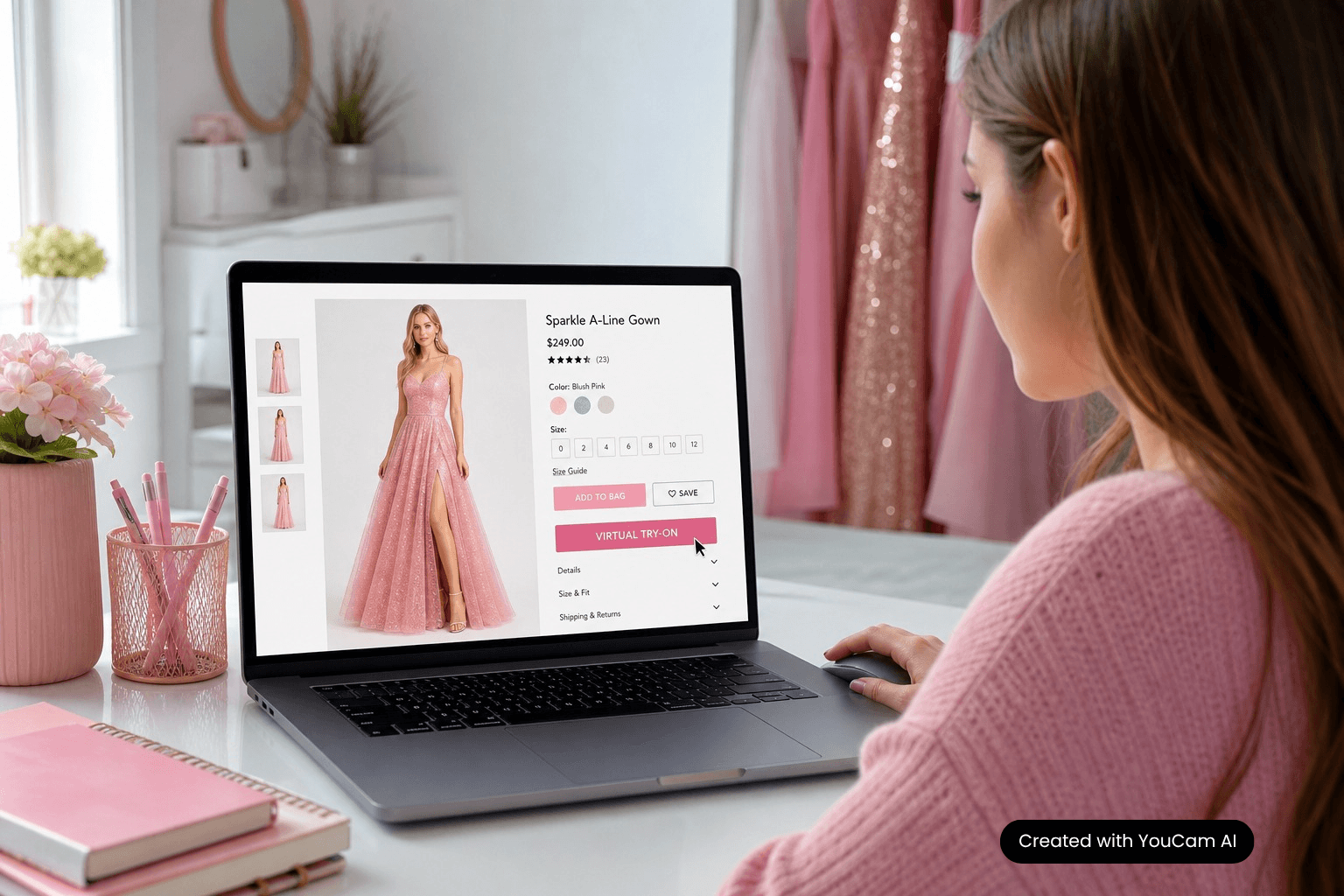
Prom shopping is also a strong virtual try-on use case for dress brands, fashion retailers, marketplaces, and shopping platforms. Instead of showing every gown only on a model, businesses can give shoppers a way to visualize selected products on their own image.
A typical experience can follow this workflow:
Shopper photo → prom dress product image → AI Clothes Changer API → generated try-on result → result displayed inside the website or app
This can support product discovery on ecommerce product pages, in fashion apps, or in other digital shopping flows. Businesses that want to build the experience into their own platform can explore Perfect Corp.'s AI Clothes Changer API.
For a broader overview of fashion and beauty applications, Perfect Corp. also offers virtual try-on technology across multiple product categories.
Prom Dress Virtual Try-On FAQ
Can I virtually try on a prom dress online?
Yes. An AI clothes try-on tool can combine your photo with a prom dress reference image to generate a visual preview of the selected style.
Can AI show me in different prom dress styles?
Yes. By using different dress references or available preset styles, you can compare silhouettes such as A-line, ball gown, fitted, mermaid, or minimal formal dresses.
Does virtual prom dress try-on tell me what size to buy?
No. Virtual try-on is a visual styling preview, not a substitute for measurements or sizing information. Use the retailer's size chart and fitting guidance when choosing a size.
What kind of photo should I use?
Use a clear image with good visibility of your body. For a long prom gown, a full-body photo is generally the most useful because it shows the complete silhouette.
Can I try on a prom dress from a product photo?
With a tool that supports custom clothing references, yes. Perfect Corp.'s AI Clothes Changer supports clothing reference images together with a user or model photo.
Can a prom dress retailer add virtual try-on to its website or app?
Yes. Fashion businesses can integrate image-based clothes try-on into websites, apps, and retail experiences through an API workflow.
Conclusion
A prom dress virtual try-on can make the search for a prom look easier to visualize. Instead of relying only on model photos, you can compare dress references on your own image and explore different silhouettes, colors, necklines, and styles before creating a shorter list of options.
For fashion brands and retailers, the same technology can add an interactive clothing visualization step to the digital shopping experience.
This article was edited and reviewed by the Perfect Corp. editorial team. Welcome to contact us or give us more suggestions.



 English


