 Author:




Your AI agent is brilliant. It can reason, plan, and write a sonnet about your quarterly OKRs. But ask it to actually do something, like pull a customer record, run a skin analysis, or file a ticket, and it shrugs. That gap between "smart" and "useful" is exactly what an MCP server closes.
The Model Context Protocol (MCP) has quietly become the USB-C port of AI: build one server, and Claude, ChatGPT, Cursor, VS Code, and a growing list of agent frameworks can all plug into it. And with the stateless 2026-07-28 spec revision, building one has never been simpler, or easier to scale.
This guide walks you from an empty folder to a working, tested, secure MCP server, then shows how real AI companies (including Perfect Corp's YouCam API) package production-grade capabilities for agents.
Table of Contents
- What is an MCP server, and why does every AI agent need one?
- How does MCP actually work?
- What changed in the 2026-07-28 MCP spec?
- How do you build an MCP server step by step?
- Should you use stdio or Streamable HTTP?
- How do you turn an existing API into MCP tools?
- How do you secure an MCP server?
- What mistakes do first-time MCP builders make?
- Should you build your own MCP server or connect to an existing one?
- FAQ
What Is an MCP Server, and Why Does Every AI Agent Need One?
An MCP server is a small program that exposes capabilities, such as functions, data, and prompt templates, to AI applications through one standard interface. The AI app discovers what your server offers, the model decides when to use it, and your server does the real work.
Before MCP, every AI app needed a custom adapter for every service. Ten AI clients times fifty services meant five hundred brittle integrations. MCP collapses that into one server per service, usable by any compliant client.
Why it matters right now:
- Agents are moving from chat to action. Teams want assistants that book, analyze, generate, and update, not just summarize.
- The ecosystem is vendor-neutral. Anthropic introduced MCP in November 2024 and donated it to the Linux Foundation's Agentic AI Foundation in December 2025, so no single company controls the standard.
- One build, many distribution channels. A single server reaches developers in IDEs, business users in chat assistants, and automation builders in workflow tools.
In short: if your product has an API, an MCP server is how AI agents become your newest customers.
How Does MCP Actually Work?
MCP defines three roles that work together:
| Role | What it is | Example |
|---|---|---|
| Host | The AI application the user interacts with | A chat assistant, an IDE, a custom agent |
| Client | A connector inside the host, one per server | The MCP client built into your IDE |
| Server | Your program that exposes capabilities | A wrapper around your REST API or database |
A typical exchange runs like this:
- The user adds your server to the host (a local command or a URL).
- The client asks your server what it offers with
tools/list. - The host passes tool names, descriptions, and input schemas to the model.
- The model picks a tool and generates arguments that match its schema.
- The client sends
tools/call; your server executes and returns a result.
Every message is JSON-RPC 2.0. The model never talks to your server directly; the host stays in control, which is what makes human-in-the-loop approval possible.
What Are Tools, Resources, and Prompts?
| Primitive | Who controls it | Use it for |
|---|---|---|
| Tools | The model | Actions: search, create, analyze, generate |
| Resources | The application | Read-only context: files, records, docs (identified by URI) |
| Prompts | The user | Reusable templates, often surfaced as slash commands |
Tools do most of the heavy lifting. When people say "we shipped an MCP server for our API," they almost always mean a curated set of tools.
What Changed in the 2026-07-28 MCP Spec?
If you read an MCP tutorial from 2025, parts of it are already stale. The 2026-07-28 revision, the biggest rewrite since launch, made the protocol stateless. Here is what server authors need to know:
- No handshake, no sessions. The
initializeexchange and theMcp-Session-Idheader are gone. Each request carries its protocol version and client capabilities in_meta. - New discovery method. Clients call
server/discoverto learn which versions and capabilities your server supports. - State is explicit. Need to remember a cart or a job? Return a handle from one tool and accept it as an argument in the next.
- Multi round-trip requests. Instead of the server firing its own requests at the client, a tool can return an
input_requiredresult and the client retries with the missing input. - Deprecations. Roots, sampling, logging, and the old HTTP+SSE transport (the
GET /ssepattern) are deprecated. - Caching hints. List results can carry
ttlMsandcacheScope, so clients can cache your tool list.
The practical win: any request can land on any server instance. No sticky routing, no shared session store, just ordinary load-balanced HTTP. That is a big deal if you plan to serve thousands of agents.
How Do You Build an MCP Server Step by Step?
We will build a small but realistic server: a Beauty Product Advisor that exposes one tool, one resource, and one prompt. We will use the official Python SDK (v2 line, which speaks the 2026-07-28 spec). Prefer TypeScript? The concepts map one-to-one; the v2 TypeScript packages are @modelcontextprotocol/server and @modelcontextprotocol/client.
Step 1: How Do You Set Up the Project?
You need Python 3.10+ and uv (or pip). Then:
mkdir beauty-advisor-mcp && cd beauty-advisor-mcp
uv init
uv add "mcp[cli]" httpx
Pin the SDK version in production. MCP SDKs move fast, and a major-version bump can rename classes (v2 renamed the in-SDK FastMCP to MCPServer).
Step 2: How Do You Define Your First Tool?
Create server.py. Notice there is no hand-written schema: the SDK builds the tool's JSON Schema from your type hints and docstring.
from mcp.server import MCPServer

mcp = MCPServer(
    "Beauty Product Advisor",
    instructions="Use these tools to recommend skincare products. Never guess prices.",
)

CATALOG = [
    {"name": "Hydra Gel Cream", "skin_type": "dry", "concern": "dehydration", "price": 32},
    {"name": "Clear Pore Toner", "skin_type": "oily", "concern": "pores", "price": 18},
    {"name": "Calm Barrier Serum", "skin_type": "sensitive", "concern": "redness", "price": 45},
]

@mcp.tool()
def recommend_products(skin_type: str, concern: str, max_price: int = 50) -> list[dict]:
    """Recommend skincare products for a skin type and concern.

    Args:
        skin_type: One of "dry", "oily", "combination", "sensitive".
        concern: The main skin concern, e.g. "redness", "pores", "dehydration".
        max_price: Maximum price in USD.
    """
    return [
        p for p in CATALOG
        if p["skin_type"] == skin_type.lower() and p["price"] <= max_price
    ]
The docstring is not decoration. It is the only documentation the model sees, so write it like you are briefing a smart new hire: what the tool does, when to use it, and what each argument means.
Step 3: How Do You Add Resources and Prompts?
@mcp.resource("catalog://products")
def product_catalog() -> str:
    """The full product catalog as plain text."""
    return "\n".join(f'{p["name"]} - {p["skin_type"]} - ${p["price"]}' for p in CATALOG)


@mcp.prompt()
def skincare_routine(skin_type: str) -> str:
    """Draft a simple morning and evening routine."""
    return (
        f"Build a 3-step morning and evening routine for {skin_type} skin. "
        "Use recommend_products for product picks and explain each step in one sentence."
    )


if __name__ == "__main__":
    mcp.run(transport="streamable-http", stateless_http=True, json_response=True)
Resources give the app read-only context; prompts give users a one-click starting point. Many servers ship tools only, and that is fine. Add the others when they solve a real problem.
Step 4: How Do You Test an MCP Server Locally?
Start the server:
uv run python server.py
# Endpoint: http://127.0.0.1:8000/mcp
Then open the official MCP Inspector in a second terminal:
npx @modelcontextprotocol/inspectorPoint it at http://127.0.0.1:8000/mcp, list your tools, and call recommend_products with real arguments. Test the unhappy paths too: an unknown skin type, a price of zero, an empty result. If a human can't tell what went wrong from the output, neither can the model.
Step 5: How Do You Connect Your Server to an AI Client?
Most clients accept a JSON config. For a remote (HTTP) server it looks like this:
{
  "mcpServers": {
    "beauty-advisor": {
      "url": "http://127.0.0.1:8000/mcp",
      "type": "http"
    }
  }
}
Config file locations differ by client (for example, Cursor reads .cursor/mcp.json, VS Code reads .vscode/mcp.json with a top-level servers key). Restart the client, then simply ask: "Recommend a serum for sensitive skin under $50." The model will find and call your tool on its own.
Should You Use stdio or Streamable HTTP?
MCP has two standard transports. Same messages, different delivery:
| stdio | Streamable HTTP | |
|---|---|---|
| How it runs | Host launches your server as a local subprocess | Your server runs independently at one endpoint (e.g. /mcp) |
| Best for | Local files, CLIs, local databases, quick prototypes | Shared, hosted, multi-user, or web-based clients |
| Credentials | Environment variables | OAuth-based authorization or bearer tokens |
| Scaling | One process per user | Standard load-balanced HTTP (stateless since 2026-07-28) |
| Gotcha | Never print to stdout; it's reserved for protocol messages | Validate the Origin header; bind local servers to 127.0.0.1 |
Rule of thumb: prototype on stdio, ship on Streamable HTTP. A remote server is the only way to reach users who will never install a local process, which is most business users.
How Do You Turn an Existing API into MCP Tools?
Most production MCP servers are a thin layer over an API you already have. The pattern looks like this:
import os
import httpx
from mcp.server import MCPServer

mcp = MCPServer("Skin Analysis")
API_KEY = os.environ["SKIN_API_KEY"]  # never hard-code secrets

@mcp.tool()
async def analyze_skin(image_url: str) -> dict:
    """Analyze a face photo and return skin metrics (e.g. wrinkles, spots, moisture).
    Use when the user shares a selfie and asks about their skin."""
    async with httpx.AsyncClient(timeout=30) as client:
        r = await client.post(
            "https://api.example.com/v1/skin-analysis",
            headers={"Authorization": f"Bearer {API_KEY}"},
            json={"image_url": image_url},
        )
    if r.status_code != 200:
        # Return a readable error the model can act on, not a stack trace
        return {"isError": True, "message": f"Analysis failed ({r.status_code}). Ask for a clearer, front-facing photo."}
    return r.json()
Three design rules separate good API wrappers from noisy ones:
- Curate, don't mirror. Every tool definition costs context tokens on every request, and some clients cap total tools (VS Code enforces 128 per request). Ten well-described tools beat eighty auto-generated ones.
- Return model-readable results. Trim payloads to what the model needs. Swap opaque codes for plain-language fields.
- Fail gracefully. Upstream errors should come back as normal results flagged as errors, with a hint on how to retry.
Real-World Example: How Does YouCam API Package AI Beauty Tools for Agents?
Here is what this looks like at production scale. Perfect Corp, whose AI and AR beauty tech powers 800+ global brands, ships its YouCam MCP Servers and Agent Skills as three domain-focused servers instead of one giant tool dump:
| MCP server | What your agent can do |
|---|---|
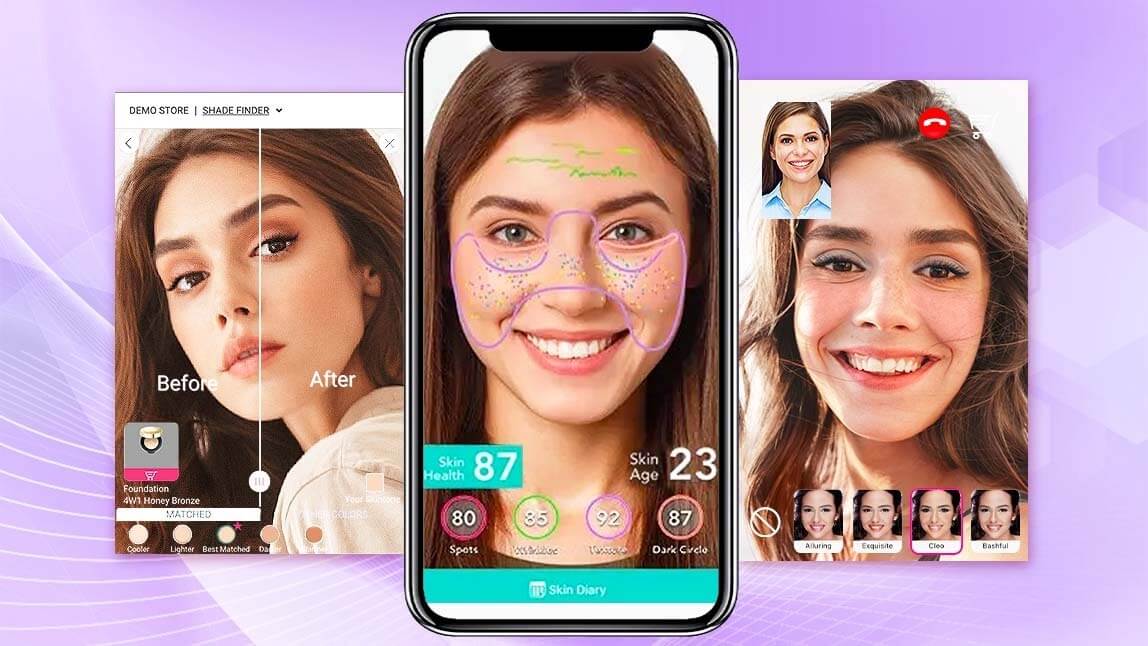
| YouCam for Beauty & Personal Care | Skin analysis, makeup try-on, facial analysis, hairstyle and hair color, beard editing |
| YouCam for Fashion & Retail | Dress models, change backgrounds, place jewelry and watches for virtual try-on |
| YouCam for Creators | Generate, edit, and transform images and videos |

Notice the design choices this guide recommends: domain-split servers keep each tool list short, one API key covers every server and Agent Skill, and there's no separate charge for the MCP layer.
Connecting takes one config entry:
{
  "mcpServers": {
    "youcam-beauty": {
      "command": "npx",
      "args": ["-y", "mcp-remote", "https://mcp-api-01.makeupar.com/mcp/beauty",
               "--header", "Authorization:${AUTH}"],
      "env": { "AUTH": "Bearer YOUR_API_KEY" }
    }
  }
}
Then you just ask your agent, in plain English, to analyze a selfie or try on a lipstick shade.
👉 Want your agent to see skin, faces, and style? Get a free YouCam API key and connect via MCP.
How Do You Secure an MCP Server?
An MCP tool can do anything the code behind it can do. That's the power, and the risk. Lock it down with these layers:
- Authenticate remote servers. The spec defines an OAuth-based authorization framework for HTTP servers; the 2026-07-28 revision prefers Client ID Metadata Documents and requires clients to validate the
issparameter. - Keep secrets away from the model. API keys live in environment variables or a secret manager, never in tool arguments or results.
- Start read-only. Ship read tools first. Gate destructive ones and mark them with annotations like
readOnlyHintanddestructiveHintso hosts know when to ask for confirmation. - Defend against prompt injection. Tool results can contain text crafted to hijack the model ("ignore previous instructions..."). Narrow tool scopes and human approval for side effects are your best defenses today.
- Validate everything. Treat model-generated arguments like any untrusted user input.
Handling faces or skin images? Pick providers with strong data practices. Perfect Corp's AI Skin Diagnostic is built for enterprise-grade beauty brands, which is exactly the bar your agent's tools should meet.
What Mistakes Do First-Time MCP Builders Make?
| Mistake | Why it hurts | Fix |
|---|---|---|
| Vague tool descriptions | The model picks the wrong tool or none at all | Say what it does, when to use it, and what each argument means |
| One tool per endpoint | Bloated context, confused model, client tool caps | Group by user intent; ship fewer, sharper tools |
| Logging to stdout on stdio | Corrupts the protocol stream | Log to stderr |
| Relying on session state | Breaks under the stateless 2026-07-28 spec | Return explicit handles the model passes back |
| Throwing raw exceptions | The model can't recover | Return readable errors with a retry hint |
| Following outdated tutorials | Old GET /sse transport and handshakes are deprecated | Check which spec revision a guide targets |
Should You Build Your Own MCP Server or Connect to an Existing One?
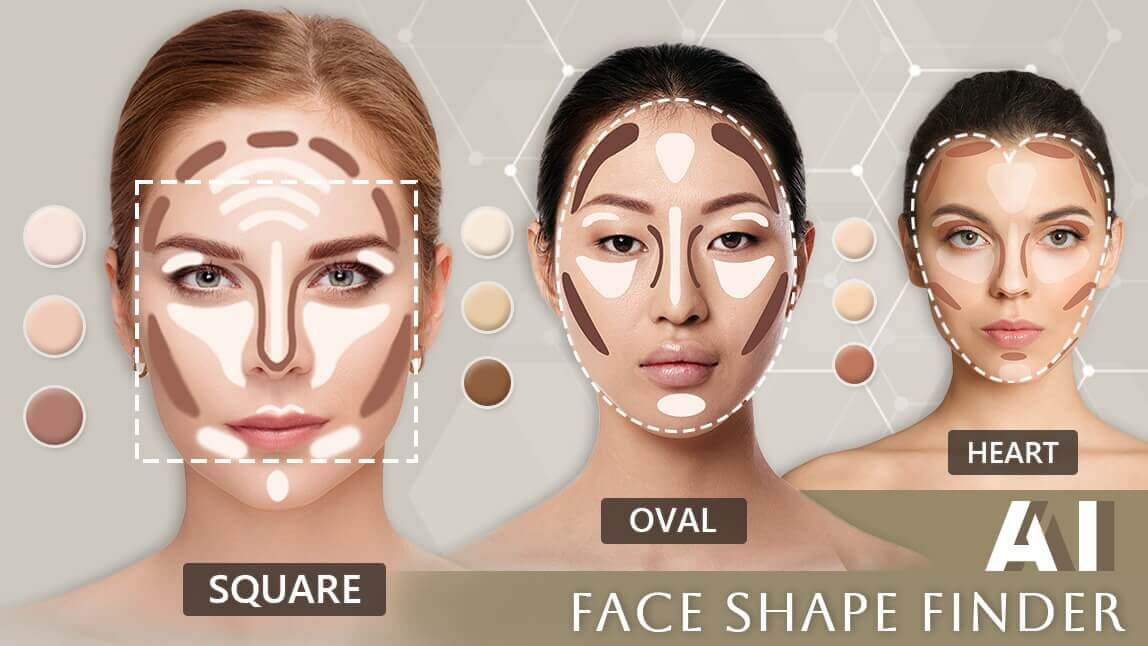
Building is the right call when the capability is your own: your database, your internal tools, your proprietary workflow. But if what your agent needs is world-class computer vision, such as skin analysis, face shape detection, or virtual try-on, rebuilding years of AI research behind a weekend MCP server is a detour.
- Build when you own the data or logic, need custom business rules, or want to expose your own product to agents.
- Connect when a specialist already offers a well-maintained server. You get production accuracy on day one and spend your time on the agent experience instead.
- Do both (the most common pattern): your own server for business logic, plus specialist servers like YouCam for perception and generation. The host orchestrates them together.
Want to see what AI beauty tools look like before you wire them up? Try them hands-on in the YouCam API Playground, browse real brand implementations on the Perfect Corp showcase, or talk to Perfect Corp about an enterprise integration.
FAQ
What is an MCP server?
An MCP server is a program that exposes tools, resources, and prompt templates to AI applications through the Model Context Protocol. Any MCP-compatible client can discover and use it without a custom integration.
How long does it take to build an MCP server?
A basic server with one or two tools takes under an hour with an official SDK. A production server that wraps a real API, with authentication, error handling, and tests, typically takes a few days. The hard part is usually the API behind it, not the MCP layer.
What language should I use to build an MCP server?
Python and TypeScript have the most mature official SDKs and the most examples. Official SDKs also exist for other languages, including PHP. Pick the language your API team already uses.
Is MCP only for Claude?
No. MCP is an open standard governed under the Linux Foundation's Agentic AI Foundation. Clients include ChatGPT, Cursor, VS Code, and many agent frameworks.
What's the difference between MCP and function calling?
Function calling is a model API feature: you send tool definitions with a request and the model returns a structured call. MCP standardizes where those definitions come from and who executes them, so one server works across many hosts.
Do I need an MCP server if I already have a REST API?
If you want AI agents to use your API reliably, yes. MCP doesn't replace your API; it gives models a curated, well-described layer on top of it and keeps secrets out of the model's view.
Can MCP servers handle images and computer vision tasks?
Yes. Tools can accept image URLs or uploads and return structured results. For example, the YouCam MCP servers let agents run skin analysis, virtual makeup and hair try-on, and image or video generation from a plain-English request.
Is MCP stateful or stateless?
Since the 2026-07-28 specification, MCP is stateless at the protocol layer: no initialize handshake and no session IDs. If a tool needs state, it returns an explicit handle the client passes back on later calls.