


 Author: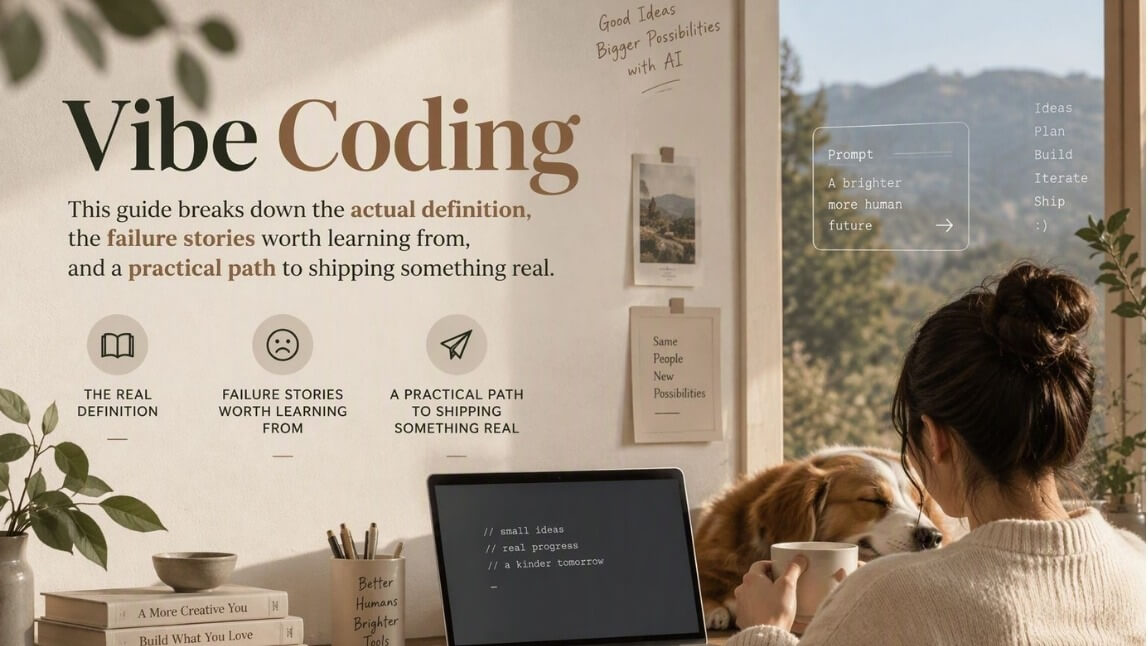
Type "vibe coding" into Google and you'll get everything from breathless hype to op-eds warning it'll nuke your codebase. Both camps are a little right. Coined by Andrej Karpathy in February 2025 and crowned Collins Dictionary's Word of the Year, "vibe coding" now means something specific: describing what you want in plain English and letting an AI model write, run, and fix the code while you steer by feel rather than by syntax.
It's a genuine shift in who gets to build software, and it comes with real trade-offs in security, maintainability, and what "being a developer" even means anymore. This guide breaks down the actual definition, the tools worth your time, the failure stories worth learning from, and a practical path to shipping something real.
In this article:
- What Does "Vibe Coding" Actually Mean?
- How Is Vibe Coding Different From Traditional Programming and No-Code Tools?
- How Does Vibe Coding Actually Work?
- What Are the Best Vibe Coding Tools Right Now?
- Is Vibe Coding Safe for Real Apps?
- How Do You Actually Ship an App With AI Using Vibe Coding?
- Is Vibe Coding a Real Skill, or Just a Trend?
- Can Non-Developers Really Build Production Apps This Way?
- FAQ: Vibe Coding Questions People Keep Asking
What Does "Vibe Coding" Actually Mean?
Strip away the meme energy and the definition is simple: vibe coding is building software by describing your intent to an AI model in natural language, then reviewing, running, and nudging its output instead of writing the logic yourself line by line. You're not reading every function. You're watching what happens when you run it, then telling the AI what to fix next — closer to directing a very fast, very literal junior engineer than typing code.
The term comes straight from the source. Andrej Karpathy — OpenAI co-founder and Tesla's former AI lead — posted in February 2025 that there's "a new kind of coding I call 'vibe coding,' where you fully give in to the vibes, embrace exponentials, and forget that the code even exists."
Within weeks, Merriam-Webster flagged it as a trending term, and by the end of 2025 Collins English Dictionary named it their Word of the Year. That's a fast trip from tweet to dictionary entry, and it tells you how quickly the practice went from Karpathy's weekend hobby projects to a mainstream way of building things.
How Is Vibe Coding Different From Traditional Programming and No-Code Tools?
People lump vibe coding in with no-code platforms and AI pair-programming, but the intent is different enough to matter. Here's the honest breakdown:
| Approach | Who writes the logic | Flexibility | Best for |
|---|---|---|---|
| Traditional coding | The developer, manually | Maximum — anything you can imagine and build | Complex, mission-critical, long-lived systems |
| No-code / low-code platforms | Pre-built visual blocks and templates | Limited to what the platform offers | Internal tools, landing pages, simple workflows |
| Vibe coding | An LLM, from your natural-language prompts | High — real code is generated, so real customization is possible | Rapid prototypes, MVPs, solo-founder products, throwaway experiments |
The distinction that matters most: no-code tools trade flexibility for safety by locking you into pre-approved building blocks. Vibe coding keeps the flexibility of real code but trades away the safety net of a human reading every line before it ships. That trade-off is the whole story of this article.
How Does Vibe Coding Actually Work?
Strip out the branding of any specific tool and the workflow is nearly identical everywhere:
- Describe the goal. You write a prompt like "build a habit tracker with daily streaks and a calendar view," not a spec document.
- The AI generates the app. It scaffolds the front end, wires up basic logic, and often spins up a live preview in seconds.
- You run it and react by feel. Something looks off, a button does the wrong thing, the layout breaks on mobile — you say so in plain language.
- The AI refines it. It patches the code based on your feedback, and the loop repeats until it "feels" right.
- You deploy. Most modern tools bundle one-click hosting, so what used to be a DevOps afternoon becomes a button press.
That last step has its own nickname now, some teams call it "vibe deploying," since pushing to production has gotten just as prompt-driven as writing the app itself.
Worth noting: even the platforms behind this trend describe two very different postures inside it, "pure" vibe coding, where you trust the output wholesale for a weekend project, and a more disciplined version where every AI-generated change still gets reviewed before it ships. Which posture you take probably matters more than which tool you pick.
What Are the Best Vibe Coding Tools Right Now?
The tool landscape moves fast, but a handful of names keep showing up whenever developers compare notes. None of these is a universal "best" — the right pick depends on whether you want a chat-first builder, an IDE that happens to have an AI co-pilot, or a fully autonomous agent you hand a to-do list.
| Tool | Best for | Standout feature |
|---|---|---|
| Cursor | Developers who want an AI-native IDE | Composer mode for multi-file, agentic edits |
| Replit Agent | Building and hosting in one place | Prompt-to-deployed-app in a single browser tab |
| Lovable | Non-technical founders sketching an MVP | Full-stack apps from a single chat prompt |
| Bolt | Fast front-end prototyping | In-browser sandbox with instant live preview |
| v0 | UI generation for React/Next.js projects | Design-to-code component generation |
| Claude Code / GitHub Copilot | Engineers embedding AI into an existing codebase | Terminal- and repo-aware agentic coding |
Once you get past the app shell, most real products still need to talk to something outside themselves — a payment processor, a maps service, an AI feature. That's usually where an API playground earns its keep: it lets you test a third-party capability with real requests before you wire it permanently into a vibe-coded prototype, which saves you from finding out it doesn't fit after the app is half-built.
Is Vibe Coding Safe for Real Apps?
Here's the part the hype cycle tends to skip. Vibe coding is fast precisely because it skips the step where a human reads and questions every line — and that step existed for a reason. An analysis by CodeRabbit found AI-co-authored code carried 2.74 times more security issues than human-written equivalents. Researchers have started calling the accumulated risk "security debt": hardcoded credentials, missing input validation, and SQL injection paths that slip through because nobody was reviewing closely enough to catch them.
What Happens When Vibe-Coded Apps Go Wrong?
The recurring pattern in post-mortems is almost always the same: something shipped without a human checking the parts that mattered — auth logic, permission scoping, or database write access — because the whole appeal of vibe coding is not having to check. That's fine for a weekend prototype nobody else touches. It's a liability the moment real user data enters the picture. The responsible middle ground that's emerging across the industry: let AI write the first draft, but keep a human review gate before anything touches production, real users, or real data.
Building something that will actually handle user data or paid features? If your vibe-coded app needs to plug into a proven, production-tested API layer instead of hand-rolling risky logic from scratch, it's worth talking to a team that's shipped APIs at scale before you find your own security debt the hard way.
How Do You Actually Ship an App With AI Using Vibe Coding?
Skip the philosophy and here's the version you can actually use this week:
- Start absurdly specific. "Build a to-do app" gets you a generic shell. "Build a to-do app for freelancers that groups tasks by client and shows unpaid invoice totals" gets you something closer to shippable on the first try.
- Build in thin vertical slices. Get one flow working end to end — sign-up, one core action, one screen — before asking the AI to add a second feature. Debugging one working slice is manageable; debugging five half-built features at once is not.
- Read the diffs on anything sensitive. Auth, payments, and data storage are the three places where "I'll just trust the vibes" turns into a headline. Review those manually every time.
- Test with real inputs early. Vibe-coded apps tend to look done long before they work reliably. Throw messy, real-world data at it before you believe the demo.
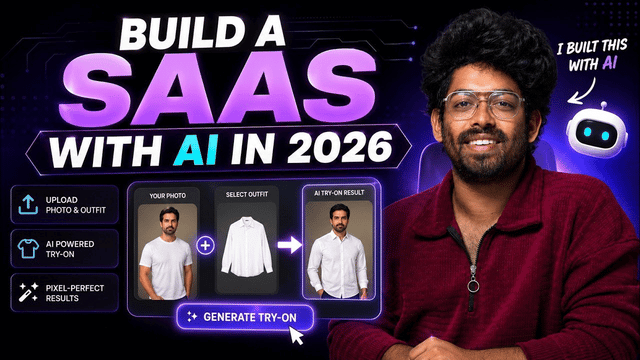
- Plug in real APIs instead of stubbing everything. A prototype held together with fake data collapses the moment you show it to a real user. Wiring in an actual third-party API — even in a sandbox — surfaces the integration problems while they're still cheap to fix. Perfect Corp's own prompt library for building apps with an AI coding assistant and a real production API is a solid worked example of exactly this pattern, if you want to see it applied end to end.
- Deploy small, then iterate live. Ship the thin version, get it in front of a handful of real users, and let their actual behavior — not your assumptions — decide what you vibe-code next.
Is Vibe Coding a Real Skill, or Just a Trend?
The numbers suggest this isn't a fad that fades by next quarter. Y Combinator reported that roughly a quarter of its Winter 2025 startup batch shipped codebases that were 95% AI-generated — not as a gimmick, but as the default way small teams now build.
Even Linus Torvalds, not exactly known for hype-chasing, has acknowledged using AI-assisted generation for components of his own projects. That's a signal worth taking seriously: the skill that's becoming valuable isn't "can you type code fast," it's "can you specify intent precisely, catch a bad output quickly, and know which ten lines actually need your personal attention."
That's a real, learnable, and increasingly hireable skill — closer to technical product management than to classic software engineering, but no less legitimate for it.
Can Non-Developers Really Build Production Apps This Way?
Yes, for a specific slice of "production" — and the honest caveat matters here. Someone with zero coding background can absolutely describe an app into existence, get a working prototype in an afternoon, and use it to validate an idea, pitch investors, or run a small internal tool. What they typically can't do alone is guarantee that prototype is secure, scalable, and legally compliant the moment it starts handling real customer data or payments.
The practical answer most solo builders land on: vibe-code the front end and the product experience yourself, then bring in a real API or a technical reviewer for anything touching money, identity, or sensitive data. You can see what that division of labor looks like in practice by browsing how other builders have structured working products in real-world application showcases, or by checking what's available off the shelf in a broader product suite built for exactly this kind of integration rather than reinventing it from a prompt.
Prototyping something AI-powered? Test real endpoints before you commit to them in our AI Playground — it's a faster way to find out what actually works than debugging it after your vibe-coded app is already live.
FAQ: Vibe Coding Questions People Keep Asking
What is vibe coding, in simple terms?
It's building software by telling an AI what you want in plain language and letting it write the code, instead of writing the logic yourself. You guide by outcome and feel, not by syntax.
Who invented the term "vibe coding"?
Andrej Karpathy, OpenAI co-founder and former Tesla AI lead, coined it in a post in February 2025. It went from a tweet to a Merriam-Webster trending term within weeks, and Collins English Dictionary later named it Word of the Year.
Is vibe coding the same as no-code development?
No. No-code tools assemble pre-built visual blocks with hard limits on customization. Vibe coding generates actual, editable code from your prompts, which gives you more flexibility — but also removes the guardrails no-code platforms build in by default.
What's the difference between vibe coding and just using AI autocomplete while I code?
Autocomplete assists a developer who's still writing and reviewing every line. Vibe coding flips the relationship: the AI writes and the human mostly tests and directs, often without reading the underlying code closely at all.
Is vibe coding safe for apps that handle real user data?
Not by default. Studies have found meaningfully higher rates of security issues in AI-co-authored code, and real incidents — including exposed backend data and an accidental production database deletion — show what happens when nobody reviews the sensitive parts. Treat auth, payments, and data handling as mandatory human-review zones.
Can a complete beginner ship a real app with vibe coding?
Beginners can absolutely build a working prototype fast — often in an afternoon. Getting that prototype to production-grade reliability usually still benefits from a technical reviewer or a proven API for the sensitive pieces.
What are the best vibe coding tools to start with?
Cursor and GitHub Copilot suit people already comfortable in an IDE. Replit, Lovable, and Bolt are better starting points for non-developers who want a chat-first, browser-based experience with instant previews.
Will vibe coding replace software engineers?
Not the way headlines suggest. It's changing what engineers spend time on — less manual typing, more specifying, reviewing, and catching what the AI gets wrong — rather than removing the need for technical judgment altogether.
Vibe coding isn't a gimmick and it isn't magic — it's a genuinely faster way to get from idea to working software, with the review discipline shifted onto you instead of built into the tool. Use it to move fast on the parts that are safe to move fast on, and slow down deliberately for the parts that touch real users, real money, or real data. Want to see what a properly engineered, production-grade API looks like when you're ready to plug one into your next AI-built app? Browse more build guides on the Perfect Corp blog to see how it's done in practice.



 English


