


Face Scanner Online

Trusted by 800+ Beauty Brands Worldwide
Secure SaaS Platform
How to Use the Face Scanner Online in 3 Steps
No download and no sign up. Open the demo in any mobile or desktop browser, scan, and read a full facial report in roughly 5 seconds.
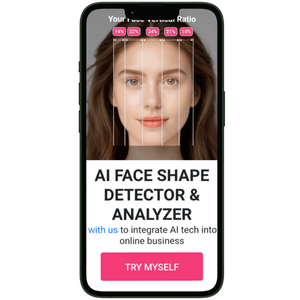
Upload a Photo or Open Your Camera
Click Try Myself to launch the scanner. Upload a clear, front facing photo, or grant camera access and let the on screen frame guide you into position. Soft, even lighting and hair pulled back give the AI the cleanest data to work with.

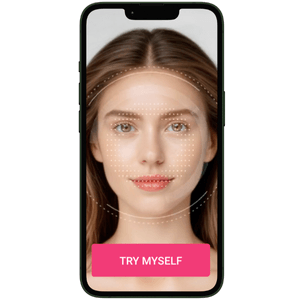
Let the AI Scan and Map the Face
The engine reads facial geometry in real time and measures the relationships between forehead, cheekbones, jawline and chin. Analysis happens during the session, so photos are never permanently stored on our servers.
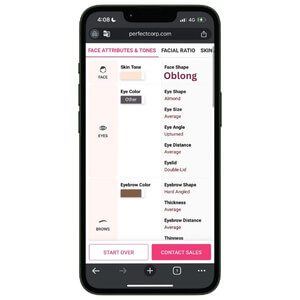
Read the Report and Try the Recommendations
In about 5 seconds you get face shape, eye, brow, lip and nose shapes, facial ratios and a personal color palette. Every result links straight to matching makeup, hairstyle and eyewear try ons, so browsing turns into buying.
What Is a Face Scanner?
A face scanner is an AI tool that turns a photo or live camera feed into measurable facial data. It detects where each feature sits, measures the distances and angles between them, and classifies the result into shapes, ratios, and color values in about 5 seconds. No tape measure, no guesswork, no subjective quiz.
- 70+ facial attributes in a single scan: Face shape, eyebrow shape, eye shape, lip shape, nose shape, and cheekbone structure are all read from one image.
- 9 mainstream face shapes: Oval, round, square, heart, diamond, oblong and more, matched by a model trained on over 100,000 faces spanning different genders, ages and ethnicities. Our complete guide to the 7 face shapes explains what each one means for styling.
- Ratio-based, not rule-based: Read Face Shape Detector 101 to see how proportion analysis beats manual measurement, or explore our eye shape chart for a closer look at one attribute.
- Instant, repeatable, objective: The same face returns the same reading every time, which is what makes the output usable as recommendation logic rather than entertainment.
See How It Works
A Face Scanner That Also Reads Personal Color
Most free scanners stop at face shape. Ours keeps going, reading the color values across skin, hair, and features so recommendations match complexion as well as structure.
- 5 color dimensions detected: Skin tone, eyebrow color, eye color, lip color, and hair color, all pulled from the same single scan.
- Undertone-aware matching: The AI classifies warm, cool, and neutral undertones, which is the difference between a foundation shade that disappears and one that sits on top. See how AI personal color analysis works.
- Trained across skin tones: The model is built on a diverse image set, so results hold up across ethnicities rather than skewing toward one range.
- One scan, many merchandising hooks: Shade finder, seasonal color palette, hair color try-on, and eyewear tinting can all be driven from the same result payload.
Try Web Demo
Scan 11+ Facial Ratios and Symmetry
Face shape is the headline. Ratios are where the real personalization value sits, because they quantify how features relate to each other instead of forcing a face into one of a few buckets.
- 11+ facial ratios measured: Face aspect ratio, eye width, eye spacing, brow position, nose proportion, lip ratio, and jaw definition, each returned as a number your logic can branch on.
- Facial thirds and symmetry scoring: The scanner compares the upper, middle and lower thirds and flags where balance sits. Our guide to facial thirds breaks down how this is read.
- Golden ratio benchmarking: Results are compared against the 1.618 proportion as a reference point, not a verdict. See what the golden ratio face actually means for context on using it responsibly.
- Structured output for developers: Every ratio comes back as a clean value in the API response, ready to drive recommendation rules, scoring UI or consultation reports.
Scan Your Face Ratios
Where an AI Face Scanner Pays for Itself
A scan is only worth running if the result changes what the customer sees next. These are the four places our partners deploy it most.
- Cosmetics and e-commerce: Replace the shade quiz. Scan once, then serve foundation, contour, and lip products matched to detected shape and undertone. Our contour recommendation breakdown shows the logic per face shape.
- Eyewear and accessories: Frame fit is the single biggest driver of eyewear returns. Scanning face shape and width before the try-on narrows the catalog instantly. See how to measure faces for glasses with AI.
- Salons and hair brands: Give stylists an objective starting point for cut and length consultations, then preview the result with AR hairstyle try-on before anyone picks up scissors.
- Aesthetic clinics and med spas: Use proportion data to structure pre-treatment consultations and set expectations with clients. More in facial analysis for cosmetic procedures.
Explore the Live Demo
Why Brands Trust This Face Scanner
Facial data is sensitive. Deploying a scanner at scale means answering the accuracy question and the compliance question at the same time.
- Built on real deployment volume: Perfect Corp. is a publicly listed beauty tech company (NYSE: PERF) with more than 800 global brand partners running our AI and AR technology in production.
- Privacy by design: Analysis runs in the session, and photos are not permanently stored. The platform is GDPR and CCPA compliant, and our SaaS environment is Vanta certified and HIPAA compliant.
- Benchmarked against alternatives: We put our own tool up against seven competing detectors in an independent side-by-side test, including where each one falls short.
- Accuracy depends on input: Front-facing angle, even lighting, and an unobstructed face materially improve results. The scanner surfaces on-screen guidance so users self-correct before the capture completes.
- Flexible integration: Web module, widget, mobile SDK or API, with custom UI and result handling built around your existing stack
Talk to Our Team
CONTACT US
Face Scanner Online Frequently Asked Questions
What is a face scanner and how does it work?

A face scanner is an AI tool that reads a photo or live camera feed and converts facial geometry into measurable data. It detects where each feature sits, calculates the distances and angles between them, and classifies the result into face shapes, facial ratios and personal color values. Perfect Corp.'s scanner returns 70+ facial attributes, 9 mainstream face shapes and 11+ facial ratios in roughly 5 seconds, directly in the browser.
How do I scan my face with my phone for the most accurate result?
Face a window or another soft, even light source and avoid standing with a bright light behind you, which turns your face into a silhouette. Pull hair back off your forehead and remove glasses so the AI can read your brow line and nose bridge clearly. Hold the phone at eye level rather than above or below you, since tilting distorts proportions, and keep a neutral expression. Grant camera permission when prompted, then stay inside the on screen frame until the scan completes.
How accurate is the AI face scanner?
The model is trained on over 100,000 faces spanning different genders, ages, and ethnicities, and it returns the same reading for the same input every time, which manual measurement and self-report quizzes cannot do. Accuracy still depends on capture quality, so front-facing angle, even lighting, and an unobstructed face matter. We published a side-by-side comparison against seven other detectors on our blog, including where each tool is weaker.
Can brands integrate the face scanner into their own website or app?
Yes. The technology is available as a web module, an embeddable widget, a mobile SDK, and an API so that you can run it on an existing product page, in a store kiosk, or in a native app. Result data is returned as structured values, which means you can drive your own recommendation logic, scoring UI, or consultation report from it. Contact our sales team, and we will scope the integration around your current stack.
Is the online face scanner free to use and are my photos stored?
The web demo is free to try with no sign-up and no app download. Images are processed during the analysis session and are not permanently stored on our servers. The platform is GDPR and CCPA-compliant, and our SaaS environment is Vanta-certified and HIPAA-compliant, which is why regulated brands and clinics are able to deploy it.
 English


