 Author:


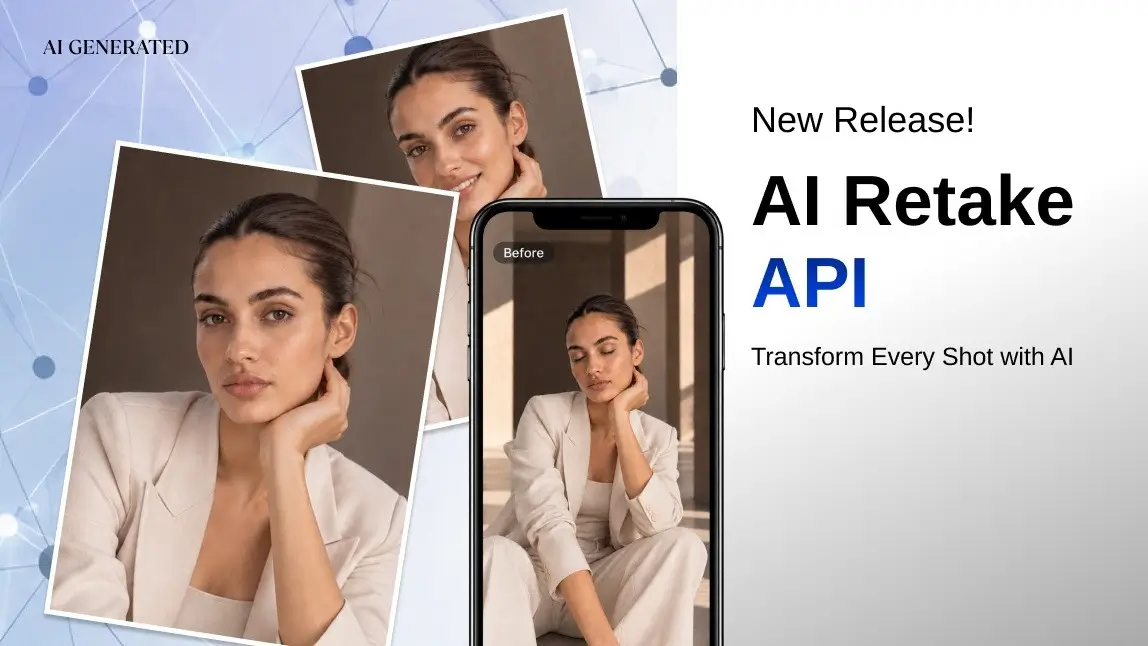
Perfect Corp. has released the AI Retake API, a new Image API that copies the facial expression from a reference photo and applies it to your original photo. Someone blinked, someone looked away, or a smile didn't land? Send the original shot together with a reference photo where the expression is right, and AI Retake returns your original photo with that expression fixed.
It works on single portraits and group photos alike. Both the original and the reference photos can show one person or several, and you decide which face takes which expression and which faces stay exactly as they are. Below, you'll learn what AI Retake is, how its face-mapping workflow works, what the input requirements are, and how to start building with the AI Retake API on the YouCam API platform.
What Is AI Retake?

AI Retake is a photo-editing API that fixes facial expressions after a photo has been taken. Instead of reshooting or hand-compositing faces in an editor, you give the API two kinds of input:
- The original photo: the shot you want to keep and modify, such as a portrait or a group shot where the framing, light and background are right but an expression isn't.
- One or more reference photos: photos that show the expression you want, for example another frame from the same burst where everyone has their eyes open.
The AI copies the expression from the chosen face on the reference photo and applies it to the matching face on the original photo. Whether you change one face or several, you get one finished image back, at the same size as your original photo.
There are no expression sliders or style parameters to tune. The result is driven entirely by the reference photo you choose, so the better the reference expression, the better the retake.
AI Retake vs. face swap
Perfect Corp. also offers face swap APIs, and the two solve different problems. A face swap puts a different face into a photo, changing who appears in it. AI Retake is built to keep the moment you captured and change the expressions in it, using the expression on a reference photo. If you need to place a different face into a clip, the AI Video Face Swap tutorial covers that workflow.
What You Can Build With the AI Retake API

Any product where people take photos, then throw away the shots where someone doesn't look right, is a good fit for AI Retake. Some examples:
- Photo and camera apps: add a "fix the blink" or "best expression" feature that lets users rescue a portrait or group shot using another frame from the same moment.
- Portrait and headshot services: fix a blink or a stiff smile in a single portrait using a better expression from another shot of the same session.
- Event and wedding photography: deliver group portraits where everyone's eyes are open, without manually blending faces from several frames.
- School, team and company photos: fix the one person who wasn't smiling in a large lineup instead of rescheduling the shoot.
- Photo printing and album services: let customers fix expressions before they order prints, books or cards.
- Social and community apps: help users clean up selfies and group selfies before they post them.
Per-face control is what makes this practical at scale. Your app fixes only the faces that need it and leaves every other face in the photo untouched.
YouCam API 2.0
Create your YouCam API account, generate an API key and start sending your first AI Retake tasks.
How the AI Retake API Works
AI Retake runs on YouCam API 2.0 and follows the same asynchronous task pattern as the other Image APIs, such as the recently released AI Watermark Removal API. The workflow has four steps.

1. Upload your photos
Register the original photo and each reference photo with the Create a new file endpoint, or pass publicly accessible image URLs directly. Both options work for the original and the reference photos, so you can plug AI Retake into the image pipeline you already have.
2. Run face detection to get the face order
Face detection tells you where each face is and in what order. Run it once for the original photo and once for each reference photo, one photo per task. Each result lists the detected faces from left to right, with each face's position in the photo.
If the original photo and the reference photo each show only one person, you can skip this step and simply map the only face on the original photo to the only face on the first reference photo.
3. Build the face mapping
The face mapping tells AI Retake which expression goes where. For each face on the original photo, you choose which reference photo and which face on it to copy the expression from, or you mark the face to stay exactly as it is.
Here's an example. You have a photo of three friends. The friend on the left blinked, the friend in the middle looked away, and the friend on the right is fine. Your first reference photo has a good expression for the friend on the left, and your second reference photo has a good one for the friend in the middle. In the mapping, the friend on the left takes the expression from the first reference photo, the friend in the middle takes it from the second, and the friend on the right stays unchanged.
The face mapping is required on every retake task, even when there is only one face. Without it, the request runs face detection instead of a retake.
4. Run the retake task and get your result
Submit the original photo, the reference photos and the face mapping. Because the task runs asynchronously, it won't block your app while the image is processed. Use webhook notifications where supported, or poll the status endpoint at a regular interval (about every 10 seconds) until the task returns success or error.
A task can be queried by its ID for 24 hours, and the result download URL is valid for 2 hours, so download and store the finished image promptly.
Input Requirements
These are the documented limits for the AI Retake API:
| Item | Requirement |
|---|---|
| File formats | JPG, PNG and HEIC, for both original and reference photos |
| File size | Up to 10MB per photo |
| Dimensions | Long edge up to 4096 px. Larger photos are resized automatically |
| People per photo | One or more faces on original and reference photos, each mapped individually |
| Output | One image, the same size as the original photo |
| Result link | Valid for 2 hours |
| API version | YouCam API 2.0 only |
If no face is detected on a photo, the task returns an error, and failed tasks don't consume units.
Use AI Retake Responsibly
AI Retake changes how real people look in a photo, so it should only be used with their agreement. Only use photos you own or have the rights to edit, and get consent from everyone whose expression you change. If you build AI Retake into an app, make it clear to your users when a photo has been edited, and don't use the feature to misrepresent a person or a situation.
Photos containing NSFW content are rejected with an error. All use of the API is subject to the YouCam API terms of service, and the platform is ISO/IEC 27001:2022 certified. You can find more details on Perfect Corp.'s compliance page.
How to Get Started
AI Retake is available on YouCam API 2.0 only. If you already build on 2.0, it's a drop-in addition to your current integration.
To start, create a YouCam API account and generate an API key in the API Console. Then read the AI Retake API documentation for the endpoints, parameters and the exact face-mapping format, and the general YouCam API documentation for authentication and the file upload flow. Usage is billed in units, and current rates are listed on the API pricing page.
YouCam API pricing
Compare plans and unit rates for AI Retake and the other YouCam Image APIs.
FAQ
What does the AI Retake API do?
It copies the facial expression from a reference photo and applies it to the original photo, so you can fix blinks, glances away or missed smiles without reshooting.
Does AI Retake work on single portraits?
Yes. It works on photos of one person as well as group photos. With one face on each photo, you can skip face detection and map the single face directly.
Can AI Retake fix more than one face in a group photo?
Yes. Both the original and the reference photos can show several people, and you can pass more than one reference photo. Each face on the original photo is mapped to its own reference face.
Can I leave some faces unchanged?
Yes. In the face mapping, you mark which faces to keep, and they stay exactly as they are in the original photo.
How is AI Retake different from face swap?
A face swap places a different face into a photo. AI Retake keeps the moment you captured and copies the expression from a reference photo onto the faces you choose.
Is AI Retake available on the legacy API?
No. AI Retake is available on YouCam API 2.0 only.
Are units charged if a task fails?
No. Tasks that end in an error don't consume units.
Conclusion
The best photo is often the one where almost everything went right. The AI Retake API lets you keep that moment and fix the expressions that didn't work, in a single portrait or one face at a time in a group shot, using reference photos you already have. With multi-person support, per-face control and a familiar asynchronous workflow on YouCam API 2.0, it's ready to plug into photo apps, photography workflows and printing services.
YouCam API Console
Sign up, create your API key and run your first retake task on your own photos.
This article was edited and reviewed by the Perfect Corp. editorial team. Welcome to contact us or give us more suggestions.